M55 Wireless
SnapshotProduct Images
Corsair M55 Wireless Gaming mouse Review, Ratings, and Specifications
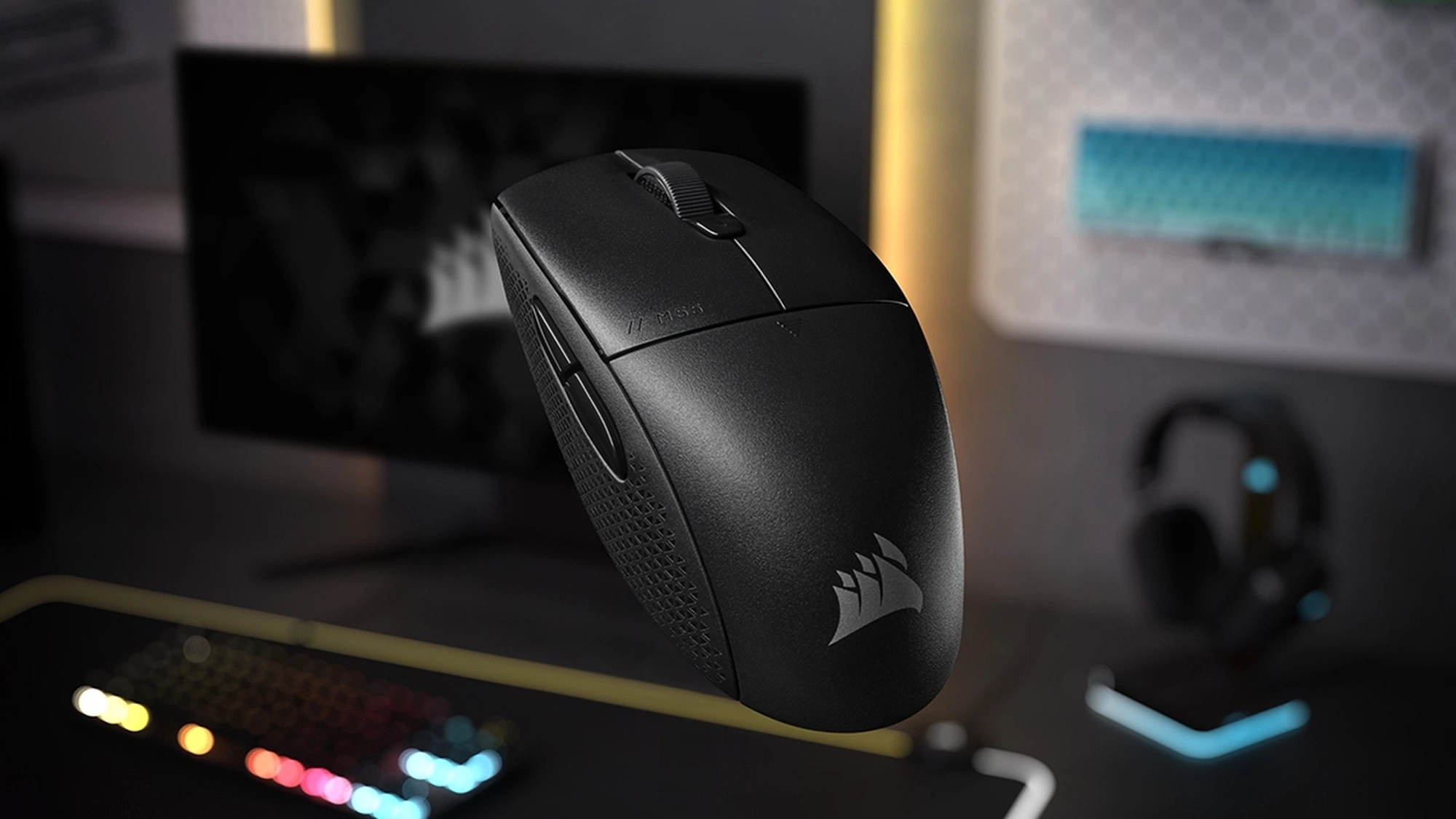
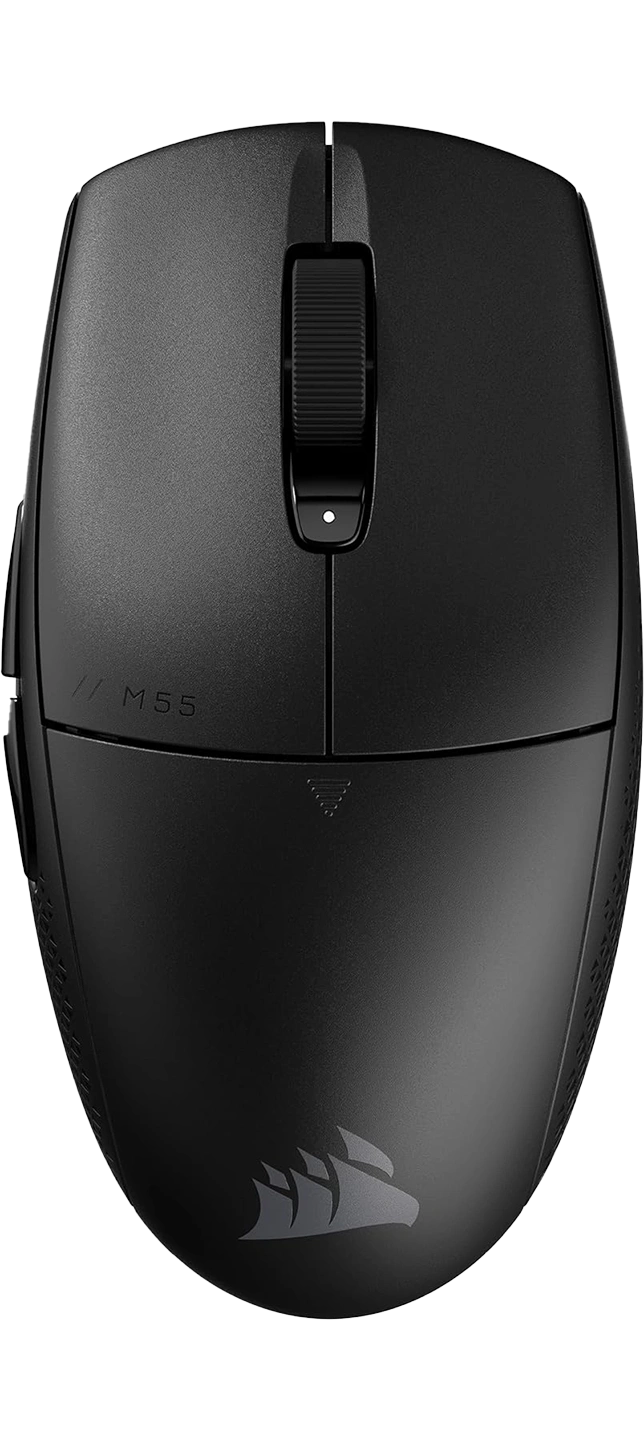
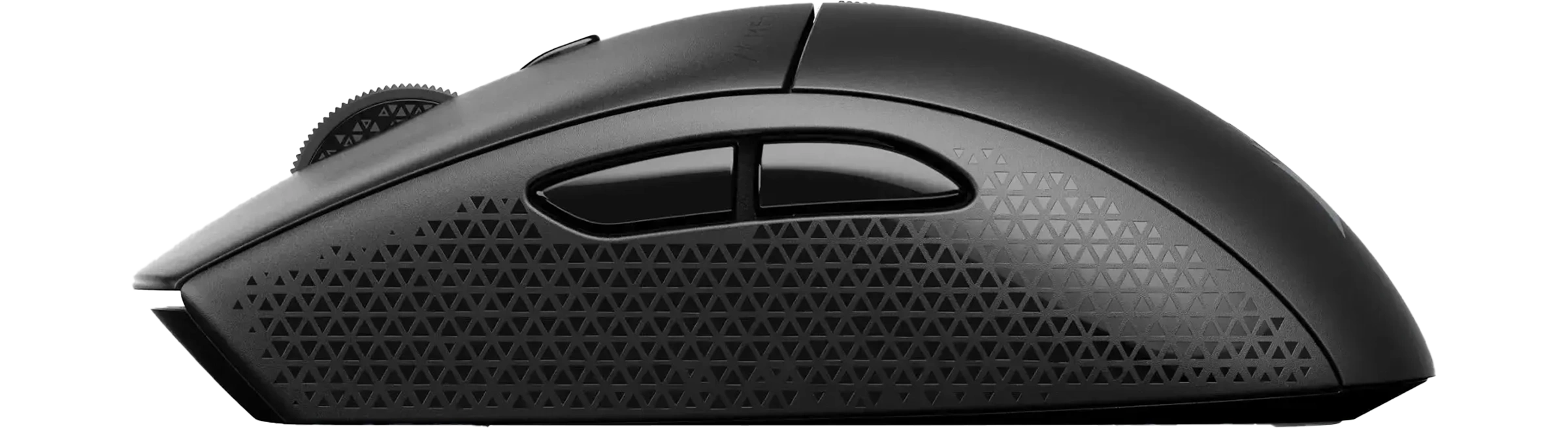
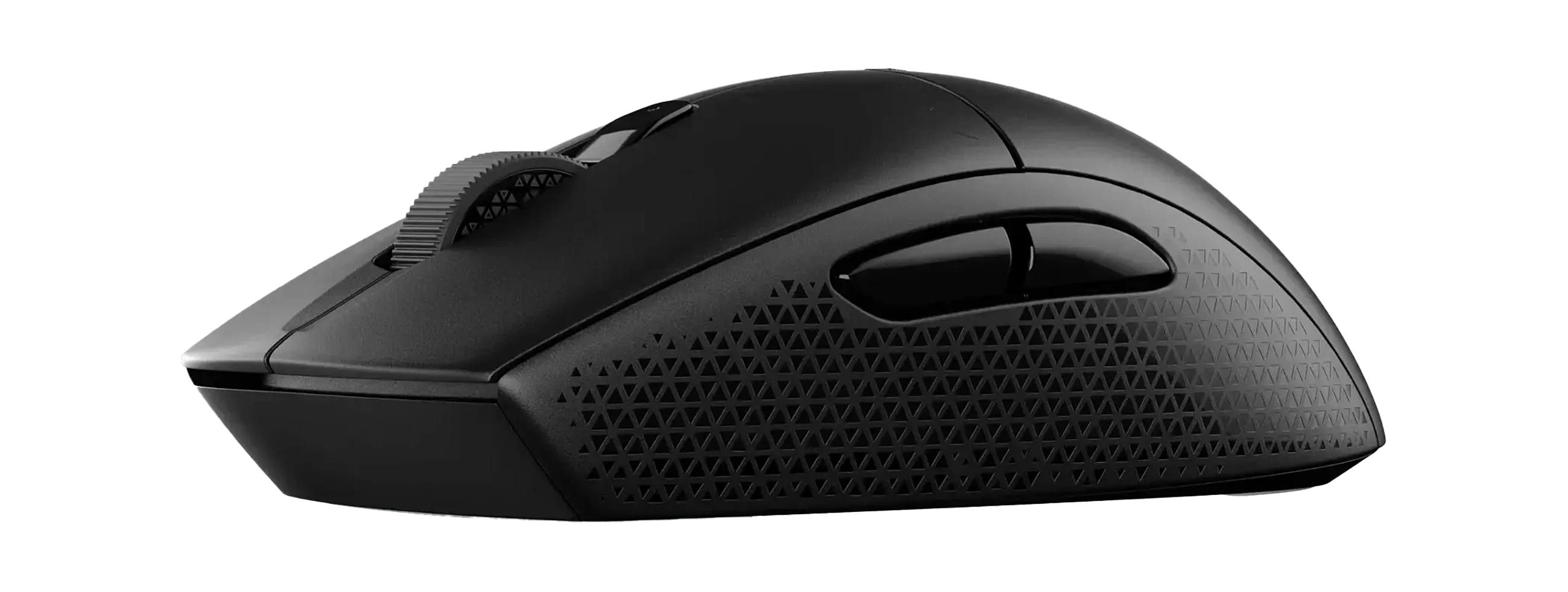
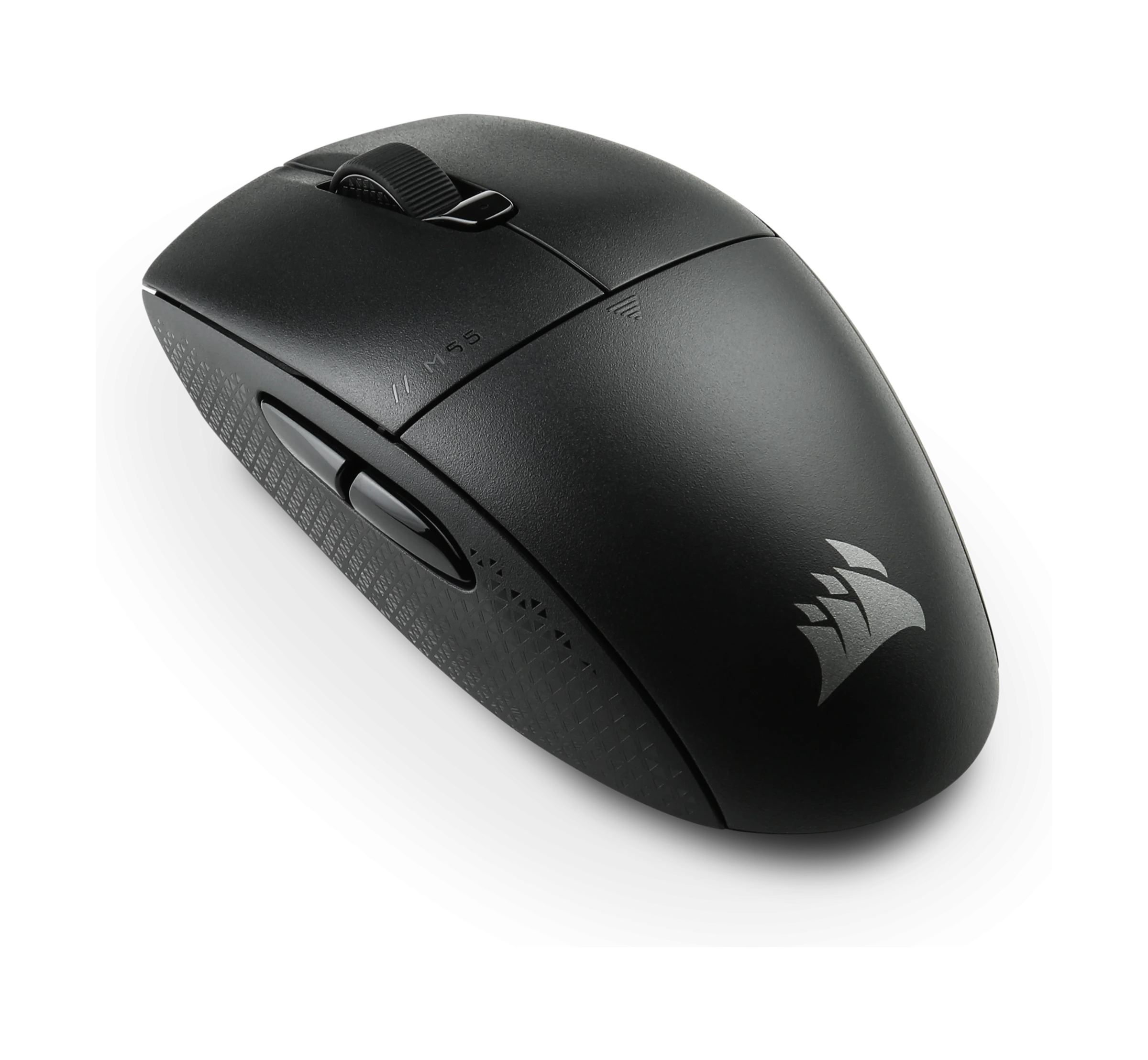
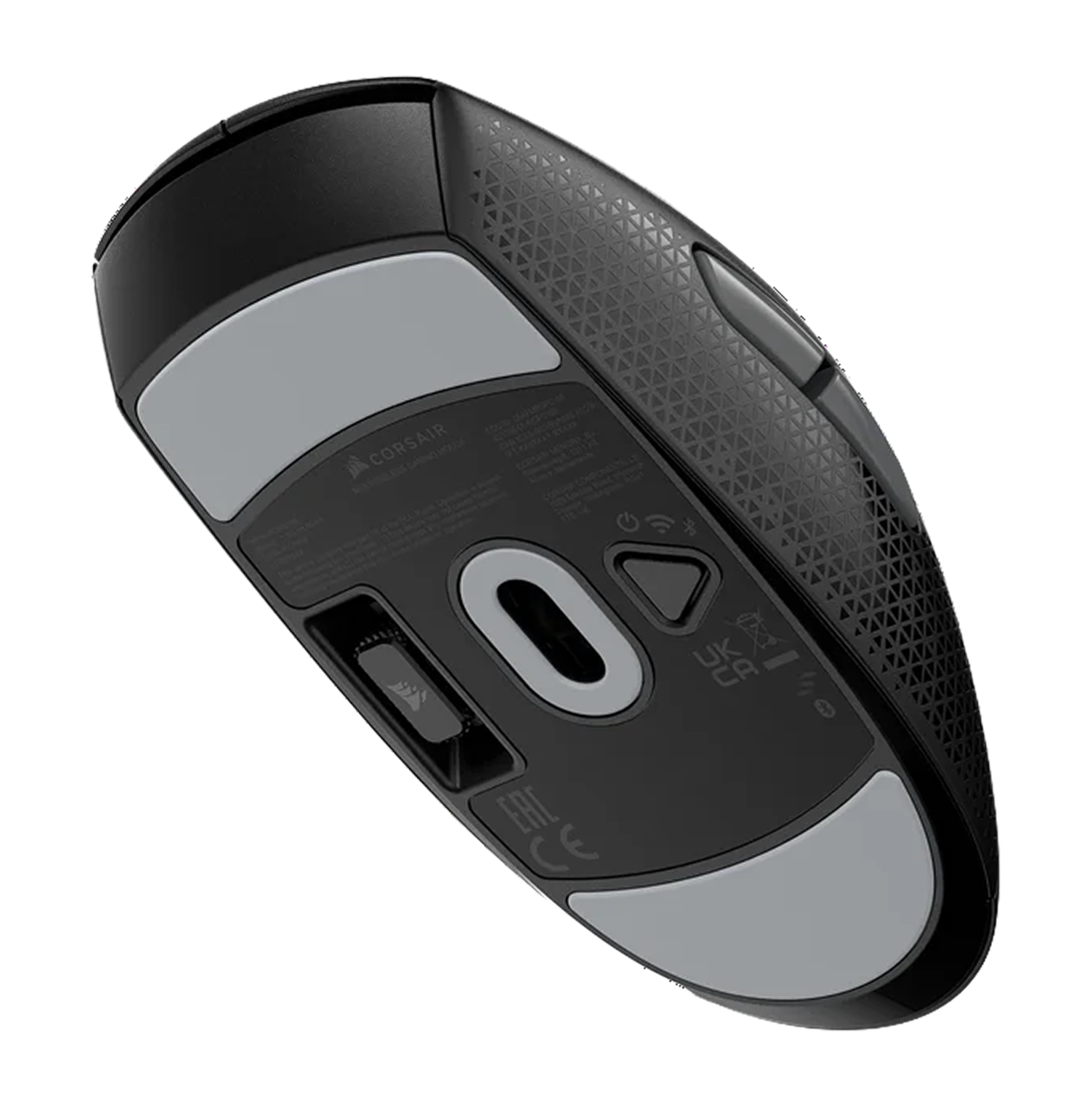
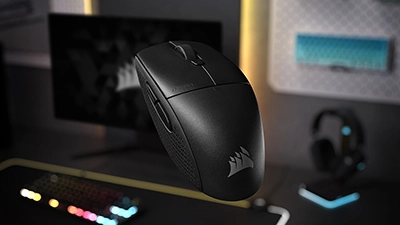
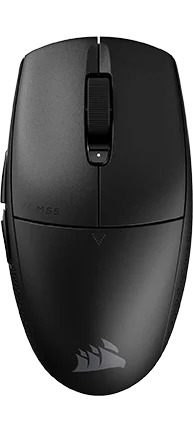
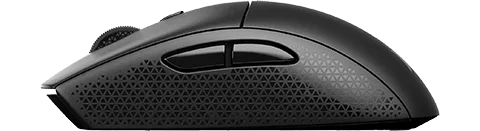
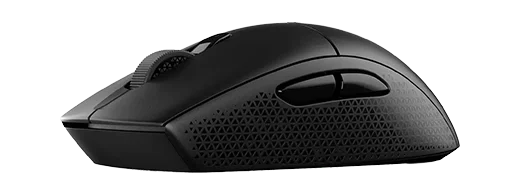
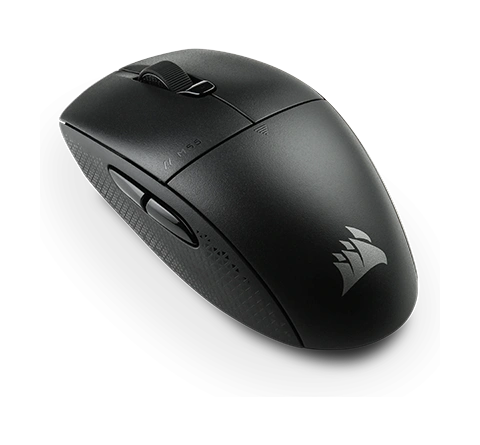
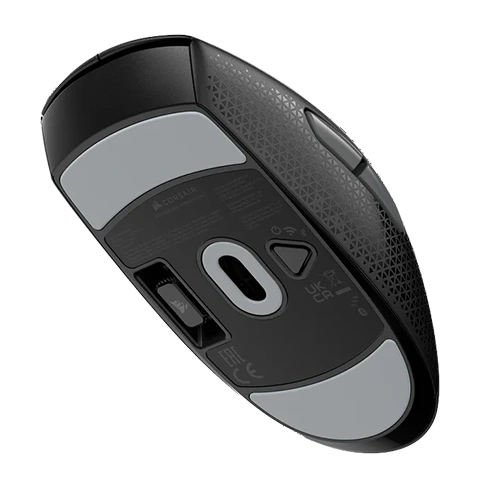
Browse Corsair M55 Wireless product images. Use the arrow buttons to change images, or select a thumbnail.






Comparisons
Best Deals
Pros & Cons
Pros
- Compact symmetrical shell suits small–medium hands for claw, fingertip, and relaxed palm grips.
- 24,000 DPI optical sensor (300 IPS, 35G) and 1,000 Hz polling deliver consistent tracking for ranked FPS and battle royale.
- Dual-mode wireless (SLIPSTREAM 2.4 GHz + Bluetooth) with AA power and battery life rated in the hundreds of hours.
- Six programmable buttons plus one on-board profile via iCUE cover the basics for FPS, MOBA, and general desktop use.
- 100% PTFE feet and a mid-80 g overall weight give a smooth yet controlled glide on mainstream cloth pads.
Cons
- AA battery keeps total weight in the mid-80 g range, noticeably heavier than modern 50–60 g ultralight esports mice.
- Limited to 1,000 Hz polling, so it won’t fully satisfy players chasing 4K-class mice for 360 Hz+ monitors.
- Power and wireless-mode controls live on a single underside button with multi-step press/hold combos that aren’t very intuitive at first.
- Symmetrical shell but thumb buttons only on the left side, so left-handed players can’t take full advantage of the layout.
What We Think
The Corsair M55 Wireless is a compact, symmetrical wireless mouse aimed at players who care more about reliable tracking, long battery life, and a familiar six-button layout than about shaving every last gram off the shell. With a 24,000 DPI optical sensor, SLIPSTREAM 2.4 GHz or Bluetooth, and an AA-powered design that lands around the mid-80 g range with the included battery, it feels like a “main mouse” you can put on any desk and trust to just work.
What You Need To Know
Corsair builds the M55 Wireless around the same compact shell as the wired M55, adds dual-mode wireless, and upgrades the sensor to 24K DPI with 300 IPS tracking and 35G acceleration. On paper it tops out at a standard 1,000 Hz polling rate, but the real story is endurance: up to 185 hours on SLIPSTREAM and up to 400 hours on Bluetooth from a single AA, plus 100% PTFE feet and six programmable buttons.
| Aspect | What you’ll notice |
|---|---|
| Weight & balance | Around mid-80 g with AA; more planted than ultralights but still easy to move |
| Sensor & polling | 24K DPI, 300 IPS, 35G at 1,000 Hz for consistent competitive play |
| Wireless & battery | SLIPSTREAM 2.4 GHz for low-latency PC play, Bluetooth for laptops/tablets, with truly long runtimes |
A compact AA-powered shell with a modern 24K sensor makes the M55 Wireless feel like a trustworthy daily driver, not just a budget backup.
In-Game Performance
In CS2 and Valorant, the M55 Wireless feels predictable rather than flashy. Low- and mid-DPI players can swing across the pad for wide peeks without seeing spin-outs, and the 24K sensor keeps micro-corrections precise when you’re dialing in headshots or tracking strafes. Input latency at 1,000 Hz over SLIPSTREAM lands comfortably in the “good enough for ranked” tier on 144–240 Hz displays, even if tournament grinders chasing 4K polling on 360 Hz panels will want something more specialised.
Fortnite-style tracking and building feel similarly consistent. Glide from the PTFE feet is smooth without being slippery, helped by the extra mass from the AA battery which gives you a slightly more planted feel than true ultralights. DPI can be stepped through five presets via the top button, and there’s a single on-board profile so your sensitivity and basic remaps travel with you between PCs via iCUE. With six total buttons (two main, wheel, DPI button, and a pair of left-side thumb buttons) it covers the fundamentals for FPS, MOBAs, and ARPGs, but it’s not trying to stand in for a dedicated MMO grid mouse.
Comfort, Shape, and Everyday Use
The M55 Wireless keeps the same compact symmetrical shape as its wired sibling, which works well for claw and fingertip grips on small and medium hands and for relaxed palm grip if you’re comfortable with a lower hump. Textured tri-hex side panels give your thumb and ring finger a bit of extra purchase without feeling rubbery, and the understated design (no RGB, simple logo) looks fine in an office environment.
The AA battery adds a noticeable chunk of weight versus the 59 g bare shell, but it also helps the mouse feel more controlled; if you’re coming from heavier mainstream mice, the mid-80 g total still feels reasonably light. The trade-off is that it will never feel as “floaty” as sub-60 g esports mice and can be a bit more tiring for ultra-low-DPI flick play. The underside POWER/WIRELESS MODE button handles on/off and switching between 2.4 GHz and Bluetooth. It keeps the top shell clean, but the press-and-hold combinations for pairing take a little memorisation, and with only one on-board profile you’ll rely on iCUE if you want different mappings per game.
Where It Fits vs Other Mice
Within Corsair’s lineup, the M55 Wireless is the everyday symmetrical sibling to the ultra-light M75 Air Wireless, which cuts weight to around 60 g and adds a flagship 26K sensor at a higher price, but also has much shorter maximum battery life. If you’re content to stick with a cable, the wired M55 variants give you nearly the same shape in an even lighter, cheaper package, but drop multi-device wireless entirely.
In our wider catalog, it slots below dedicated esports mice like the Logitech G Pro X Superlight 2 and Pulsar X2 v2. Those mice shave roughly 20–30 grams off the weight and unlock optional 4K polling at significantly higher price points, but they trade away the AA “drop in a new battery and forget about it” convenience and the hundreds-of-hours battery life that define the M55 Wireless.
Bottom line: if you want an affordable, compact wireless mouse that feels secure in hand, works across multiple devices, and is more about reliability and comfort than chasing pro-tournament specs, the M55 Wireless is an easy recommend; if you already know you’re highly sensitive to weight and polling rate, you’ll be happier jumping straight to one of the ultralight esports models instead.
Performance Breakdown ?
Build
WeightWhat is Weight? Weight refers to the mass of a gaming mouse, measured in grams, affecting its feel and maneuverability.Distribution:
Each bar shows how many products received that score; the highlighted bar is this item’s score.147 36Why Does It Matter? Lighter mice enable faster movements, ideal for competitive gaming, while heavier mice offer stability, suiting precise or controlled playstyles.
Distribution:
83 g
SkatesMouse Feet Material (Skates): These pads under your mouse significantly influence glide, performance, and durability.Distribution:
Each bar shows how many products received that score; the highlighted bar is this item’s score.PTFE (Colored/Mixed): Moderate friction coefficient - Balances speed with a touch of added control, often seen in stock mouse setups for its versatility. The addition of dyes or other materials might slightly increase friction compared to virgin-grade, but it also enhances durability and offers color options for personalization.PTFE (Virgin-Grade): Very low friction coefficient - Pure PTFE provides minimal resistance, allowing for a seamless glide across your mousepad. This material is favored for its purity, which results in less wear over time, maintaining its glide properties longer than colored PTFE.Glass Skates (Glossy Aluminosilicate): Lowest friction coefficient - Offers an incredibly smooth glide, ideal for quick, precise movements in gaming. Their durability is unmatched, ensuring consistent performance over time, even under heavy use.Glass Skates (Matte Aluminosilicate): Low friction coefficient - Strikes a balance between speed and control, offering a tactile feedback not found in glossy finishes. The matte surface reduces the initial stickiness sometimes experienced with glossy skates, providing gamers with better control for micro-adjustments.UHMWPE: Moderate to high friction coefficient - Known for its durability, it provides a controlled glide, ideal for gamers who prefer precision.Ceramic: Higher friction coefficient - Durable and suited for hard surfaces, these skates offer control-focused glide characteristics.Sapphire: Variable friction coefficient - Luxury option with exceptional durability and glide, though performance can vary with surface treatment.Thickness and Shape: These aspects affect how your mouse interacts with the surface. Thicker skates can increase lift-off distance but may last longer, while shape influences glide smoothness.Installation and Maintenance: Proper installation involves cleaning, precise alignment of new skates, and sometimes heating for old skate removal. Regular maintenance ensures optimal glide performance.
Distribution:
PTFE (Virgin-Grade)
Hardware
PollingWhat is Polling Rate? Polling rate, measured in Hz, is how often a mouse reports its position to the computer.Distribution:
Each bar shows how many products received that score; the highlighted bar is this item’s score.125 8000Why Does It Matter? Higher polling rates provide smoother, more responsive tracking, critical for competitive gaming where precision and speed are key.
Distribution:
DPIWhat is DPI? Dots Per Inch (DPI) measures the sensitivity of a mouse, determining how far the cursor moves per inch of physical movement.Distribution:
Each bar shows how many products received that score; the highlighted bar is this item’s score.4200 44000Why Does It Matter? Higher DPI allows faster cursor movement, ideal for high-resolution displays or fast-paced gaming, while lower DPI offers precision for detailed tasks.
Distribution:
IPSWhat is IPS? Inches Per Second (IPS) indicates the maximum speed at which a mouse sensor can move while still accurately tracking.Distribution:
Each bar shows how many products received that score; the highlighted bar is this item’s score.48 888Why Does It Matter? Higher IPS ensures reliable tracking during rapid movements, essential for fast-paced gaming where quick swipes are common.
Distribution:
AccelerationWhat is Acceleration? Acceleration measures how quickly a mouse sensor can reach its maximum tracking speed, expressed in g-forces (g).Distribution:
Each bar shows how many products received that score; the highlighted bar is this item’s score.10 88Why Does It Matter? Higher acceleration ensures accurate tracking during fast movements, vital for dynamic gaming scenarios requiring rapid cursor shifts.
Distribution:
Performance
Specifications
- Price (MSRP) $49.99
- SKU / Part # CH-931F000-WW
- Color(s)
- Design(s) standard
- Weight 83.00 g / 2.93 oz
- Material plastic
- Coating matte
- Feet Material PTFE (Virgin-Grade)
- Lighting none
- Release Date 08/2024
General Features
- Connection wireless
- Connectivity 2.4GHz Dongle
- Computer Side Connector USB-A
- Mouse Side Connector n/a
- Cable Type braided
- Paracord
- Battery Hours n/a
Connectivity
- Length 118.70 mm / 4.67 in
- Width 62.15 mm / 2.45 in
- Height 38.25 mm / 1.51 in
Dimensions
- Form Factor right
- Shape symmetrical
- Hump middle
- Front Flare inward
Shape & Form
- Adjustable Weight
- Honeycomb Frame
- Silent Clicks
Extra Features
- Sensor -
- Sensor Type optical
- Flawless Sensor -
- Sensor Latency -
- Polling Rate 1000 Hz
- DPI 24000 k
- IPS 300
- Acceleration 35 g
- Lift-off Distance -
- Lift-off Settings -
- Motion Sync -
- Hardware Acceleration
- Nvidia Reflex
- Smoothing
Sensor Specs
- Switch Type mechanical
- Switches -
- Hot Swappable
- Click Latency -
- Click Force -
Switch Specs
- MCU -
- Side Button(s) 2
- Middle Button(s) 1
- Programmable Button(s) 6
- Tilt Wheel
- Adjustable Scroll Wheel
- Onboard Memory
- Profile Switching
Control & Function
Similar


Recommended
 Terms | Privacy | Feedback