

Takeaway: Alienware’s bold designs, unified software, and high-performance hardware create a seamless gaming ecosystem for enthusiasts and creators alike.
Who It’s For
Alienware suits gamers and creators who value a cohesive setup with top-tier performance. If you play competitive esports, its high-refresh IPS monitors (360–500 Hz) deliver crisp motion. For immersive RPGs or sim racing, QD-OLED displays like the AW3425DW offer vibrant contrast. Tri-mode peripherals (2.4 GHz, Bluetooth, wired) ensure flexibility for gaming, editing, or work, while AWCC simplifies customization. From budget-conscious to flagship buyers, Alienware’s range supports varied playstyles and use cases with reliable builds.
Why It Matters (Unified Control & Performance)
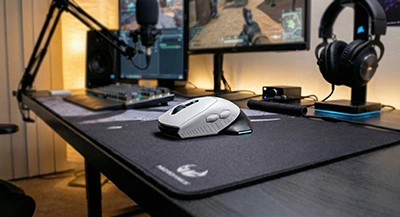
Alienware’s ecosystem shines through Alienware Command Center (AWCC), a hub for managing thermals, overclocking, macros, DPI (up to 26,000), polling rates (up to 8,000 Hz), and AlienFX lighting. This lets you create game-specific profiles that sync across laptops, desktops, monitors, and peripherals—ensuring your setup feels like one unit. For example, you can match lighting effects to in-game events or optimize CPU/GPU power for demanding titles like Cyberpunk 2077. Onboard memory in peripherals saves settings for plug-and-play use across devices.
Specs verified against Dell/Alienware documentation. Checked: 2025-10-16.
Key Product Lines
- Area-51 Laptops: Revived in 2025 with Intel Core Ultra processors (up to 5.8 GHz, 24 cores) and NVIDIA RTX 4080/4090 GPUs. Excellent for high-FPS gaming and creative workloads; check port arrays (Thunderbolt 5, USB-C) for upgrades.
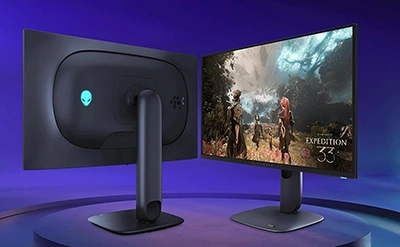
- QD-OLED Monitors (e.g., AW2725Q, AW3425DW): 4K or ultrawide options with 0.03 ms response and infinite contrast for immersive play. Best in dim rooms; follow manual pixel-refresh routines.
- Fast IPS Monitors: 27-inch to 32-inch panels at 240–500 Hz for esports, with G-SYNC/FreeSync for tear-free visuals.
- Pro Series Peripherals: Mice with magnetic charging (up to 120 hours battery), keyboards with Cherry MX or low-profile switches, and headsets with 50mm graphene drivers and AI noise cancellation. Tri-mode connectivity ensures versatility.
- Aurora Desktops: Modular builds with high-wattage PSUs and AlienFX zones; prioritize airflow for sustained GPU/CPU performance.
Latest From Alienware
Alienware Alienware Pro Gaming mouse Review, Ratings, and Specifications

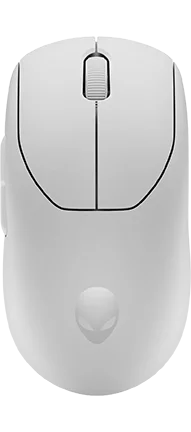

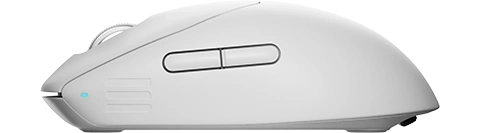

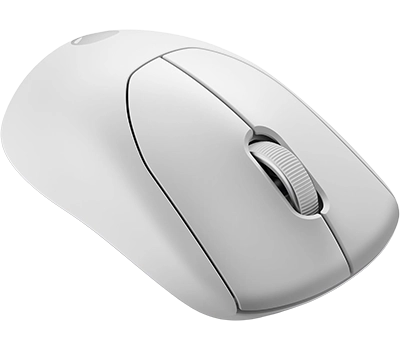

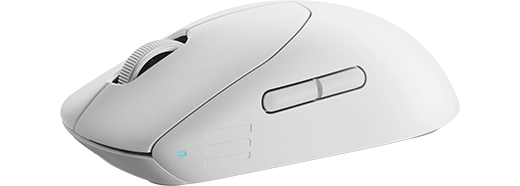

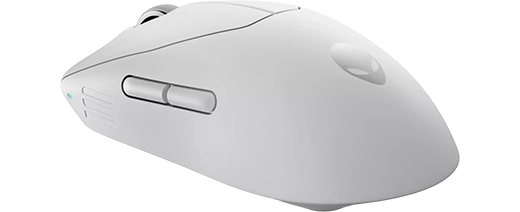

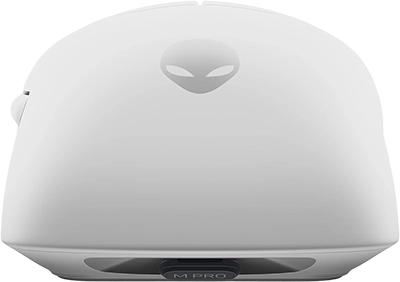

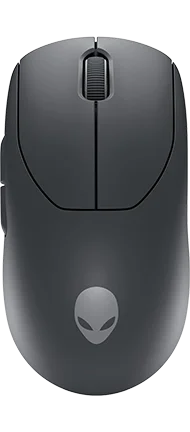

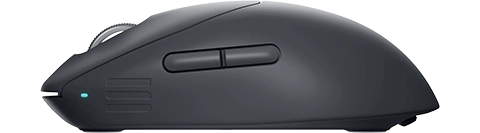
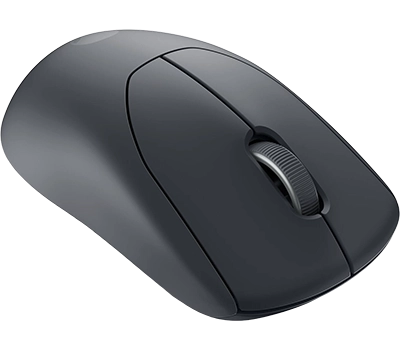

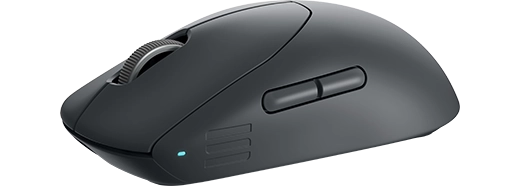

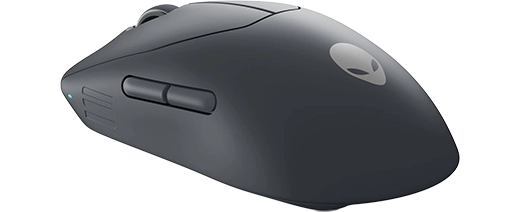

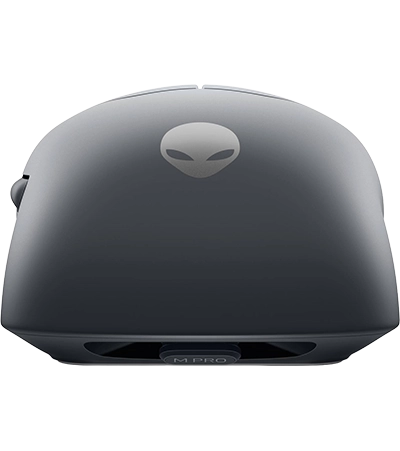


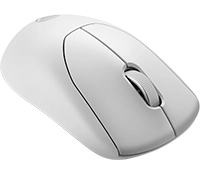

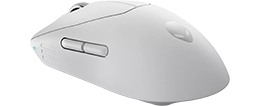
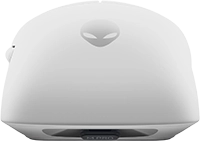
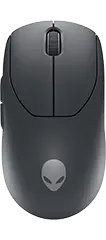
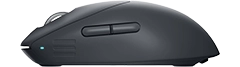
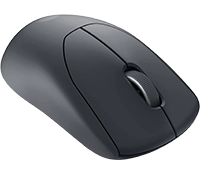
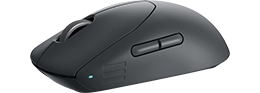
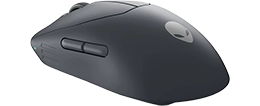
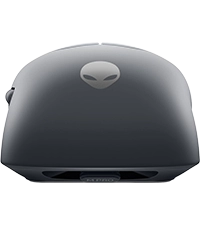

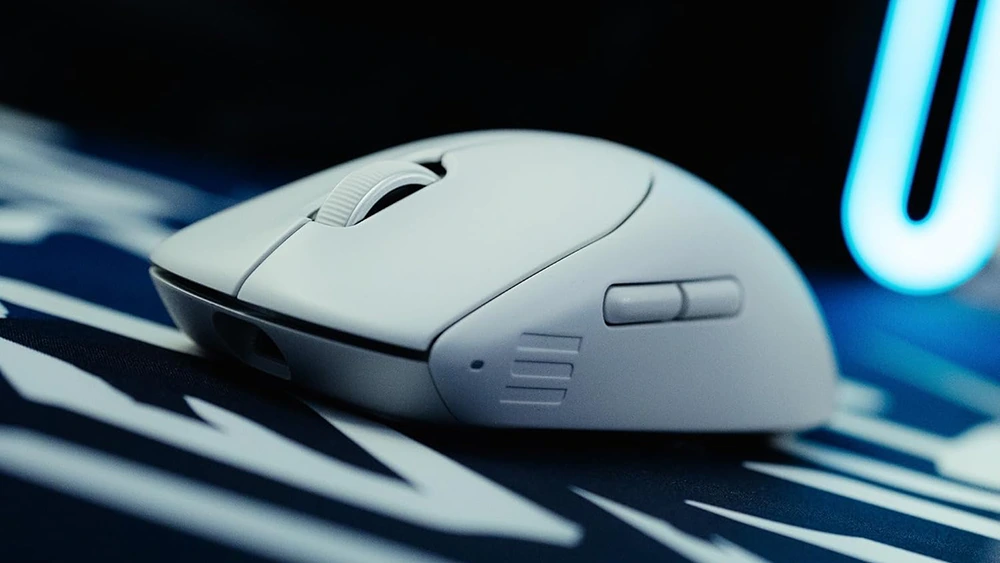
- 59 g symmetrical shell feels effortless for fast flicks and long ranked sessions
- Up to 4K wireless / 8K wired polling keeps high-refresh shooters feeling crisp
- PixArt 3395 sensor (26K DPI / 650 IPS) tracks confidently at high-speed swipes
- Optical Kailh main switches deliver consistent clicks under rapid inputs
- Rated up to 120 hours at 1K with fast charge and onboard memory for set-and-forget setup
The Alienware Pro Wireless Gaming Mouse is a 59 g symmetrical esports mouse that prioritizes speed, consistency, and a clean no‑RGB look. With up to 4K wireless / 8K wired polling, onboard memory, and a rated 120-hour battery at 1K, it’s built for long sessions in CS2 or Valorant without feeling laggy or heavy. If you want a lighter-on-the-wallet wireless alternative with Bluetooth, compare it to the Corsair M75 Air Wireless.
The Alienware Pro Wireless Gaming Mouse is a 59 g symmetrical esports mouse that prioritizes speed, consistency, and a clean no‑RGB look. With up to 4K wireless / 8K wired polling, onboard memory, and a rated 120-hour battery at 1K, it’s built for long sessions in CS2 or Valorant without feeling laggy or heavy. If you want a lighter-on-the-wallet wireless alternative with Bluetooth, compare it to the Corsair M75 Air Wireless.
- Price (MSRP) $149.99
- SKU / Part # 570-BBGJ
- Color(s)
- Design(s) standard
- Weight 59.00 g / 2.08 oz
- Material plastic
- Coating matte
- Feet Material PTFE (Virgin-Grade)
- Lighting none
- Release Date 01/2024
General Features
- Connection hybrid
- Connectivity 2.4GHz Dongle
- Computer Side Connector USB-A
- Mouse Side Connector USB-C
- Cable Type braided
- Paracord
- Battery Hours 120
Connectivity
- Length 124.50 mm / 4.90 in
- Width 63.50 mm / 2.50 in
- Height 40.60 mm / 1.60 in
Dimensions
- Form Factor right
- Shape symmetrical
- Hump middle
- Front Flare flat
Shape & Form
- Adjustable Weight
- Honeycomb Frame
- Silent Clicks
Extra Features
- Sensor PixArt PAW3395
- Sensor Type optical
- Flawless Sensor
- Sensor Latency -
- Polling Rate 8000 Hz
- DPI 26000 k
- IPS 650
- Acceleration 50 g
- Lift-off Distance 1 mm
- Lift-off Settings adjustable
- Motion Sync
- Hardware Acceleration
- Nvidia Reflex
- Smoothing
Sensor Specs
- Switch Type optical
- Switches Omron D2FP-FN2
- Hot Swappable
- Click Latency 1.3 Wireless, 1.0 wired (ms)
- Click Force 60g
Switch Specs
- MCU Nordic nRF52832
- Side Button(s) 2
- Middle Button(s) 0
- Programmable Button(s) 6
- Tilt Wheel
- Adjustable Scroll Wheel
- Onboard Memory
- Profile Switching
Control & Function
Alienware AW3423DWF Gaming monitor Review, Ratings, and Specifications

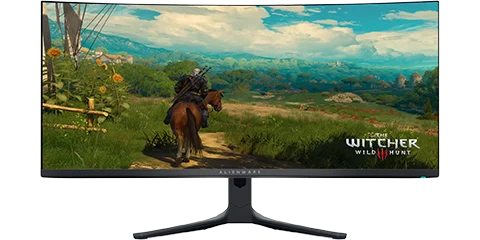
- Flawless IPS tracking ensures reliable, high-speed performance
- Magnetic optical switches provide fast actuation with minimal debounce delay
- Ergonomic right-handed design supports long gaming sessions without fatigue
- Motion Sync helps maintain consistent cursor positioning at high speeds
- Balanced weight (approx. 89g) for precision aiming without excessive drag
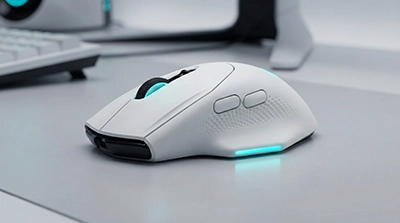
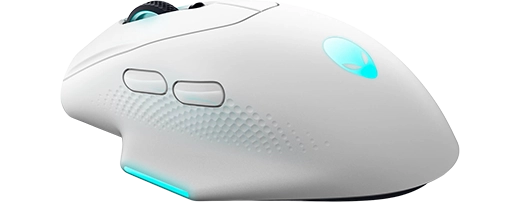
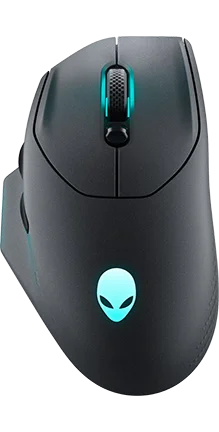
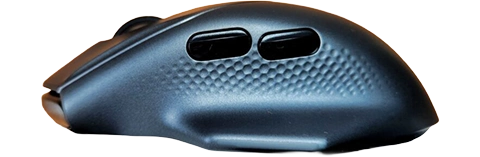
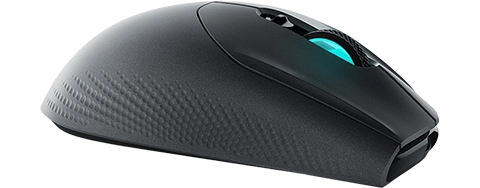
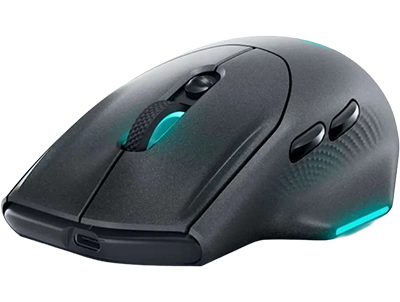
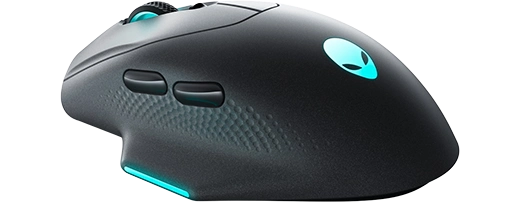
Have you ever wondered if Alienware’s flair for futuristic hardware could translate into a serious competitive edge? The AW620M boldly answers that call, packing a 26,000 DPI optical sensor, 650 IPS tracking speed—enough raw power to keep pace with hair-trigger flicks in titles like Valorant or Apex Legends. Its ergonomic shape offers a roomy thumb rest and a natural palm contour, making longer sessions surprisingly comfortable. Though it tips the scale on the heavier side compared to ultralight esports mice, most players will find the trade-off worthwhile for the added grip and stability.
High-Level Highlights:
- Pro-Grade Sensor & Speed – The PixArt-based 26K DPI sensor ensures flawless tracking at high speeds (650 IPS, 50G acceleration) for pinpoint accuracy
- Comfortable Ergonomics – Palm-friendly shape with a dedicated thumb rest makes it ideal for long MOBA and MMO sessions
- FPS Suitability – While not an ultra-lightweight option, it remains precise and stable, though flick-heavy players may prefer a sub-70g alternative
- Versatility Across Genres – Great for FPS, MOBA, and general gaming, but MMO players may want more programmable buttons
- Lacks Competitive Extras – No tilt scroll, and only two side buttons—other mice offer more flexibility for customization
Where this mouse truly shines is in its snappy click response and reliable wireless performance. Despite housing only two side buttons, it’s plenty for MOBAs or quick ability combos, though hardcore MMO enthusiasts craving more macro options may look elsewhere. In side-by-side comparisons with well-known rivals, the AW620M holds its ground in pure accuracy and consistent latency. If you’re after a dependable, competition-grade mouse with just enough customization to adapt across fast-paced shooters and strategic titles, this Alienware option hits the sweet spot between comfort and performance—proving the brand’s legacy goes well beyond iconic gaming rigs.
Have you ever wondered if Alienware’s flair for futuristic hardware could translate into a serious competitive edge? The AW620M boldly answers that call, packing a 26,000 DPI optical sensor, 650 IPS tracking speed—enough raw power to keep pace with hair-trigger flicks in titles like Valorant or Apex Legends. Its ergonomic shape offers a roomy thumb rest and a natural palm contour, making longer sessions surprisingly comfortable. Though it tips the scale on the heavier side compared to ultralight esports mice, most players will find the trade-off worthwhile for the added grip and stability.
High-Level Highlights:
- Pro-Grade Sensor & Speed – The PixArt-based 26K DPI sensor ensures flawless tracking at high speeds (650 IPS, 50G acceleration) for pinpoint accuracy
- Comfortable Ergonomics – Palm-friendly shape with a dedicated thumb rest makes it ideal for long MOBA and MMO sessions
- FPS Suitability – While not an ultra-lightweight option, it remains precise and stable, though flick-heavy players may prefer a sub-70g alternative
- Versatility Across Genres – Great for FPS, MOBA, and general gaming, but MMO players may want more programmable buttons
- Lacks Competitive Extras – No tilt scroll, and only two side buttons—other mice offer more flexibility for customization
Where this mouse truly shines is in its snappy click response and reliable wireless performance. Despite housing only two side buttons, it’s plenty for MOBAs or quick ability combos, though hardcore MMO enthusiasts craving more macro options may look elsewhere. In side-by-side comparisons with well-known rivals, the AW620M holds its ground in pure accuracy and consistent latency. If you’re after a dependable, competition-grade mouse with just enough customization to adapt across fast-paced shooters and strategic titles, this Alienware option hits the sweet spot between comfort and performance—proving the brand’s legacy goes well beyond iconic gaming rigs.
- Price (MSRP) $99.99
- SKU / Part # -
- Color(s) -
- Design(s) -
- Weight 99.00 g / 3.49 oz
- Material plastic
- Coating matte
- Feet Material PTFE (Virgin-Grade)
- Lighting 3 zone (rgb)
- Release Date 03/2023
General Features
- Connection hybrid
- Connectivity 2.4GHz Dongle
- Computer Side Connector USB-A
- Mouse Side Connector USB-C
- Cable Type braided
- Paracord
- Battery Hours 140
Connectivity
- Length 131.50 mm / 5.18 in
- Width 77.80 mm / 3.06 in
- Height 41.50 mm / 1.63 in
Dimensions
- Form Factor right
- Shape ergonomic
- Hump middle
- Front Flare flat
Shape & Form
- Adjustable Weight
- Honeycomb Frame
- Silent Clicks
Extra Features
- Sensor PixArt PMW3395
- Sensor Type optical
- Flawless Sensor
- Sensor Latency -
- Polling Rate 1000 Hz
- DPI 26000 k
- IPS 650
- Acceleration 50 g
- Lift-off Distance 1.2 mm
- Lift-off Settings fixed low
- Motion Sync
- Hardware Acceleration
- Nvidia Reflex
- Smoothing
Sensor Specs
- Switch Type optical
- Switches -
- Hot Swappable
- Click Latency -
- Click Force -
Switch Specs
- MCU -
- Side Button(s) 2
- Middle Button(s) 1
- Programmable Button(s) 7
- Tilt Wheel
- Adjustable Scroll Wheel
- Onboard Memory
- Profile Switching
Control & Function
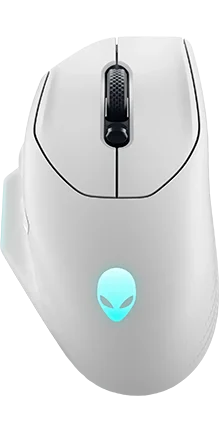

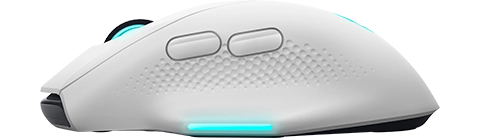

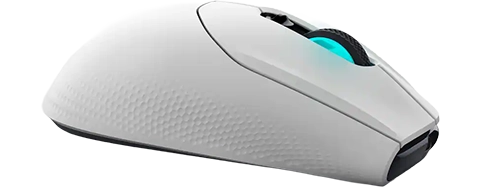

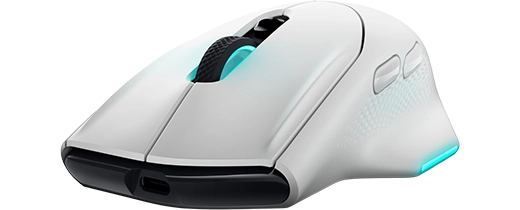





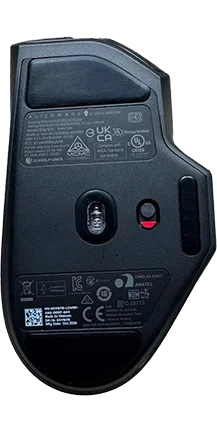

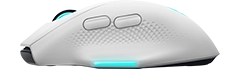
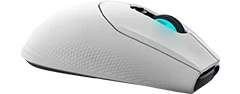
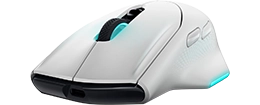
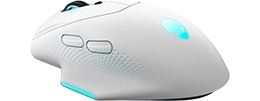
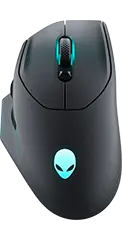
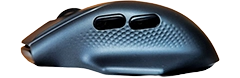
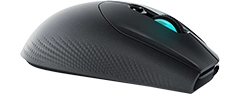
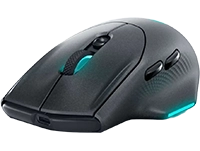
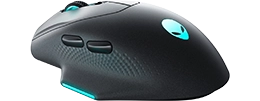
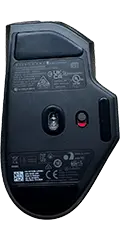
- Flawless IPS tracking ensures reliable, high-speed performance
- Magnetic optical switches provide fast actuation with minimal debounce delay
- Ergonomic right-handed design supports long gaming sessions without fatigue
- Motion Sync helps maintain consistent cursor positioning at high speeds
- Balanced weight (approx. 89g) for precision aiming without excessive drag
Have you ever wondered if Alienware’s flair for futuristic hardware could translate into a serious competitive edge? The AW620M boldly answers that call, packing a 26,000 DPI optical sensor, 650 IPS tracking speed—enough raw power to keep pace with hair-trigger flicks in titles like Valorant or Apex Legends. Its ergonomic shape offers a roomy thumb rest and a natural palm contour, making longer sessions surprisingly comfortable. Though it tips the scale on the heavier side compared to ultralight esports mice, most players will find the trade-off worthwhile for the added grip and stability.
High-Level Highlights:
- Pro-Grade Sensor & Speed – The PixArt-based 26K DPI sensor ensures flawless tracking at high speeds (650 IPS, 50G acceleration) for pinpoint accuracy
- Comfortable Ergonomics – Palm-friendly shape with a dedicated thumb rest makes it ideal for long MOBA and MMO sessions
- FPS Suitability – While not an ultra-lightweight option, it remains precise and stable, though flick-heavy players may prefer a sub-70g alternative
- Versatility Across Genres – Great for FPS, MOBA, and general gaming, but MMO players may want more programmable buttons
- Lacks Competitive Extras – No tilt scroll, and only two side buttons—other mice offer more flexibility for customization
Where this mouse truly shines is in its snappy click response and reliable wireless performance. Despite housing only two side buttons, it’s plenty for MOBAs or quick ability combos, though hardcore MMO enthusiasts craving more macro options may look elsewhere. In side-by-side comparisons with well-known rivals, the AW620M holds its ground in pure accuracy and consistent latency. If you’re after a dependable, competition-grade mouse with just enough customization to adapt across fast-paced shooters and strategic titles, this Alienware option hits the sweet spot between comfort and performance—proving the brand’s legacy goes well beyond iconic gaming rigs.
Have you ever wondered if Alienware’s flair for futuristic hardware could translate into a serious competitive edge? The AW620M boldly answers that call, packing a 26,000 DPI optical sensor, 650 IPS tracking speed—enough raw power to keep pace with hair-trigger flicks in titles like Valorant or Apex Legends. Its ergonomic shape offers a roomy thumb rest and a natural palm contour, making longer sessions surprisingly comfortable. Though it tips the scale on the heavier side compared to ultralight esports mice, most players will find the trade-off worthwhile for the added grip and stability.
High-Level Highlights:
- Pro-Grade Sensor & Speed – The PixArt-based 26K DPI sensor ensures flawless tracking at high speeds (650 IPS, 50G acceleration) for pinpoint accuracy
- Comfortable Ergonomics – Palm-friendly shape with a dedicated thumb rest makes it ideal for long MOBA and MMO sessions
- FPS Suitability – While not an ultra-lightweight option, it remains precise and stable, though flick-heavy players may prefer a sub-70g alternative
- Versatility Across Genres – Great for FPS, MOBA, and general gaming, but MMO players may want more programmable buttons
- Lacks Competitive Extras – No tilt scroll, and only two side buttons—other mice offer more flexibility for customization
Where this mouse truly shines is in its snappy click response and reliable wireless performance. Despite housing only two side buttons, it’s plenty for MOBAs or quick ability combos, though hardcore MMO enthusiasts craving more macro options may look elsewhere. In side-by-side comparisons with well-known rivals, the AW620M holds its ground in pure accuracy and consistent latency. If you’re after a dependable, competition-grade mouse with just enough customization to adapt across fast-paced shooters and strategic titles, this Alienware option hits the sweet spot between comfort and performance—proving the brand’s legacy goes well beyond iconic gaming rigs.
- Price (MSRP) $99.99
- SKU / Part # 570-BBBV
- Color(s)
- Design(s) standard
- Weight 99.00 g / 3.49 oz
- Material plastic
- Coating matte
- Feet Material PTFE (Virgin-Grade)
- Lighting 3 zone (rgb)
- Release Date 03/2023
General Features
- Connection hybrid
- Connectivity 2.4GHz Dongle
- Computer Side Connector USB-A
- Mouse Side Connector USB-C
- Cable Type braided
- Paracord
- Battery Hours 140
Connectivity
- Length 131.50 mm / 5.18 in
- Width 77.80 mm / 3.06 in
- Height 41.50 mm / 1.63 in
Dimensions
- Form Factor right
- Shape ergonomic
- Hump middle
- Front Flare flat
Shape & Form
- Adjustable Weight
- Honeycomb Frame
- Silent Clicks
Extra Features
- Sensor PixArt PAW3395
- Sensor Type optical
- Flawless Sensor
- Sensor Latency -
- Polling Rate 1000 Hz
- DPI 26000 k
- IPS 650
- Acceleration 50 g
- Lift-off Distance 1.2 mm
- Lift-off Settings fixed low
- Motion Sync
- Hardware Acceleration
- Nvidia Reflex
- Smoothing
Sensor Specs
- Switch Type optical
- Switches -
- Hot Swappable
- Click Latency -
- Click Force -
Switch Specs
- MCU -
- Side Button(s) 2
- Middle Button(s) 1
- Programmable Button(s) 7
- Tilt Wheel
- Adjustable Scroll Wheel
- Onboard Memory
- Profile Switching
Control & Function
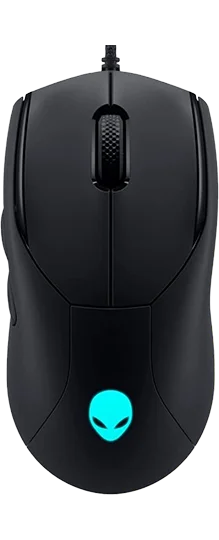
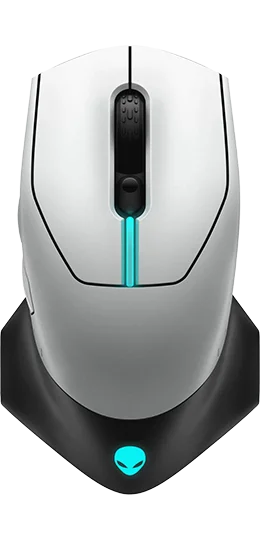
More Recent Alienware Gear
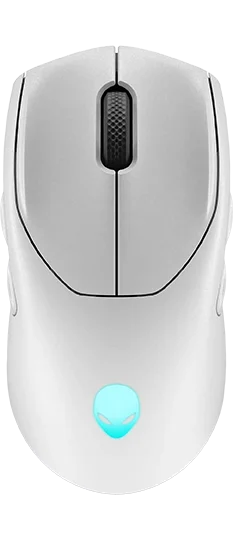
Setup Tips for Optimal Performance
- Monitors: Select “Console Mode” or “Fast” response in the OSD; set Windows and game refresh to the panel’s max (e.g., 240 Hz) and enable VRR (G-SYNC/FreeSync) for smooth gameplay.
- Mice: Choose a grip-compatible shape, then adjust DPI (400–26,000) and polling rate (1,000–8,000 Hz) in AWCC. Save to onboard memory for multi-device use.
- Keyboards: Bind macros to specific games via AWCC; back up profiles to avoid resets after system updates.
- Headsets: Enable AI noise cancellation for clear voice comms; charge via USB-C for up to 75 hours of wireless use.
- Laptops/Desktops: Use AWCC to balance power and thermals per game; clean vents quarterly per Dell’s guides to maintain cooling efficiency.
Community & Alienware Arena
Alienware Arena connects players with rewards, in-game keys, tournaments, and forums. It’s a hub for tips, build showcases, and exclusive events—perfect for enthusiasts wanting to engage beyond hardware. Check the platform for setup guides or to compare configs with other Alienware users.
Price & Availability
- Checked: 2025-10-16. Prices vary by region and retailer; see Dell’s official Alienware listings for current SKUs (e.g., AW2725Q from $899.99 USD, AW720M from $119.99 USD). Stock may fluctuate for new releases like the Area-51 series.
Quick Takeaways
- Alienware unifies high-performance gear with AWCC for seamless control of settings and lighting.
- QD-OLED monitors excel for immersive gaming; high-Hz IPS suits competitive play.
- Tri-mode peripherals offer flexibility for gaming, work, and creative tasks.
- Area-51 laptops and Aurora desktops provide upgradeable, high-wattage power.
- Alienware Arena adds community value with rewards and events.
- Specs are verified against Dell’s documentation for accuracy (last checked: 2025-10-16).
- Prices start at $119.99 for peripherals and $899.99 for monitors; check Dell for deals.
FAQ
What is Alienware Command Center (AWCC)?
AWCC is a unified app for managing AlienFX lighting, macros, DPI, polling rates, thermals, and game profiles across Alienware devices, simplifying setup customization.
Can Alienware peripherals work on consoles or macOS?
Tri-mode peripherals (2.4 GHz, Bluetooth, wired) support basic input on consoles and macOS; full AWCC features (lighting, macros) require Windows, with onboard memory for portability.
QD-OLED or IPS for my gaming setup?
QD-OLED (e.g., AW3425DW) offers superior contrast for dark-room immersion; high-refresh IPS (360–500 Hz) ensures clarity for fast-paced esports in brighter settings.
How do I sync AlienFX lighting across devices?
In AWCC, connect all devices, choose a theme or custom effect, and apply it globally or per game for synchronized lighting across your setup.
What’s new with Alienware in 2025?
The 2025 lineup includes Area-51 laptops with Intel Core Ultra CPUs, 4K QD-OLED monitors, and Pro series peripherals with advanced audio and low-latency tri-mode connectivity.
Let’s Hear From You
We’re committed to helping you find the perfect Alienware gear. Have a question about setup or need help choosing? Drop a comment below or share your favorite Alienware build on social media to join the conversation! What’s your go-to Alienware product for gaming or creating?
 Terms | Privacy | Feedback