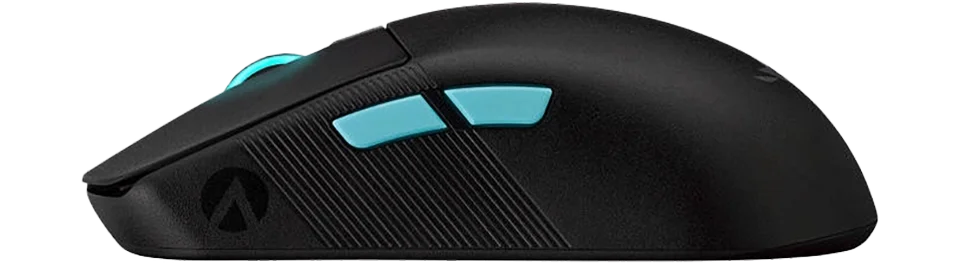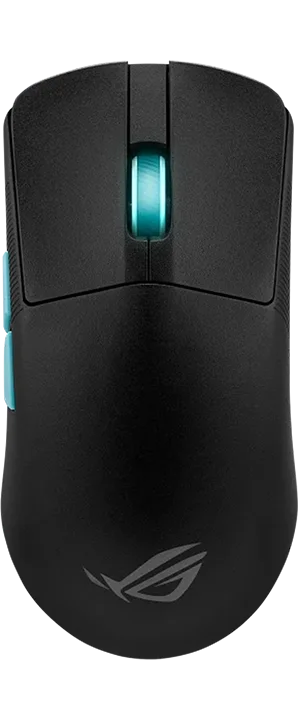



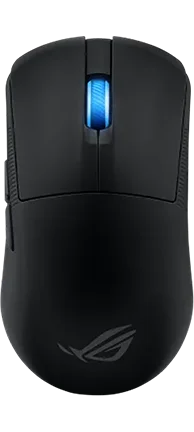

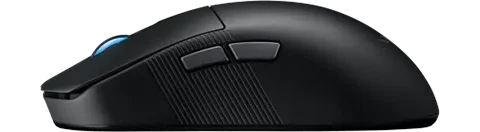
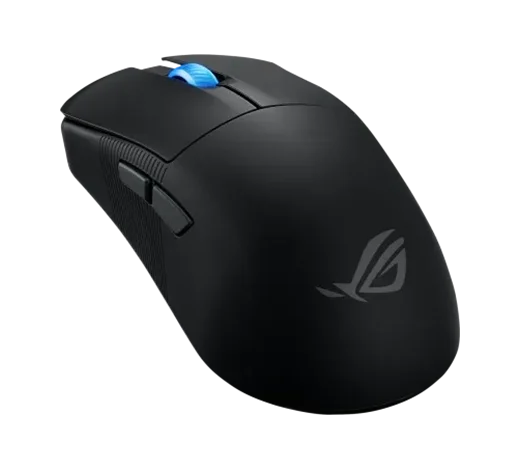
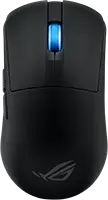
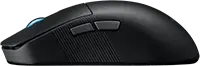
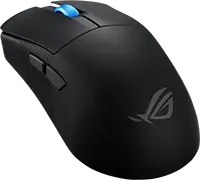

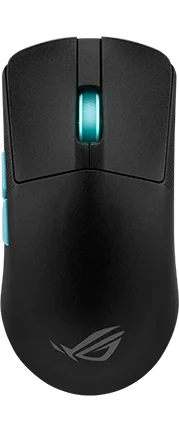

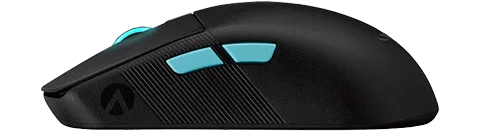
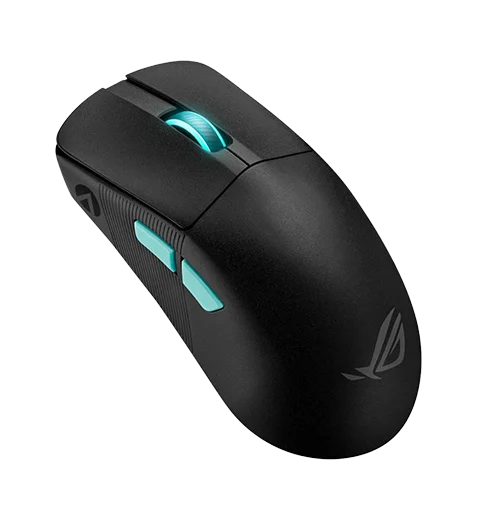
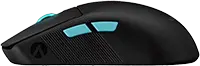
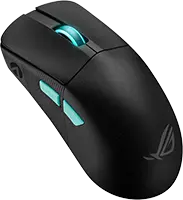
ROG Harpe Ace Extreme vs Harpe Ace Mini vs Harpe Ace Aim Lab

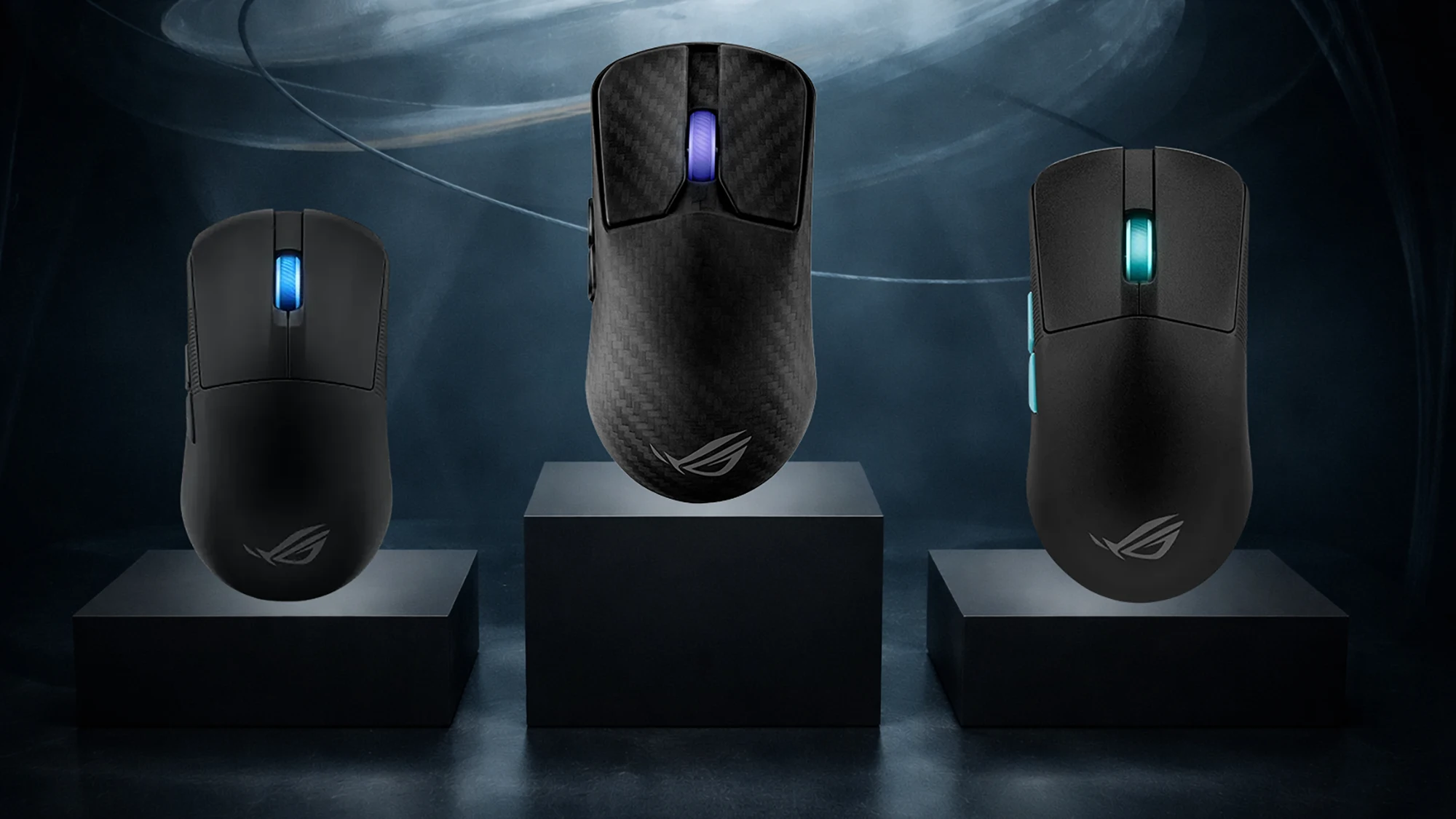
Three ultralight ROG esports mice—here’s which one fits your hand, your budget, and your polling-rate goals.
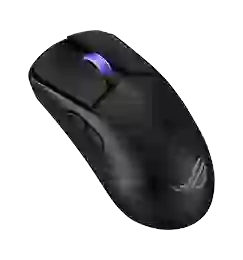
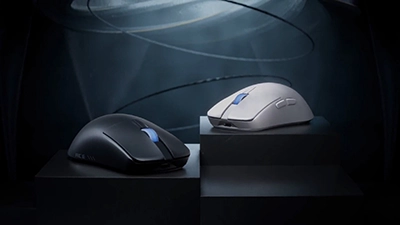
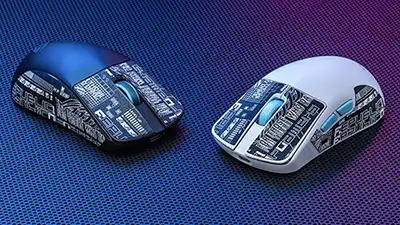
Three ASUS ROG Harpe Ace mice on display blocks under blue lighting
When you purchase through links on our site, we may earn an affiliate commission. Learn more.

Choosing between the ROG Harpe Ace Extreme, ROG Harpe Ace Mini, and ROG Harpe Ace Aim comes down to three practical questions:

  • Do you want full-size or compact? (Mini is meaningfully shorter.)
  • Are you actually going to run 8,000 Hz polling? (And do you want the booster included?)
  • Do you prefer optical or mechanical main clicks? (Extreme/Mini are optical; Aim is mechanical.)

If you already know your grip and hand size, this guide will get you to a confident pick in a few minutes—and make the “sensor + latency” differences feel a lot less abstract.

Quick navigation

Compare Detailed Stats View Radar Breakdown Compare Shapes & Hand Fit

At-a-glance: the three gaming mice

Best Premium
8.4 score
Available in: 1 color
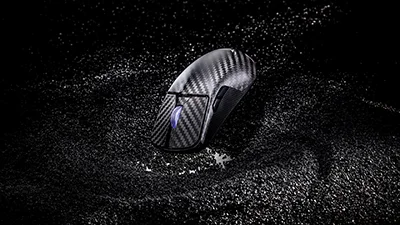
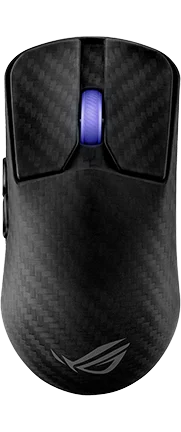
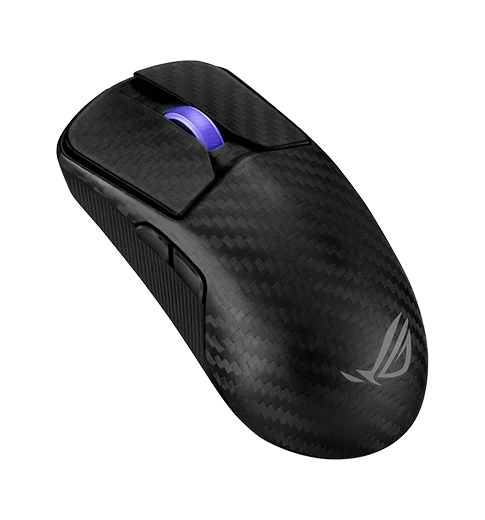
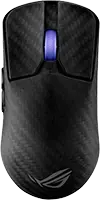
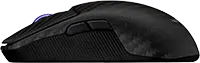
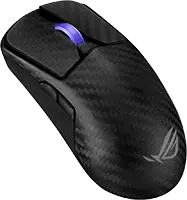
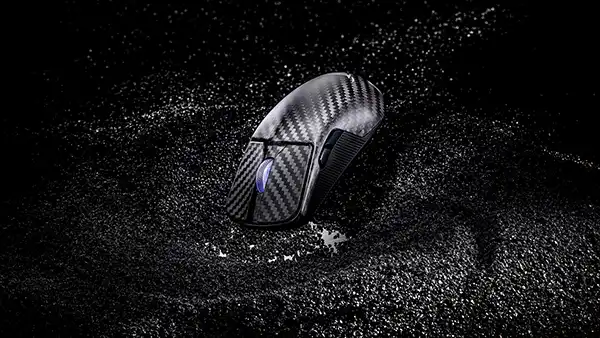
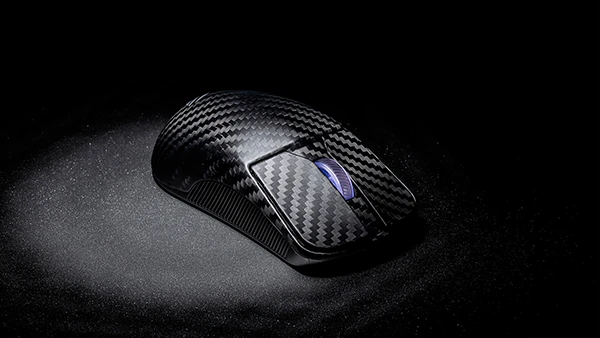
  • Carbon-fiber shell at ~47g
  • Up to 8,000 Hz wired + wireless (with included booster)
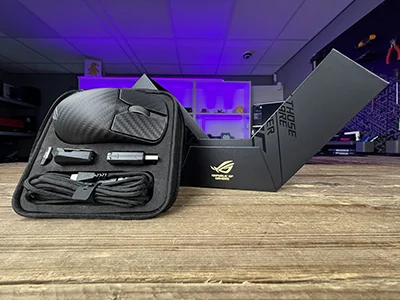
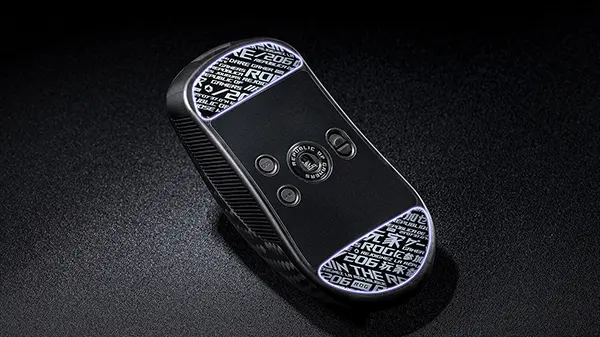
  • Huge accessory bundle (glass + PTFE skates, case, stand)
  • Featherweight ~47 g carbon-fiber shell feels premium
  • 42K DPI AimPoint Pro sensor tracks flawlessly
  • Comes with 8K booster, Omni receiver, extra skates

Flagship carbon-fiber build with the Polling Rate Booster and Omni Receiver included for an “everything in the box” setup. Best if you want 8K-ready hardware plus premium extras.

Flagship carbon-fiber build with the Polling Rate Booster and Omni Receiver included for an “everything in the box” setup. Best if you want 8K-ready hardware plus premium extras.

Available in: 1 color

    General Features

  • Price (MSRP) $249.99
  • SKU / Part # 90MP03U0-BMUA00
  • Color(s)
  • Design(s)
    ?
    What is Design? Design refers to the visual aesthetics of a mouse, including solid colors, multi-color patterns, themed editions, or rare limited editions.
    Why Does It Matter? A mouse’s design allows for personalization and style, appealing to gamers who value aesthetics alongside performance.
    standard
  • Weight 47.00 g / 1.66 oz
  • Material carbon fiber
  • Coating
    ?
    What is Coating? Coating is the surface finish or texture on a mouse, such as matte, glossy, or rubberized, affecting grip and feel.
    Why Does It Matter? The right coating enhances grip, comfort, and durability, ensuring secure handling during intense gaming sessions.
    matte
  • Feet Material
    ?
    Mouse Feet Material (Skates): These pads under your mouse significantly influence glide, performance, and durability.
    PTFE (Colored/Mixed): Moderate friction coefficient - Balances speed with a touch of added control, often seen in stock mouse setups for its versatility. The addition of dyes or other materials might slightly increase friction compared to virgin-grade, but it also enhances durability and offers color options for personalization.
    PTFE (Virgin-Grade): Very low friction coefficient - Pure PTFE provides minimal resistance, allowing for a seamless glide across your mousepad. This material is favored for its purity, which results in less wear over time, maintaining its glide properties longer than colored PTFE.
    Glass Skates (Glossy Aluminosilicate): Lowest friction coefficient - Offers an incredibly smooth glide, ideal for quick, precise movements in gaming. Their durability is unmatched, ensuring consistent performance over time, even under heavy use.
    Glass Skates (Matte Aluminosilicate): Low friction coefficient - Strikes a balance between speed and control, offering a tactile feedback not found in glossy finishes. The matte surface reduces the initial stickiness sometimes experienced with glossy skates, providing gamers with better control for micro-adjustments.
    UHMWPE: Moderate to high friction coefficient - Known for its durability, it provides a controlled glide, ideal for gamers who prefer precision.
    Ceramic: Higher friction coefficient - Durable and suited for hard surfaces, these skates offer control-focused glide characteristics.
    Sapphire: Variable friction coefficient - Luxury option with exceptional durability and glide, though performance can vary with surface treatment.
    Thickness and Shape: These aspects affect how your mouse interacts with the surface. Thicker skates can increase lift-off distance but may last longer, while shape influences glide smoothness.
    Installation and Maintenance: Proper installation involves cleaning, precise alignment of new skates, and sometimes heating for old skate removal. Regular maintenance ensures optimal glide performance.
    Glass
  • Lighting
    ?
    What is Lighting? Lighting refers to the type of illumination on a mouse, such as RGB or single-color LEDs, and its customization options.
    Why Does It Matter? Customizable lighting enhances aesthetics and can sync with game events or setups, adding immersion and personal flair.
    1 zone (rgb) 
  • Release Date
    ?
    What is Release Date? The release date, shown as month and year (MM/YYYY), indicates when a mouse was first available on the market.
    Why Does It Matter? Filtering by release date helps identify newer models with advanced technology or older, potentially cost-effective options.
    09/2024

    Connectivity

  • Connection hybrid
  • Connectivity
    ?
    What is Connectivity? Connectivity describes how a mouse connects to a device, such as via 2.4GHz dongle, Bluetooth, USB-A, or USB-C.
    Why Does It Matter? The connection type affects latency, portability, and compatibility, with wireless options offering freedom and wired providing reliability.
    2.4GHz Dongle
  • Computer Side Connector USB-A
  • Mouse Side Connector USB-C
  • Cable Type braided
  • Paracord
    ?
    What is a Paracord Cable? A paracord cable is a lightweight, flexible cable designed to minimize drag and resistance during mouse movement.
    Why Does It Matter? Paracord cables enhance maneuverability, enabling smoother and faster movements, which is critical for precision in competitive gaming.
  • Battery Hours
    ?
    What is Battery Hours? Battery hours indicate how long a wireless mouse can operate on a single charge, measured in hours.
    Why Does It Matter? Longer battery life ensures uninterrupted gaming, reducing the need for frequent recharging, ideal for extended sessions.
    70

    Dimensions

  • Length 127.50 mm / 5.02 in
  • Width 63.70 mm / 2.51 in
  • Height 39.60 mm / 1.56 in

    Shape & Form

  • Form Factor
    ?
    What is Form Factor? Form factor refers to the design or shape of a gaming mouse, which dictates how it fits and feels in your hand. This includes considerations for right-handed, left-handed, or ambidextrous use.
    Why Does It Matter? The form factor impacts ergonomics, comfort, and control. A well-designed form factor can reduce strain, improve grip, and enhance your gaming experience by allowing for natural hand movements and positioning.
    Common Form Factors:
    Right-Handed: Ergonomically shaped for the right hand, with side buttons often on the left for thumb access.
    Left-Handed: A mirror image of right-handed mice, tailored for left-handed users with side buttons on the right.
    Ambidextrous: Symmetrical design, offering universal use with side buttons either on both sides or not included to maintain symmetry.
    Choosing the Right Form Factor: Your choice should align with your dominant hand, grip style, and whether you need or prefer side buttons. Right or left-handed mice offer better ergonomic support for specific hands, while ambidextrous mice provide versatility at the cost of some ergonomic specialization.
    right
  • Shape
    ?
    What is Shape? Shape refers to the overall structure of a gaming mouse, which can significantly affect how it feels in your hand, influencing grip, comfort, and control during use.
    Why Does It Matter? The shape of a mouse impacts ergonomic fit, which can reduce hand fatigue, improve precision, and enhance the overall gaming experience by allowing for a natural hand position.
    Common Mouse Shapes:
    Symmetrical: Designed to be equally comfortable for both left and right-handed users. These mice lack pronounced curves, offering a universal fit but might sacrifice some ergonomic benefits for specialized hand use.
    Ergonomic: Tailored to fit the natural curve of the hand, typically for right-handed users. This shape provides better support and comfort, reducing strain over long periods, but might not suit left-handed users as well without specific design.
    Asymmetrical: Often a variation of ergonomic design, where the mouse might have unique features or shapes not mirrored on both sides, enhancing grip or adding functionality like extra buttons for specific fingers. This can be highly specialized for gaming performance but less versatile for different hand orientations.
    Choosing the Right Shape: Select a shape based on your dominant hand, grip style (palm, claw, or fingertip), and whether you prioritize comfort, precision, or versatility. Symmetrical shapes offer flexibility, ergonomic shapes provide comfort for the intended hand, and asymmetrical shapes can offer unique advantages for specific gaming needs.
    symmetrical
  • Hump
    ?
    What is the Hump? The hump is the highest point of a gaming mouse's body, typically located towards the back, middle, or front. This design feature significantly influences hand positioning and overall comfort during use.
    Why Does It Matter? The position of the hump affects how the mouse fits in your hand, impacting grip style (palm, claw, or fingertip), control, and fatigue over long gaming sessions. A well-placed hump can enhance gaming performance by providing ergonomic support where needed.
    Common Hump Positions:
    Front: The hump is positioned towards the front, which can provide a different grip dynamic, potentially beneficial for users with specific grip preferences or smaller hands, focusing on finger control with less palm support.
    Middle: Offers versatility, suitable for various grip styles, providing balanced support.
    Back - Front: Supports the entire hand, ideal for larger hands or palm grip, might not suit claw or fingertip grip as well.
    Back Mid: Good for claw grip, offering lift under the palm while keeping the front low for finger control.
    Back - Rear: Less common, beneficial for fingertip grip or smaller hands, prioritizing finger dexterity over palm support.
    Choosing the Right Hump: Selecting a mouse with the right hump position depends on your hand size, preferred grip style, and gaming needs. Each position offers different advantages, from comfort to precision, making it crucial for gamers to choose based on their ergonomic preferences.
    back mid
  • Front Flare
    ?
    What is Front Flare? Front flare describes the curvature or shape at the front of the mouse, specifically where your index and middle fingers rest on the right and left click buttons respectively.
    Why Does It Matter? The design of the front flare directly impacts how your fingers interact with the primary click buttons, affecting comfort, ease of clicking, and the precision of your mouse control during gaming.
    Types of Front Flare:
    Flat: Here, the front edge where the click buttons are located is flat. This provides a straightforward, even surface for your fingers to press directly down on, which might be preferred for those who like a simple, direct interaction with the buttons, offering less guidance but more control over click precision.
    Inward: The front curves inward, wrapping slightly around your fingers. This can enhance the feeling of control, especially for fingertip grip users, as it allows your index and middle fingers to curl around the mouse, potentially reducing the distance your fingers need to travel to click, thus improving response time.
    Outward: With a more pronounced outward flare, this design gives additional room for finger movement, particularly useful for gamers with larger hands or those who need extra space for finger action. It can make the right and left click buttons feel more accessible, promoting a relaxed finger posture which might be less tiring over long sessions.
    Choosing the Right Front Flare: The choice depends on how you prefer your fingers to interact with the click buttons. A front flare might provide comfort and security, flat offers simplicity and direct control, inward can enhance precision and speed for quick clicks, and outward might be ideal for comfort and ease with larger hands or more dynamic finger movements. Each type influences how naturally your fingers rest on and operate the primary click buttons, impacting your overall gaming performance and comfort.
    outward

    Extra Features

  • Adjustable Weight
    ?
    What is Adjustable Weight? Adjustable weight allows users to modify a mouse’s weight by adding or removing modular weights.
    Why Does It Matter? Customizing weight tailors the mouse’s feel to user preference, balancing speed and control for different gaming styles.
  • Honeycomb Frame
    ?
    What is a Honeycomb Frame? A honeycomb frame is a mouse chassis with a perforated, hexagonal pattern to reduce weight.
    Why Does It Matter? It makes the mouse lighter, improving maneuverability and reducing fatigue, ideal for fast-paced gaming with specific grip styles.
  • Silent Clicks
    ?
    What are Silent Clicks? Silent clicks refer to mouse buttons designed to produce minimal noise when pressed.
    Why Does It Matter? Quiet clicks reduce distractions, ideal for shared spaces or stealth usage, while maintaining responsive performance for gaming.

    Sensor Specs

  • Sensor
    ?
    What is a Sensor? A sensor in a gaming mouse is the component responsible for detecting movement and translating it into cursor movement on your screen. Different sensors like PMW, PAW, Hero, and others vary in technology and performance metrics.
    Why Does It Matter? The type of sensor directly affects the tracking accuracy, speed, responsiveness, and sometimes power efficiency of a mouse. High-quality sensors can provide a competitive edge by ensuring precise cursor control, which is crucial in gaming for accuracy in aiming or quick movements.
    Common Sensors:
    PMW (PixArt Maximum Performance Wireless): Known for high performance in wired setups, offering excellent tracking precision and speed.
    PAW (PixArt Adaptive Wireless): Focused on power efficiency, ideal for wireless mice, with good tracking capabilities and speed.
    Hero (Logitech): Renowned for its power efficiency and high accuracy, suitable for both wired and wireless applications.
    TrueMove Pro (SteelSeries): Provides advanced stabilization for precise tracking on various surfaces.
    Focus Pro (Razer): Designed for professional gaming with top-tier performance metrics.
    Owl-Eye (ROCCAT): Custom sensor with features tailored for gaming precision.
    Choosing the Right Sensor: When selecting a mouse, consider the sensor based on your gaming needs. If you're into competitive gaming, look for sensors with high DPI, IPS, and low latency like PMW or Focus Pro. For longevity in wireless setups, sensors like PAW or Hero are preferable due to their power efficiency. Also, consider your preference for wired vs. wireless, as some sensors are optimized for specific use cases.
    ROG AimPoint Pro (PixArt PAW3950)
  • Sensor Type optical
  • Flawless Sensor
    ?
    What is a Flawless Sensor? A flawless sensor performs without significant issues like smoothing, jitter, or angle snapping, ensuring precise and reliable tracking.
    Why Does It Matter? Flawless sensors deliver consistent cursor control, critical for competitive gaming where even minor tracking errors can impact performance.
  • Sensor Latency
    ?
    What is Sensor Latency? Sensor latency is the time it takes for a mouse to register and transmit movement or input, measured in milliseconds (ms).
    Why Does It Matter? Lower sensor latency ensures faster response times, crucial for competitive gaming where split-second actions can determine outcomes.
    -
  • Polling Rate
    ?
    What is Polling Rate? Polling rate, measured in Hz, is how often a mouse reports its position to the computer.
    Why Does It Matter? Higher polling rates provide smoother, more responsive tracking, critical for competitive gaming where precision and speed are key.
    8000 Hz
  • DPI
    ?
    What is DPI? Dots Per Inch (DPI) measures the sensitivity of a mouse, determining how far the cursor moves per inch of physical movement.
    Why Does It Matter? Higher DPI allows faster cursor movement, ideal for high-resolution displays or fast-paced gaming, while lower DPI offers precision for detailed tasks.
    42000 k
  • IPS
    ?
    What is IPS? Inches Per Second (IPS) indicates the maximum speed at which a mouse sensor can move while still accurately tracking.
    Why Does It Matter? Higher IPS ensures reliable tracking during rapid movements, essential for fast-paced gaming where quick swipes are common.
    750
  • Acceleration
    ?
    What is Acceleration? Acceleration measures how quickly a mouse sensor can reach its maximum tracking speed, expressed in g-forces (g).
    Why Does It Matter? Higher acceleration ensures accurate tracking during fast movements, vital for dynamic gaming scenarios requiring rapid cursor shifts.
    50 g
  • Lift-off Distance
    ?
    What is Lift-Off Distance? Lift-off distance (LOD) is the height (in mm) at which a mouse’s sensor stops tracking when lifted from the surface.
    Why Does It Matter? A low LOD minimizes unwanted cursor movement during lifts, crucial for low-sensitivity gamers who frequently reposition their mouse.
    1.2 mm
  • Lift-off Settings
    ?
    What are Lift Settings? Lift settings, often referred to as lift-off distance (LOD), determine the height at which a mouse’s sensor stops tracking when lifted off the surface. This is a critical feature in gaming mice, as it affects how the mouse behaves when you reposition it during gameplay.
    Why Do They Matter? The lift-off distance impacts precision and control. A lower LOD means the sensor stops tracking almost immediately upon lifting, reducing unwanted cursor movement—ideal for low-sensitivity gamers who frequently lift their mouse. A higher LOD allows tracking to continue slightly longer, which might suit high-sensitivity players or those with a lighter grip who don’t fully lift the mouse. Adjustable lift settings let you tailor this behavior to your playstyle and desk setup.
    Types of Lift Settings:
    Fixed Low (1-2 mm): The sensor ceases tracking at a very short distance from the surface (typically 1-2 mm). This minimizes cursor drift during lifts, offering maximum precision for gamers who need consistent control, such as in FPS games where micro-adjustments are key.
    Fixed High (3-5 mm): Tracking continues until the mouse is lifted higher (around 3-5 mm). This can be useful for players who don’t fully lift the mouse or prefer a more forgiving setting, though it may introduce slight cursor movement during repositioning.
    Adjustable: Many modern mice allow customization of the LOD via software or hardware switches (e.g., 1 mm to 3 mm or more). This flexibility accommodates different grip styles, mouse pads, and gaming habits, letting you fine-tune the sensor’s cutoff point for optimal performance.
    Surface-Tuned: Some advanced mice feature sensors that adapt the LOD based on the surface (e.g., cloth, hard, or hybrid mouse pads). This ensures consistent tracking behavior regardless of your desk setup, reducing the need for manual adjustments.
    Choosing the Right Lift Settings: Your choice depends on your gaming style and habits. A low LOD enhances precision for frequent lifters, high LOD offers flexibility for minimal lifters, adjustable settings provide versatility across scenarios, and surface-tuned options ensure consistency on varied surfaces. Properly tuned lift settings can reduce errors, improve comfort, and elevate your in-game performance by aligning the mouse’s behavior with your natural movements.
    adjustable
  • Motion Sync
    ?
    Motion Sync synchronizes the mouse sensor's data output with the computer's USB polling rate for more consistent cursor movement. While it can reduce jitter, it might introduce minimal latency. Ideal for scenarios where consistent tracking is key.
  • Hardware Acceleration
    ?
    Refers to built-in hardware acceleration, altering cursor speed based on mouse movement. Can disrupt precision, making it less ideal for gaming as it introduces unpredictability.
    -
  • Nvidia Reflex
    ?
    NVIDIA Reflex is a technology that reduces system latency in games, enhancing responsiveness. It's designed to align the game engine, rendering, and input for a smoother experience, making it ideal for competitive gaming where every millisecond counts.
  • Smoothing
    ?
    Refers to built-in sensor smoothing or filtering that aims to provide more stable tracking but can introduce input lag. While smoothing can make movements appear less jittery, it may reduce precision for fast-paced gaming or other precise tasks.
    -

    Switch Specs

  • Switch Type
    ?
    What is Switch Type? The switch type determines how a mouse registers clicks, affecting speed, feel, and durability.
    Mechanical Switches: - Use physical metal contacts to register clicks. - Provide a tactile click with a distinct actuation point. - Require a small force to activate (~50g). - Can wear out over time but are rated for millions of clicks. - Brands: Omron, Kailh, Huano.
    Optical Switches: - Use light beams instead of metal contacts. - Have zero debounce delay, making them faster & more durable. - Do not wear out from mechanical friction. - Common in premium gaming mice for ultra-fast actuation. - Brands: Razer Optical, TTC Optical.
    Which Should You Choose? - Competitive FPS players prefer optical switches for speed. - Casual & MMO players might prefer mechanical switches for feel & cost.
    optical
  • Switches
    ?
    What Are Switches? Switches are the mechanisms under each mouse button that register clicks. They play a crucial role in responsiveness, durability, and overall feel.
    How Do They Work? Inside each switch is a spring-loaded mechanism with contact points that close when pressed, completing the circuit and sending an input signal to your computer.
    Why Do Switches Matter? - Click Feel – Some switches are light and fast, others are more tactile and firm. - Durability – Most gaming switches are rated for tens of millions of clicks. - Latency & Speed – Some switches have zero debounce delay, crucial for fast-paced games.
    Popular Switch Brands: - Omron – Known for durability & tactile feel. - Kailh & Huano – Offer varying actuation forces & feedback styles. - Razer & TTC – Common in high-performance gaming mice, with optical options available.
    ROG Optical Micro Switches
  • Hot Swappable
    ?
    What Are Hot-Swappable Switches? Hot-swappable switches allow you to easily replace the mouse’s click switches without soldering or extensive disassembly. This feature uses a socket system where switches can be pulled out and new ones pushed in, typically requiring minimal tools like a screwdriver to access the internals.
    Why Does It Matter? Switches can wear out over time, causing issues like double-clicking or unresponsive buttons. Hot-swappable switches let you replace them, extending the mouse’s lifespan, saving costs, and reducing e-waste. It also enables customization of click feel or sound to suit your gaming or work preferences.
    Common Compatible Switches:
    Omron: Reliable and durable, known for consistent tactile feedback and high click ratings, a popular choice for replacements.
    Kailh: Offers smooth operation with varying actuation forces, allowing customization of click resistance and feedback.
    ROG Micro Switches: ASUS-designed switches optimized for gaming, providing quick response and low actuation force, compatible with specific ROG models.
    Choosing a Hot-Swappable Mouse: Opt for this feature if you value longevity or want to tailor your mouse’s click experience. Check compatibility with switch types (e.g., Omron, Kailh), as not all mice support all switches. High-end models from brands like ASUS (ROG Keris) or Ironcat (HPC02MPro) often include this, balancing customization with performance. Ensure the mouse’s overall design meets your gaming needs beyond just switch replacement.
  • Click Latency
    ?
    What is Click Latency? Click latency is the time it takes for a mouse to register and transmit a button click, measured in milliseconds.
    Why Does It Matter? Lower click latency improves reaction time, crucial for gaming where fast, precise inputs can provide a competitive edge.
    1 Wireless (ms)
  • Click Force
    ?
    What is Click Force? Click force is the amount of force, measured in grams, required to actuate a mouse’s buttons.
    Why Does It Matter? The click force affects the comfort and feel of clicks, with lighter forces enabling faster clicks and heavier forces providing tactile feedback.
    -

    Control & Function

  • MCU
    ?
    What is an MCU? The MCU, or Microcontroller Unit, is the miniature processor inside a gaming mouse that controls inputs, manages settings, and ensures smooth communication with your computer.
    Why Does It Matter? Higher-end MCUs offer better performance, lower latency, and improved wireless stability, making them essential for competitive gaming.
    Common MCU Features:
    Onboard memory: for storing profiles & DPI settings
    Enhanced power efficiency: for wireless mice
    Faster processing: for low-latency inputs
    Choosing the Right MCU: Some brands use custom MCUs, while others rely on trusted manufacturers like Nordic, STMicroelectronics, or PixArt. More advanced MCUs generally lead to a smoother and more responsive gaming experience.
    Nordic nRF52840
  • Side Button(s)
    ?
    What are Side Buttons? Side buttons are programmable buttons located on the side of a mouse, typically accessed by the thumb.
    Why Does It Matter? These buttons offer additional functions or shortcuts, enhancing efficiency in gaming, especially for genres like MMOs requiring multiple inputs.
    2
  • Middle Button(s)
    ?
    What are Middle Buttons? Middle buttons are programmable buttons located near the scroll wheel on the top middle of a mouse.
    Why Does It Matter? These buttons provide extra functionality for quick access to commands or macros, improving efficiency in gaming or productivity tasks.
    0
  • Programmable Button(s)
    ?
    What are Programmable Buttons? Programmable buttons are mouse buttons that can be customized to perform specific functions, macros, or shortcuts.
    Why Does It Matter? They allow tailored control, streamlining complex inputs for gaming or workflows, especially in genres requiring multiple commands.
    5
  • Tilt Wheel
    ?
    What is a Tilt Scroll Wheel? A tilt scroll wheel can tilt left or right to enable horizontal scrolling or additional programmable functions.
    Why Does It Matter? It enhances navigation and control, useful for productivity tasks or gaming scenarios requiring quick access to extra inputs.
  • Adjustable Scroll Wheel
    ?
    What is an Adjustable Scroll Wheel? An adjustable scroll wheel allows users to customize the tension for a smooth or clicky scrolling feel.
    Why Does It Matter? Tailoring the scroll wheel’s resistance enhances user comfort and precision, suiting different preferences for gaming or productivity.
  • Onboard Memory
    ?
    What is Onboard Memory? Onboard memory allows a mouse to store settings like DPI, button configurations, and macros directly on the device.
    Why Does It Matter? It ensures consistent settings across different computers without needing software, ideal for portability or tournament play.
    (5) 
  • Profile Switching
    ?
    What is Profile Switching? Profile switching enables a mouse to toggle between multiple custom configurations, such as DPI or button mappings.
    Why Does It Matter? It allows quick adaptation to different games or tasks, enhancing versatility and efficiency without reconfiguring settings.
Notice: All gaming mice details and specifications on this site are carefully researched using trusted sources and manufacturer verification, presented "as is" with no guarantees of perfect accuracy. Neither this site nor its operators are liable for any issues or damages arising from potential inaccuracies.
Best Small Choice
8.8 score
Available in: 2 colors
  • Compact shell (117mm length) at ~49g
  • Up to 8,000 Hz capable (with Polling Rate Booster)
  • Long battery life at 1,000 Hz
  • 49 g chassis feels quick to lift, reset, and control in flick-heavy shooters
  • Tri‑mode connection (2.4 GHz, Bluetooth, or wired) plus Omni Receiver support for flexible setups
  • AimPoint Pro sensor (up to 42,000 DPI / 750 IPS / 50 g) tracks cleanly for both flicks and smooth tracking

A smaller Harpe Ace that keeps flagship-class sensor/switch specs and excellent battery life. 8K is optional (booster sold separately), making it a strong daily driver for claw/fingertip.

A smaller Harpe Ace that keeps flagship-class sensor/switch specs and excellent battery life. 8K is optional (booster sold separately), making it a strong daily driver for claw/fingertip.

Available in: 2 colors

    General Features

  • Price (MSRP) $129.99
  • SKU / Part # 90MP03Z0-BMAA00
  • Color(s)
  • Design(s)
    ?
    What is Design? Design refers to the visual aesthetics of a mouse, including solid colors, multi-color patterns, themed editions, or rare limited editions.
    Why Does It Matter? A mouse’s design allows for personalization and style, appealing to gamers who value aesthetics alongside performance.
    standard
  • Weight 49.00 g / 1.73 oz
  • Material bio-based nylon
  • Coating
    ?
    What is Coating? Coating is the surface finish or texture on a mouse, such as matte, glossy, or rubberized, affecting grip and feel.
    Why Does It Matter? The right coating enhances grip, comfort, and durability, ensuring secure handling during intense gaming sessions.
    matte
  • Feet Material
    ?
    Mouse Feet Material (Skates): These pads under your mouse significantly influence glide, performance, and durability.
    PTFE (Colored/Mixed): Moderate friction coefficient - Balances speed with a touch of added control, often seen in stock mouse setups for its versatility. The addition of dyes or other materials might slightly increase friction compared to virgin-grade, but it also enhances durability and offers color options for personalization.
    PTFE (Virgin-Grade): Very low friction coefficient - Pure PTFE provides minimal resistance, allowing for a seamless glide across your mousepad. This material is favored for its purity, which results in less wear over time, maintaining its glide properties longer than colored PTFE.
    Glass Skates (Glossy Aluminosilicate): Lowest friction coefficient - Offers an incredibly smooth glide, ideal for quick, precise movements in gaming. Their durability is unmatched, ensuring consistent performance over time, even under heavy use.
    Glass Skates (Matte Aluminosilicate): Low friction coefficient - Strikes a balance between speed and control, offering a tactile feedback not found in glossy finishes. The matte surface reduces the initial stickiness sometimes experienced with glossy skates, providing gamers with better control for micro-adjustments.
    UHMWPE: Moderate to high friction coefficient - Known for its durability, it provides a controlled glide, ideal for gamers who prefer precision.
    Ceramic: Higher friction coefficient - Durable and suited for hard surfaces, these skates offer control-focused glide characteristics.
    Sapphire: Variable friction coefficient - Luxury option with exceptional durability and glide, though performance can vary with surface treatment.
    Thickness and Shape: These aspects affect how your mouse interacts with the surface. Thicker skates can increase lift-off distance but may last longer, while shape influences glide smoothness.
    Installation and Maintenance: Proper installation involves cleaning, precise alignment of new skates, and sometimes heating for old skate removal. Regular maintenance ensures optimal glide performance.
    PTFE (Virgin-Grade)
  • Lighting
    ?
    What is Lighting? Lighting refers to the type of illumination on a mouse, such as RGB or single-color LEDs, and its customization options.
    Why Does It Matter? Customizable lighting enhances aesthetics and can sync with game events or setups, adding immersion and personal flair.
    1 zone (rgb) 
  • Release Date
    ?
    What is Release Date? The release date, shown as month and year (MM/YYYY), indicates when a mouse was first available on the market.
    Why Does It Matter? Filtering by release date helps identify newer models with advanced technology or older, potentially cost-effective options.
    09/2024

    Connectivity

  • Connection hybrid
  • Connectivity
    ?
    What is Connectivity? Connectivity describes how a mouse connects to a device, such as via 2.4GHz dongle, Bluetooth, USB-A, or USB-C.
    Why Does It Matter? The connection type affects latency, portability, and compatibility, with wireless options offering freedom and wired providing reliability.
    2.4GHz Dongle
  • Computer Side Connector USB-A
  • Mouse Side Connector USB-C
  • Cable Type braided
  • Paracord
    ?
    What is a Paracord Cable? A paracord cable is a lightweight, flexible cable designed to minimize drag and resistance during mouse movement.
    Why Does It Matter? Paracord cables enhance maneuverability, enabling smoother and faster movements, which is critical for precision in competitive gaming.
  • Battery Hours
    ?
    What is Battery Hours? Battery hours indicate how long a wireless mouse can operate on a single charge, measured in hours.
    Why Does It Matter? Longer battery life ensures uninterrupted gaming, reducing the need for frequent recharging, ideal for extended sessions.
    105

    Dimensions

  • Length 117.00 mm / 4.61 in
  • Width 63.00 mm / 2.48 in
  • Height 37.00 mm / 1.46 in

    Shape & Form

  • Form Factor
    ?
    What is Form Factor? Form factor refers to the design or shape of a gaming mouse, which dictates how it fits and feels in your hand. This includes considerations for right-handed, left-handed, or ambidextrous use.
    Why Does It Matter? The form factor impacts ergonomics, comfort, and control. A well-designed form factor can reduce strain, improve grip, and enhance your gaming experience by allowing for natural hand movements and positioning.
    Common Form Factors:
    Right-Handed: Ergonomically shaped for the right hand, with side buttons often on the left for thumb access.
    Left-Handed: A mirror image of right-handed mice, tailored for left-handed users with side buttons on the right.
    Ambidextrous: Symmetrical design, offering universal use with side buttons either on both sides or not included to maintain symmetry.
    Choosing the Right Form Factor: Your choice should align with your dominant hand, grip style, and whether you need or prefer side buttons. Right or left-handed mice offer better ergonomic support for specific hands, while ambidextrous mice provide versatility at the cost of some ergonomic specialization.
    right
  • Shape
    ?
    What is Shape? Shape refers to the overall structure of a gaming mouse, which can significantly affect how it feels in your hand, influencing grip, comfort, and control during use.
    Why Does It Matter? The shape of a mouse impacts ergonomic fit, which can reduce hand fatigue, improve precision, and enhance the overall gaming experience by allowing for a natural hand position.
    Common Mouse Shapes:
    Symmetrical: Designed to be equally comfortable for both left and right-handed users. These mice lack pronounced curves, offering a universal fit but might sacrifice some ergonomic benefits for specialized hand use.
    Ergonomic: Tailored to fit the natural curve of the hand, typically for right-handed users. This shape provides better support and comfort, reducing strain over long periods, but might not suit left-handed users as well without specific design.
    Asymmetrical: Often a variation of ergonomic design, where the mouse might have unique features or shapes not mirrored on both sides, enhancing grip or adding functionality like extra buttons for specific fingers. This can be highly specialized for gaming performance but less versatile for different hand orientations.
    Choosing the Right Shape: Select a shape based on your dominant hand, grip style (palm, claw, or fingertip), and whether you prioritize comfort, precision, or versatility. Symmetrical shapes offer flexibility, ergonomic shapes provide comfort for the intended hand, and asymmetrical shapes can offer unique advantages for specific gaming needs.
    symmetrical
  • Hump
    ?
    What is the Hump? The hump is the highest point of a gaming mouse's body, typically located towards the back, middle, or front. This design feature significantly influences hand positioning and overall comfort during use.
    Why Does It Matter? The position of the hump affects how the mouse fits in your hand, impacting grip style (palm, claw, or fingertip), control, and fatigue over long gaming sessions. A well-placed hump can enhance gaming performance by providing ergonomic support where needed.
    Common Hump Positions:
    Front: The hump is positioned towards the front, which can provide a different grip dynamic, potentially beneficial for users with specific grip preferences or smaller hands, focusing on finger control with less palm support.
    Middle: Offers versatility, suitable for various grip styles, providing balanced support.
    Back - Front: Supports the entire hand, ideal for larger hands or palm grip, might not suit claw or fingertip grip as well.
    Back Mid: Good for claw grip, offering lift under the palm while keeping the front low for finger control.
    Back - Rear: Less common, beneficial for fingertip grip or smaller hands, prioritizing finger dexterity over palm support.
    Choosing the Right Hump: Selecting a mouse with the right hump position depends on your hand size, preferred grip style, and gaming needs. Each position offers different advantages, from comfort to precision, making it crucial for gamers to choose based on their ergonomic preferences.
    back mid
  • Front Flare
    ?
    What is Front Flare? Front flare describes the curvature or shape at the front of the mouse, specifically where your index and middle fingers rest on the right and left click buttons respectively.
    Why Does It Matter? The design of the front flare directly impacts how your fingers interact with the primary click buttons, affecting comfort, ease of clicking, and the precision of your mouse control during gaming.
    Types of Front Flare:
    Flat: Here, the front edge where the click buttons are located is flat. This provides a straightforward, even surface for your fingers to press directly down on, which might be preferred for those who like a simple, direct interaction with the buttons, offering less guidance but more control over click precision.
    Inward: The front curves inward, wrapping slightly around your fingers. This can enhance the feeling of control, especially for fingertip grip users, as it allows your index and middle fingers to curl around the mouse, potentially reducing the distance your fingers need to travel to click, thus improving response time.
    Outward: With a more pronounced outward flare, this design gives additional room for finger movement, particularly useful for gamers with larger hands or those who need extra space for finger action. It can make the right and left click buttons feel more accessible, promoting a relaxed finger posture which might be less tiring over long sessions.
    Choosing the Right Front Flare: The choice depends on how you prefer your fingers to interact with the click buttons. A front flare might provide comfort and security, flat offers simplicity and direct control, inward can enhance precision and speed for quick clicks, and outward might be ideal for comfort and ease with larger hands or more dynamic finger movements. Each type influences how naturally your fingers rest on and operate the primary click buttons, impacting your overall gaming performance and comfort.
    outward

    Extra Features

  • Adjustable Weight
    ?
    What is Adjustable Weight? Adjustable weight allows users to modify a mouse’s weight by adding or removing modular weights.
    Why Does It Matter? Customizing weight tailors the mouse’s feel to user preference, balancing speed and control for different gaming styles.
  • Honeycomb Frame
    ?
    What is a Honeycomb Frame? A honeycomb frame is a mouse chassis with a perforated, hexagonal pattern to reduce weight.
    Why Does It Matter? It makes the mouse lighter, improving maneuverability and reducing fatigue, ideal for fast-paced gaming with specific grip styles.
  • Silent Clicks
    ?
    What are Silent Clicks? Silent clicks refer to mouse buttons designed to produce minimal noise when pressed.
    Why Does It Matter? Quiet clicks reduce distractions, ideal for shared spaces or stealth usage, while maintaining responsive performance for gaming.

    Sensor Specs

  • Sensor
    ?
    What is a Sensor? A sensor in a gaming mouse is the component responsible for detecting movement and translating it into cursor movement on your screen. Different sensors like PMW, PAW, Hero, and others vary in technology and performance metrics.
    Why Does It Matter? The type of sensor directly affects the tracking accuracy, speed, responsiveness, and sometimes power efficiency of a mouse. High-quality sensors can provide a competitive edge by ensuring precise cursor control, which is crucial in gaming for accuracy in aiming or quick movements.
    Common Sensors:
    PMW (PixArt Maximum Performance Wireless): Known for high performance in wired setups, offering excellent tracking precision and speed.
    PAW (PixArt Adaptive Wireless): Focused on power efficiency, ideal for wireless mice, with good tracking capabilities and speed.
    Hero (Logitech): Renowned for its power efficiency and high accuracy, suitable for both wired and wireless applications.
    TrueMove Pro (SteelSeries): Provides advanced stabilization for precise tracking on various surfaces.
    Focus Pro (Razer): Designed for professional gaming with top-tier performance metrics.
    Owl-Eye (ROCCAT): Custom sensor with features tailored for gaming precision.
    Choosing the Right Sensor: When selecting a mouse, consider the sensor based on your gaming needs. If you're into competitive gaming, look for sensors with high DPI, IPS, and low latency like PMW or Focus Pro. For longevity in wireless setups, sensors like PAW or Hero are preferable due to their power efficiency. Also, consider your preference for wired vs. wireless, as some sensors are optimized for specific use cases.
    ROG AimPoint Pro (PixArt PAW3950)
  • Sensor Type optical
  • Flawless Sensor
    ?
    What is a Flawless Sensor? A flawless sensor performs without significant issues like smoothing, jitter, or angle snapping, ensuring precise and reliable tracking.
    Why Does It Matter? Flawless sensors deliver consistent cursor control, critical for competitive gaming where even minor tracking errors can impact performance.
  • Sensor Latency
    ?
    What is Sensor Latency? Sensor latency is the time it takes for a mouse to register and transmit movement or input, measured in milliseconds (ms).
    Why Does It Matter? Lower sensor latency ensures faster response times, crucial for competitive gaming where split-second actions can determine outcomes.
    -
  • Polling Rate
    ?
    What is Polling Rate? Polling rate, measured in Hz, is how often a mouse reports its position to the computer.
    Why Does It Matter? Higher polling rates provide smoother, more responsive tracking, critical for competitive gaming where precision and speed are key.
    8000 Hz
  • DPI
    ?
    What is DPI? Dots Per Inch (DPI) measures the sensitivity of a mouse, determining how far the cursor moves per inch of physical movement.
    Why Does It Matter? Higher DPI allows faster cursor movement, ideal for high-resolution displays or fast-paced gaming, while lower DPI offers precision for detailed tasks.
    42000 k
  • IPS
    ?
    What is IPS? Inches Per Second (IPS) indicates the maximum speed at which a mouse sensor can move while still accurately tracking.
    Why Does It Matter? Higher IPS ensures reliable tracking during rapid movements, essential for fast-paced gaming where quick swipes are common.
    750
  • Acceleration
    ?
    What is Acceleration? Acceleration measures how quickly a mouse sensor can reach its maximum tracking speed, expressed in g-forces (g).
    Why Does It Matter? Higher acceleration ensures accurate tracking during fast movements, vital for dynamic gaming scenarios requiring rapid cursor shifts.
    50 g
  • Lift-off Distance
    ?
    What is Lift-Off Distance? Lift-off distance (LOD) is the height (in mm) at which a mouse’s sensor stops tracking when lifted from the surface.
    Why Does It Matter? A low LOD minimizes unwanted cursor movement during lifts, crucial for low-sensitivity gamers who frequently reposition their mouse.
    1.2 mm
  • Lift-off Settings
    ?
    What are Lift Settings? Lift settings, often referred to as lift-off distance (LOD), determine the height at which a mouse’s sensor stops tracking when lifted off the surface. This is a critical feature in gaming mice, as it affects how the mouse behaves when you reposition it during gameplay.
    Why Do They Matter? The lift-off distance impacts precision and control. A lower LOD means the sensor stops tracking almost immediately upon lifting, reducing unwanted cursor movement—ideal for low-sensitivity gamers who frequently lift their mouse. A higher LOD allows tracking to continue slightly longer, which might suit high-sensitivity players or those with a lighter grip who don’t fully lift the mouse. Adjustable lift settings let you tailor this behavior to your playstyle and desk setup.
    Types of Lift Settings:
    Fixed Low (1-2 mm): The sensor ceases tracking at a very short distance from the surface (typically 1-2 mm). This minimizes cursor drift during lifts, offering maximum precision for gamers who need consistent control, such as in FPS games where micro-adjustments are key.
    Fixed High (3-5 mm): Tracking continues until the mouse is lifted higher (around 3-5 mm). This can be useful for players who don’t fully lift the mouse or prefer a more forgiving setting, though it may introduce slight cursor movement during repositioning.
    Adjustable: Many modern mice allow customization of the LOD via software or hardware switches (e.g., 1 mm to 3 mm or more). This flexibility accommodates different grip styles, mouse pads, and gaming habits, letting you fine-tune the sensor’s cutoff point for optimal performance.
    Surface-Tuned: Some advanced mice feature sensors that adapt the LOD based on the surface (e.g., cloth, hard, or hybrid mouse pads). This ensures consistent tracking behavior regardless of your desk setup, reducing the need for manual adjustments.
    Choosing the Right Lift Settings: Your choice depends on your gaming style and habits. A low LOD enhances precision for frequent lifters, high LOD offers flexibility for minimal lifters, adjustable settings provide versatility across scenarios, and surface-tuned options ensure consistency on varied surfaces. Properly tuned lift settings can reduce errors, improve comfort, and elevate your in-game performance by aligning the mouse’s behavior with your natural movements.
    adjustable
  • Motion Sync
    ?
    Motion Sync synchronizes the mouse sensor's data output with the computer's USB polling rate for more consistent cursor movement. While it can reduce jitter, it might introduce minimal latency. Ideal for scenarios where consistent tracking is key.
  • Hardware Acceleration
    ?
    Refers to built-in hardware acceleration, altering cursor speed based on mouse movement. Can disrupt precision, making it less ideal for gaming as it introduces unpredictability.
    -
  • Nvidia Reflex
    ?
    NVIDIA Reflex is a technology that reduces system latency in games, enhancing responsiveness. It's designed to align the game engine, rendering, and input for a smoother experience, making it ideal for competitive gaming where every millisecond counts.
  • Smoothing
    ?
    Refers to built-in sensor smoothing or filtering that aims to provide more stable tracking but can introduce input lag. While smoothing can make movements appear less jittery, it may reduce precision for fast-paced gaming or other precise tasks.
    -

    Switch Specs

  • Switch Type
    ?
    What is Switch Type? The switch type determines how a mouse registers clicks, affecting speed, feel, and durability.
    Mechanical Switches: - Use physical metal contacts to register clicks. - Provide a tactile click with a distinct actuation point. - Require a small force to activate (~50g). - Can wear out over time but are rated for millions of clicks. - Brands: Omron, Kailh, Huano.
    Optical Switches: - Use light beams instead of metal contacts. - Have zero debounce delay, making them faster & more durable. - Do not wear out from mechanical friction. - Common in premium gaming mice for ultra-fast actuation. - Brands: Razer Optical, TTC Optical.
    Which Should You Choose? - Competitive FPS players prefer optical switches for speed. - Casual & MMO players might prefer mechanical switches for feel & cost.
    optical
  • Switches
    ?
    What Are Switches? Switches are the mechanisms under each mouse button that register clicks. They play a crucial role in responsiveness, durability, and overall feel.
    How Do They Work? Inside each switch is a spring-loaded mechanism with contact points that close when pressed, completing the circuit and sending an input signal to your computer.
    Why Do Switches Matter? - Click Feel – Some switches are light and fast, others are more tactile and firm. - Durability – Most gaming switches are rated for tens of millions of clicks. - Latency & Speed – Some switches have zero debounce delay, crucial for fast-paced games.
    Popular Switch Brands: - Omron – Known for durability & tactile feel. - Kailh & Huano – Offer varying actuation forces & feedback styles. - Razer & TTC – Common in high-performance gaming mice, with optical options available.
    ROG Optical Micro Switches
  • Hot Swappable
    ?
    What Are Hot-Swappable Switches? Hot-swappable switches allow you to easily replace the mouse’s click switches without soldering or extensive disassembly. This feature uses a socket system where switches can be pulled out and new ones pushed in, typically requiring minimal tools like a screwdriver to access the internals.
    Why Does It Matter? Switches can wear out over time, causing issues like double-clicking or unresponsive buttons. Hot-swappable switches let you replace them, extending the mouse’s lifespan, saving costs, and reducing e-waste. It also enables customization of click feel or sound to suit your gaming or work preferences.
    Common Compatible Switches:
    Omron: Reliable and durable, known for consistent tactile feedback and high click ratings, a popular choice for replacements.
    Kailh: Offers smooth operation with varying actuation forces, allowing customization of click resistance and feedback.
    ROG Micro Switches: ASUS-designed switches optimized for gaming, providing quick response and low actuation force, compatible with specific ROG models.
    Choosing a Hot-Swappable Mouse: Opt for this feature if you value longevity or want to tailor your mouse’s click experience. Check compatibility with switch types (e.g., Omron, Kailh), as not all mice support all switches. High-end models from brands like ASUS (ROG Keris) or Ironcat (HPC02MPro) often include this, balancing customization with performance. Ensure the mouse’s overall design meets your gaming needs beyond just switch replacement.
  • Click Latency
    ?
    What is Click Latency? Click latency is the time it takes for a mouse to register and transmit a button click, measured in milliseconds.
    Why Does It Matter? Lower click latency improves reaction time, crucial for gaming where fast, precise inputs can provide a competitive edge.
    1 Wireless (ms)
  • Click Force
    ?
    What is Click Force? Click force is the amount of force, measured in grams, required to actuate a mouse’s buttons.
    Why Does It Matter? The click force affects the comfort and feel of clicks, with lighter forces enabling faster clicks and heavier forces providing tactile feedback.
    -

    Control & Function

  • MCU
    ?
    What is an MCU? The MCU, or Microcontroller Unit, is the miniature processor inside a gaming mouse that controls inputs, manages settings, and ensures smooth communication with your computer.
    Why Does It Matter? Higher-end MCUs offer better performance, lower latency, and improved wireless stability, making them essential for competitive gaming.
    Common MCU Features:
    Onboard memory: for storing profiles & DPI settings
    Enhanced power efficiency: for wireless mice
    Faster processing: for low-latency inputs
    Choosing the Right MCU: Some brands use custom MCUs, while others rely on trusted manufacturers like Nordic, STMicroelectronics, or PixArt. More advanced MCUs generally lead to a smoother and more responsive gaming experience.
    Nordic nRF52840
  • Side Button(s)
    ?
    What are Side Buttons? Side buttons are programmable buttons located on the side of a mouse, typically accessed by the thumb.
    Why Does It Matter? These buttons offer additional functions or shortcuts, enhancing efficiency in gaming, especially for genres like MMOs requiring multiple inputs.
    2
  • Middle Button(s)
    ?
    What are Middle Buttons? Middle buttons are programmable buttons located near the scroll wheel on the top middle of a mouse.
    Why Does It Matter? These buttons provide extra functionality for quick access to commands or macros, improving efficiency in gaming or productivity tasks.
    0
  • Programmable Button(s)
    ?
    What are Programmable Buttons? Programmable buttons are mouse buttons that can be customized to perform specific functions, macros, or shortcuts.
    Why Does It Matter? They allow tailored control, streamlining complex inputs for gaming or workflows, especially in genres requiring multiple commands.
    5
  • Tilt Wheel
    ?
    What is a Tilt Scroll Wheel? A tilt scroll wheel can tilt left or right to enable horizontal scrolling or additional programmable functions.
    Why Does It Matter? It enhances navigation and control, useful for productivity tasks or gaming scenarios requiring quick access to extra inputs.
  • Adjustable Scroll Wheel
    ?
    What is an Adjustable Scroll Wheel? An adjustable scroll wheel allows users to customize the tension for a smooth or clicky scrolling feel.
    Why Does It Matter? Tailoring the scroll wheel’s resistance enhances user comfort and precision, suiting different preferences for gaming or productivity.
  • Onboard Memory
    ?
    What is Onboard Memory? Onboard memory allows a mouse to store settings like DPI, button configurations, and macros directly on the device.
    Why Does It Matter? It ensures consistent settings across different computers without needing software, ideal for portability or tournament play.
    (5) 
  • Profile Switching
    ?
    What is Profile Switching? Profile switching enables a mouse to toggle between multiple custom configurations, such as DPI or button mappings.
    Why Does It Matter? It allows quick adaptation to different games or tasks, enhancing versatility and efficiency without reconfiguring settings.
Notice: All gaming mice details and specifications on this site are carefully researched using trusted sources and manufacturer verification, presented "as is" with no guarantees of perfect accuracy. Neither this site nor its operators are liable for any issues or damages arising from potential inaccuracies.
Best Overall
8.8 score
Available in: 2 colors
  • Full-size shell (same size class as Extreme)
  • Aim Lab-focused feature set
  • Strong wireless battery with lighting off
  • 54g shell feels quick for flicks and micro-corrections
  • AimPoint sensor (36K DPI, 650 IPS) stays stable at high-speed swipes
  • Very low click latency with crisp, consistent main clicks

The full-size Harpe Ace with Aim Lab features and a straightforward 1,000 Hz experience. Best if you want the classic shape and training-tool integrations without the 8K accessory path.

The full-size Harpe Ace with Aim Lab features and a straightforward 1,000 Hz experience. Best if you want the classic shape and training-tool integrations without the 8K accessory path.

Available in: 2 colors

    General Features

  • Price (MSRP) $149.99
  • SKU / Part # 90MP02W0-BMAA10
  • Color(s)
  • Design(s)
    ?
    What is Design? Design refers to the visual aesthetics of a mouse, including solid colors, multi-color patterns, themed editions, or rare limited editions.
    Why Does It Matter? A mouse’s design allows for personalization and style, appealing to gamers who value aesthetics alongside performance.
    standard
  • Weight 54.00 g / 1.90 oz
  • Material plastic
  • Coating
    ?
    What is Coating? Coating is the surface finish or texture on a mouse, such as matte, glossy, or rubberized, affecting grip and feel.
    Why Does It Matter? The right coating enhances grip, comfort, and durability, ensuring secure handling during intense gaming sessions.
    matte
  • Feet Material
    ?
    Mouse Feet Material (Skates): These pads under your mouse significantly influence glide, performance, and durability.
    PTFE (Colored/Mixed): Moderate friction coefficient - Balances speed with a touch of added control, often seen in stock mouse setups for its versatility. The addition of dyes or other materials might slightly increase friction compared to virgin-grade, but it also enhances durability and offers color options for personalization.
    PTFE (Virgin-Grade): Very low friction coefficient - Pure PTFE provides minimal resistance, allowing for a seamless glide across your mousepad. This material is favored for its purity, which results in less wear over time, maintaining its glide properties longer than colored PTFE.
    Glass Skates (Glossy Aluminosilicate): Lowest friction coefficient - Offers an incredibly smooth glide, ideal for quick, precise movements in gaming. Their durability is unmatched, ensuring consistent performance over time, even under heavy use.
    Glass Skates (Matte Aluminosilicate): Low friction coefficient - Strikes a balance between speed and control, offering a tactile feedback not found in glossy finishes. The matte surface reduces the initial stickiness sometimes experienced with glossy skates, providing gamers with better control for micro-adjustments.
    UHMWPE: Moderate to high friction coefficient - Known for its durability, it provides a controlled glide, ideal for gamers who prefer precision.
    Ceramic: Higher friction coefficient - Durable and suited for hard surfaces, these skates offer control-focused glide characteristics.
    Sapphire: Variable friction coefficient - Luxury option with exceptional durability and glide, though performance can vary with surface treatment.
    Thickness and Shape: These aspects affect how your mouse interacts with the surface. Thicker skates can increase lift-off distance but may last longer, while shape influences glide smoothness.
    Installation and Maintenance: Proper installation involves cleaning, precise alignment of new skates, and sometimes heating for old skate removal. Regular maintenance ensures optimal glide performance.
    PTFE (Virgin-Grade)
  • Lighting
    ?
    What is Lighting? Lighting refers to the type of illumination on a mouse, such as RGB or single-color LEDs, and its customization options.
    Why Does It Matter? Customizable lighting enhances aesthetics and can sync with game events or setups, adding immersion and personal flair.
    1 zone (rgb) 
  • Release Date
    ?
    What is Release Date? The release date, shown as month and year (MM/YYYY), indicates when a mouse was first available on the market.
    Why Does It Matter? Filtering by release date helps identify newer models with advanced technology or older, potentially cost-effective options.
    01/2023

    Connectivity

  • Connection hybrid
  • Connectivity
    ?
    What is Connectivity? Connectivity describes how a mouse connects to a device, such as via 2.4GHz dongle, Bluetooth, USB-A, or USB-C.
    Why Does It Matter? The connection type affects latency, portability, and compatibility, with wireless options offering freedom and wired providing reliability.
    2.4GHz Dongle
  • Computer Side Connector USB-A
  • Mouse Side Connector USB-C
  • Cable Type braided
  • Paracord
    ?
    What is a Paracord Cable? A paracord cable is a lightweight, flexible cable designed to minimize drag and resistance during mouse movement.
    Why Does It Matter? Paracord cables enhance maneuverability, enabling smoother and faster movements, which is critical for precision in competitive gaming.
  • Battery Hours
    ?
    What is Battery Hours? Battery hours indicate how long a wireless mouse can operate on a single charge, measured in hours.
    Why Does It Matter? Longer battery life ensures uninterrupted gaming, reducing the need for frequent recharging, ideal for extended sessions.
    90

    Dimensions

  • Length 127.50 mm / 5.02 in
  • Width 63.70 mm / 2.51 in
  • Height 39.60 mm / 1.56 in

    Shape & Form

  • Form Factor
    ?
    What is Form Factor? Form factor refers to the design or shape of a gaming mouse, which dictates how it fits and feels in your hand. This includes considerations for right-handed, left-handed, or ambidextrous use.
    Why Does It Matter? The form factor impacts ergonomics, comfort, and control. A well-designed form factor can reduce strain, improve grip, and enhance your gaming experience by allowing for natural hand movements and positioning.
    Common Form Factors:
    Right-Handed: Ergonomically shaped for the right hand, with side buttons often on the left for thumb access.
    Left-Handed: A mirror image of right-handed mice, tailored for left-handed users with side buttons on the right.
    Ambidextrous: Symmetrical design, offering universal use with side buttons either on both sides or not included to maintain symmetry.
    Choosing the Right Form Factor: Your choice should align with your dominant hand, grip style, and whether you need or prefer side buttons. Right or left-handed mice offer better ergonomic support for specific hands, while ambidextrous mice provide versatility at the cost of some ergonomic specialization.
    right
  • Shape
    ?
    What is Shape? Shape refers to the overall structure of a gaming mouse, which can significantly affect how it feels in your hand, influencing grip, comfort, and control during use.
    Why Does It Matter? The shape of a mouse impacts ergonomic fit, which can reduce hand fatigue, improve precision, and enhance the overall gaming experience by allowing for a natural hand position.
    Common Mouse Shapes:
    Symmetrical: Designed to be equally comfortable for both left and right-handed users. These mice lack pronounced curves, offering a universal fit but might sacrifice some ergonomic benefits for specialized hand use.
    Ergonomic: Tailored to fit the natural curve of the hand, typically for right-handed users. This shape provides better support and comfort, reducing strain over long periods, but might not suit left-handed users as well without specific design.
    Asymmetrical: Often a variation of ergonomic design, where the mouse might have unique features or shapes not mirrored on both sides, enhancing grip or adding functionality like extra buttons for specific fingers. This can be highly specialized for gaming performance but less versatile for different hand orientations.
    Choosing the Right Shape: Select a shape based on your dominant hand, grip style (palm, claw, or fingertip), and whether you prioritize comfort, precision, or versatility. Symmetrical shapes offer flexibility, ergonomic shapes provide comfort for the intended hand, and asymmetrical shapes can offer unique advantages for specific gaming needs.
    symmetrical
  • Hump
    ?
    What is the Hump? The hump is the highest point of a gaming mouse's body, typically located towards the back, middle, or front. This design feature significantly influences hand positioning and overall comfort during use.
    Why Does It Matter? The position of the hump affects how the mouse fits in your hand, impacting grip style (palm, claw, or fingertip), control, and fatigue over long gaming sessions. A well-placed hump can enhance gaming performance by providing ergonomic support where needed.
    Common Hump Positions:
    Front: The hump is positioned towards the front, which can provide a different grip dynamic, potentially beneficial for users with specific grip preferences or smaller hands, focusing on finger control with less palm support.
    Middle: Offers versatility, suitable for various grip styles, providing balanced support.
    Back - Front: Supports the entire hand, ideal for larger hands or palm grip, might not suit claw or fingertip grip as well.
    Back Mid: Good for claw grip, offering lift under the palm while keeping the front low for finger control.
    Back - Rear: Less common, beneficial for fingertip grip or smaller hands, prioritizing finger dexterity over palm support.
    Choosing the Right Hump: Selecting a mouse with the right hump position depends on your hand size, preferred grip style, and gaming needs. Each position offers different advantages, from comfort to precision, making it crucial for gamers to choose based on their ergonomic preferences.
    back mid
  • Front Flare
    ?
    What is Front Flare? Front flare describes the curvature or shape at the front of the mouse, specifically where your index and middle fingers rest on the right and left click buttons respectively.
    Why Does It Matter? The design of the front flare directly impacts how your fingers interact with the primary click buttons, affecting comfort, ease of clicking, and the precision of your mouse control during gaming.
    Types of Front Flare:
    Flat: Here, the front edge where the click buttons are located is flat. This provides a straightforward, even surface for your fingers to press directly down on, which might be preferred for those who like a simple, direct interaction with the buttons, offering less guidance but more control over click precision.
    Inward: The front curves inward, wrapping slightly around your fingers. This can enhance the feeling of control, especially for fingertip grip users, as it allows your index and middle fingers to curl around the mouse, potentially reducing the distance your fingers need to travel to click, thus improving response time.
    Outward: With a more pronounced outward flare, this design gives additional room for finger movement, particularly useful for gamers with larger hands or those who need extra space for finger action. It can make the right and left click buttons feel more accessible, promoting a relaxed finger posture which might be less tiring over long sessions.
    Choosing the Right Front Flare: The choice depends on how you prefer your fingers to interact with the click buttons. A front flare might provide comfort and security, flat offers simplicity and direct control, inward can enhance precision and speed for quick clicks, and outward might be ideal for comfort and ease with larger hands or more dynamic finger movements. Each type influences how naturally your fingers rest on and operate the primary click buttons, impacting your overall gaming performance and comfort.
    outward

    Extra Features

  • Adjustable Weight
    ?
    What is Adjustable Weight? Adjustable weight allows users to modify a mouse’s weight by adding or removing modular weights.
    Why Does It Matter? Customizing weight tailors the mouse’s feel to user preference, balancing speed and control for different gaming styles.
  • Honeycomb Frame
    ?
    What is a Honeycomb Frame? A honeycomb frame is a mouse chassis with a perforated, hexagonal pattern to reduce weight.
    Why Does It Matter? It makes the mouse lighter, improving maneuverability and reducing fatigue, ideal for fast-paced gaming with specific grip styles.
  • Silent Clicks
    ?
    What are Silent Clicks? Silent clicks refer to mouse buttons designed to produce minimal noise when pressed.
    Why Does It Matter? Quiet clicks reduce distractions, ideal for shared spaces or stealth usage, while maintaining responsive performance for gaming.

    Sensor Specs

  • Sensor
    ?
    What is a Sensor? A sensor in a gaming mouse is the component responsible for detecting movement and translating it into cursor movement on your screen. Different sensors like PMW, PAW, Hero, and others vary in technology and performance metrics.
    Why Does It Matter? The type of sensor directly affects the tracking accuracy, speed, responsiveness, and sometimes power efficiency of a mouse. High-quality sensors can provide a competitive edge by ensuring precise cursor control, which is crucial in gaming for accuracy in aiming or quick movements.
    Common Sensors:
    PMW (PixArt Maximum Performance Wireless): Known for high performance in wired setups, offering excellent tracking precision and speed.
    PAW (PixArt Adaptive Wireless): Focused on power efficiency, ideal for wireless mice, with good tracking capabilities and speed.
    Hero (Logitech): Renowned for its power efficiency and high accuracy, suitable for both wired and wireless applications.
    TrueMove Pro (SteelSeries): Provides advanced stabilization for precise tracking on various surfaces.
    Focus Pro (Razer): Designed for professional gaming with top-tier performance metrics.
    Owl-Eye (ROCCAT): Custom sensor with features tailored for gaming precision.
    Choosing the Right Sensor: When selecting a mouse, consider the sensor based on your gaming needs. If you're into competitive gaming, look for sensors with high DPI, IPS, and low latency like PMW or Focus Pro. For longevity in wireless setups, sensors like PAW or Hero are preferable due to their power efficiency. Also, consider your preference for wired vs. wireless, as some sensors are optimized for specific use cases.
    ROG AimPoint (PixArt PAW3395)
  • Sensor Type optical
  • Flawless Sensor
    ?
    What is a Flawless Sensor? A flawless sensor performs without significant issues like smoothing, jitter, or angle snapping, ensuring precise and reliable tracking.
    Why Does It Matter? Flawless sensors deliver consistent cursor control, critical for competitive gaming where even minor tracking errors can impact performance.
  • Sensor Latency
    ?
    What is Sensor Latency? Sensor latency is the time it takes for a mouse to register and transmit movement or input, measured in milliseconds (ms).
    Why Does It Matter? Lower sensor latency ensures faster response times, crucial for competitive gaming where split-second actions can determine outcomes.
    10.1 Start / 3.6 Half / 4.0 End (ms)
  • Polling Rate
    ?
    What is Polling Rate? Polling rate, measured in Hz, is how often a mouse reports its position to the computer.
    Why Does It Matter? Higher polling rates provide smoother, more responsive tracking, critical for competitive gaming where precision and speed are key.
    1000 Hz
  • DPI
    ?
    What is DPI? Dots Per Inch (DPI) measures the sensitivity of a mouse, determining how far the cursor moves per inch of physical movement.
    Why Does It Matter? Higher DPI allows faster cursor movement, ideal for high-resolution displays or fast-paced gaming, while lower DPI offers precision for detailed tasks.
    36000 k
  • IPS
    ?
    What is IPS? Inches Per Second (IPS) indicates the maximum speed at which a mouse sensor can move while still accurately tracking.
    Why Does It Matter? Higher IPS ensures reliable tracking during rapid movements, essential for fast-paced gaming where quick swipes are common.
    650
  • Acceleration
    ?
    What is Acceleration? Acceleration measures how quickly a mouse sensor can reach its maximum tracking speed, expressed in g-forces (g).
    Why Does It Matter? Higher acceleration ensures accurate tracking during fast movements, vital for dynamic gaming scenarios requiring rapid cursor shifts.
    50 g
  • Lift-off Distance
    ?
    What is Lift-Off Distance? Lift-off distance (LOD) is the height (in mm) at which a mouse’s sensor stops tracking when lifted from the surface.
    Why Does It Matter? A low LOD minimizes unwanted cursor movement during lifts, crucial for low-sensitivity gamers who frequently reposition their mouse.
    1.2 mm
  • Lift-off Settings
    ?
    What are Lift Settings? Lift settings, often referred to as lift-off distance (LOD), determine the height at which a mouse’s sensor stops tracking when lifted off the surface. This is a critical feature in gaming mice, as it affects how the mouse behaves when you reposition it during gameplay.
    Why Do They Matter? The lift-off distance impacts precision and control. A lower LOD means the sensor stops tracking almost immediately upon lifting, reducing unwanted cursor movement—ideal for low-sensitivity gamers who frequently lift their mouse. A higher LOD allows tracking to continue slightly longer, which might suit high-sensitivity players or those with a lighter grip who don’t fully lift the mouse. Adjustable lift settings let you tailor this behavior to your playstyle and desk setup.
    Types of Lift Settings:
    Fixed Low (1-2 mm): The sensor ceases tracking at a very short distance from the surface (typically 1-2 mm). This minimizes cursor drift during lifts, offering maximum precision for gamers who need consistent control, such as in FPS games where micro-adjustments are key.
    Fixed High (3-5 mm): Tracking continues until the mouse is lifted higher (around 3-5 mm). This can be useful for players who don’t fully lift the mouse or prefer a more forgiving setting, though it may introduce slight cursor movement during repositioning.
    Adjustable: Many modern mice allow customization of the LOD via software or hardware switches (e.g., 1 mm to 3 mm or more). This flexibility accommodates different grip styles, mouse pads, and gaming habits, letting you fine-tune the sensor’s cutoff point for optimal performance.
    Surface-Tuned: Some advanced mice feature sensors that adapt the LOD based on the surface (e.g., cloth, hard, or hybrid mouse pads). This ensures consistent tracking behavior regardless of your desk setup, reducing the need for manual adjustments.
    Choosing the Right Lift Settings: Your choice depends on your gaming style and habits. A low LOD enhances precision for frequent lifters, high LOD offers flexibility for minimal lifters, adjustable settings provide versatility across scenarios, and surface-tuned options ensure consistency on varied surfaces. Properly tuned lift settings can reduce errors, improve comfort, and elevate your in-game performance by aligning the mouse’s behavior with your natural movements.
    adjustable
  • Motion Sync
    ?
    Motion Sync synchronizes the mouse sensor's data output with the computer's USB polling rate for more consistent cursor movement. While it can reduce jitter, it might introduce minimal latency. Ideal for scenarios where consistent tracking is key.
  • Hardware Acceleration
    ?
    Refers to built-in hardware acceleration, altering cursor speed based on mouse movement. Can disrupt precision, making it less ideal for gaming as it introduces unpredictability.
    -
  • Nvidia Reflex
    ?
    NVIDIA Reflex is a technology that reduces system latency in games, enhancing responsiveness. It's designed to align the game engine, rendering, and input for a smoother experience, making it ideal for competitive gaming where every millisecond counts.
  • Smoothing
    ?
    Refers to built-in sensor smoothing or filtering that aims to provide more stable tracking but can introduce input lag. While smoothing can make movements appear less jittery, it may reduce precision for fast-paced gaming or other precise tasks.
    -

    Switch Specs

  • Switch Type
    ?
    What is Switch Type? The switch type determines how a mouse registers clicks, affecting speed, feel, and durability.
    Mechanical Switches: - Use physical metal contacts to register clicks. - Provide a tactile click with a distinct actuation point. - Require a small force to activate (~50g). - Can wear out over time but are rated for millions of clicks. - Brands: Omron, Kailh, Huano.
    Optical Switches: - Use light beams instead of metal contacts. - Have zero debounce delay, making them faster & more durable. - Do not wear out from mechanical friction. - Common in premium gaming mice for ultra-fast actuation. - Brands: Razer Optical, TTC Optical.
    Which Should You Choose? - Competitive FPS players prefer optical switches for speed. - Casual & MMO players might prefer mechanical switches for feel & cost.
    mechanical
  • Switches
    ?
    What Are Switches? Switches are the mechanisms under each mouse button that register clicks. They play a crucial role in responsiveness, durability, and overall feel.
    How Do They Work? Inside each switch is a spring-loaded mechanism with contact points that close when pressed, completing the circuit and sending an input signal to your computer.
    Why Do Switches Matter? - Click Feel – Some switches are light and fast, others are more tactile and firm. - Durability – Most gaming switches are rated for tens of millions of clicks. - Latency & Speed – Some switches have zero debounce delay, crucial for fast-paced games.
    Popular Switch Brands: - Omron – Known for durability & tactile feel. - Kailh & Huano – Offer varying actuation forces & feedback styles. - Razer & TTC – Common in high-performance gaming mice, with optical options available.
    ROG 70M
  • Hot Swappable
    ?
    What Are Hot-Swappable Switches? Hot-swappable switches allow you to easily replace the mouse’s click switches without soldering or extensive disassembly. This feature uses a socket system where switches can be pulled out and new ones pushed in, typically requiring minimal tools like a screwdriver to access the internals.
    Why Does It Matter? Switches can wear out over time, causing issues like double-clicking or unresponsive buttons. Hot-swappable switches let you replace them, extending the mouse’s lifespan, saving costs, and reducing e-waste. It also enables customization of click feel or sound to suit your gaming or work preferences.
    Common Compatible Switches:
    Omron: Reliable and durable, known for consistent tactile feedback and high click ratings, a popular choice for replacements.
    Kailh: Offers smooth operation with varying actuation forces, allowing customization of click resistance and feedback.
    ROG Micro Switches: ASUS-designed switches optimized for gaming, providing quick response and low actuation force, compatible with specific ROG models.
    Choosing a Hot-Swappable Mouse: Opt for this feature if you value longevity or want to tailor your mouse’s click experience. Check compatibility with switch types (e.g., Omron, Kailh), as not all mice support all switches. High-end models from brands like ASUS (ROG Keris) or Ironcat (HPC02MPro) often include this, balancing customization with performance. Ensure the mouse’s overall design meets your gaming needs beyond just switch replacement.
  • Click Latency
    ?
    What is Click Latency? Click latency is the time it takes for a mouse to register and transmit a button click, measured in milliseconds.
    Why Does It Matter? Lower click latency improves reaction time, crucial for gaming where fast, precise inputs can provide a competitive edge.
    1.9 Wireless (ms)
  • Click Force
    ?
    What is Click Force? Click force is the amount of force, measured in grams, required to actuate a mouse’s buttons.
    Why Does It Matter? The click force affects the comfort and feel of clicks, with lighter forces enabling faster clicks and heavier forces providing tactile feedback.
    -

    Control & Function

  • MCU
    ?
    What is an MCU? The MCU, or Microcontroller Unit, is the miniature processor inside a gaming mouse that controls inputs, manages settings, and ensures smooth communication with your computer.
    Why Does It Matter? Higher-end MCUs offer better performance, lower latency, and improved wireless stability, making them essential for competitive gaming.
    Common MCU Features:
    Onboard memory: for storing profiles & DPI settings
    Enhanced power efficiency: for wireless mice
    Faster processing: for low-latency inputs
    Choosing the Right MCU: Some brands use custom MCUs, while others rely on trusted manufacturers like Nordic, STMicroelectronics, or PixArt. More advanced MCUs generally lead to a smoother and more responsive gaming experience.
    Nordic nRF52840
  • Side Button(s)
    ?
    What are Side Buttons? Side buttons are programmable buttons located on the side of a mouse, typically accessed by the thumb.
    Why Does It Matter? These buttons offer additional functions or shortcuts, enhancing efficiency in gaming, especially for genres like MMOs requiring multiple inputs.
    2
  • Middle Button(s)
    ?
    What are Middle Buttons? Middle buttons are programmable buttons located near the scroll wheel on the top middle of a mouse.
    Why Does It Matter? These buttons provide extra functionality for quick access to commands or macros, improving efficiency in gaming or productivity tasks.
    0
  • Programmable Button(s)
    ?
    What are Programmable Buttons? Programmable buttons are mouse buttons that can be customized to perform specific functions, macros, or shortcuts.
    Why Does It Matter? They allow tailored control, streamlining complex inputs for gaming or workflows, especially in genres requiring multiple commands.
    5
  • Tilt Wheel
    ?
    What is a Tilt Scroll Wheel? A tilt scroll wheel can tilt left or right to enable horizontal scrolling or additional programmable functions.
    Why Does It Matter? It enhances navigation and control, useful for productivity tasks or gaming scenarios requiring quick access to extra inputs.
  • Adjustable Scroll Wheel
    ?
    What is an Adjustable Scroll Wheel? An adjustable scroll wheel allows users to customize the tension for a smooth or clicky scrolling feel.
    Why Does It Matter? Tailoring the scroll wheel’s resistance enhances user comfort and precision, suiting different preferences for gaming or productivity.
  • Onboard Memory
    ?
    What is Onboard Memory? Onboard memory allows a mouse to store settings like DPI, button configurations, and macros directly on the device.
    Why Does It Matter? It ensures consistent settings across different computers without needing software, ideal for portability or tournament play.
    (5) 
  • Profile Switching
    ?
    What is Profile Switching? Profile switching enables a mouse to toggle between multiple custom configurations, such as DPI or button mappings.
    Why Does It Matter? It allows quick adaptation to different games or tasks, enhancing versatility and efficiency without reconfiguring settings.
Notice: All gaming mice details and specifications on this site are carefully researched using trusted sources and manufacturer verification, presented "as is" with no guarantees of perfect accuracy. Neither this site nor its operators are liable for any issues or damages arising from potential inaccuracies.

Key spec differences

SpecROG Harpe Ace ExtremeROG Harpe Ace MiniROG Harpe Ace Aim Lab
Size (L×W×H)127.5×63.7×39.6 mm117×63×37 mm127.5×63.7×39.6 mm
Weight (claimed)~47 g~49 g54 g
Sensor familyROG AimPoint ProROG AimPoint ProROG AimPoint
Max DPI42,00042,00036,000
Max speed750 IPS750 IPS650 IPS
Max acceleration50G50G50G
Main click switch typeOptical (100M rated)Optical (100M rated)Mechanical (70M rated)
Max polling (wired)Up to 8,000 Hz (with Polling Rate Booster)Up to 8,000 Hz (with Polling Rate Booster)1,000 Hz
Max polling (2.4 GHz)Up to 8,000 Hz (with Polling Rate Booster)Up to 8,000 Hz (with Polling Rate Booster)1,000 Hz
Battery (2.4, lights off)Up to 70 h (at 1,000 Hz)Up to 105 h (at 1,000 Hz)Up to 90 h (lighting off)
Battery (Bluetooth, lights off)Up to 98 hUp to 139 hUp to 98.5 h
Notable in-box extrasBooster + Omni Receiver; glass + PTFE skates; case/stand/cleaning kitGrip tape + extra feet; booster sold separatelyGrip tape + extra feet; Aim Lab extras; no booster

The table tells a clear story: Extreme and Mini are “new-gen Harpe Ace” from a performance-spec standpoint (AimPoint Pro + optical clicks + 8K-capable), while Aim Lab is the “classic full-size” option with a simpler 1,000 Hz setup and a different switch feel.

The other big divider is shape size. Extreme and Aim Lab share the same full-size dimensions, while Mini is shorter and slightly lower—enough to change how it feels in claw and fingertip grips.

Sensor depth: AimPoint Pro vs AimPoint isn’t about “more DPI”

A quick reality check: the headline DPI number doesn’t make your aim “more accurate” by itself. In-game control is mostly about consistency—stable tracking, predictable lift-off behavior, and a CPI that matches your sensitivity math.

Here’s the practical split:

  • AimPoint Pro (Extreme/Mini) adds more top-end headroom (42K / 750 IPS) and is designed to track on more surface types (including glass). For most cloth-pad FPS play, the win is “it never feels like the sensor is the limitation,” even on fast swipes.
  • AimPoint (Aim Lab) is still a flagship-class esports sensor (36K / 650 IPS). If you’re playing at normal sens ranges and you’re not using a glass pad, it’s already beyond what most players can outgrow.

Latency depth: click latency vs motion latency vs polling rate

When players say a mouse feels “snappy,” they’re usually mixing three different things:

  • Click response (switch + debounce + firmware),
  • Motion response (sensor processing + wireless link),
  • Report rate (how often updates reach the PC).

Extreme and Mini can push all three further if you use the Polling Rate Booster. Aim Lab is capped at 1,000 Hz, but that doesn’t automatically make it “slow”—it just means you’re not buying into the 8K path.

Which should you buy?

"ROG Harpe Ace Extreme carbon-fiber shell close-up."
ROG Harpe Ace Extreme
"Black and white Harpe Ace Mini mice side-by-side overview."
ROG Harpe Ace Mini
"Harpe Ace mice with patterned Aim Lab grip tape."
ROG Harpe Ace Aim Lab
"ROG Harpe Ace Extreme carbon-fiber shell close-up."
ROG Harpe Ace Extreme
"Black and white Harpe Ace Mini mice side-by-side overview."
ROG Harpe Ace Mini
"Harpe Ace mice with patterned Aim Lab grip tape."
ROG Harpe Ace Aim Lab

ROG Harpe Ace Extreme — buy it if you want the flagship bundle

Who it’s for: players who want the full-size Harpe Ace shape, premium materials, and the most complete box (including the 8K accessory).

Why it wins: it’s the only one here that treats 8K as “ready to go” out of the box, and it stacks enthusiast extras that actually affect the experience (Omni Receiver ecosystem, multiple skate options, storage, stand, cleaning kit).

Tradeoff: it’s the most premium path. If you don’t care about the carbon shell or the accessory bundle, you can get very similar in-game fundamentals from the Mini—especially if you’re a smaller-hand claw/fingertip player.

"Underside view of the ROG Harpe Ace Extreme showing the sensor cutout and mouse feet."
ROG Harpe Ace Extreme
"ROG Harpe Ace Extreme carbon-fiber mouse in a dramatic studio shot on a dark textured surface."
ROG Harpe Ace Extreme
"Underside view of the ROG Harpe Ace Extreme showing the sensor cutout and mouse feet."
ROG Harpe Ace Extreme
"ROG Harpe Ace Extreme carbon-fiber mouse in a dramatic studio shot on a dark textured surface."
ROG Harpe Ace Extreme

ROG Harpe Ace Mini — buy it if you want the smallest Harpe Ace with top-end internals

Who it’s for: small-to-medium hands, claw and fingertip grip players, and anyone who wants “fast + light + efficient” without paying for the full premium bundle.

Why it wins: it keeps AimPoint Pro tracking and optical main clicks, but the shorter shell often feels easier to “place” for micro-corrections. It’s also the battery champ at baseline settings, which makes it an easy daily driver.

Tradeoff: if you want 8,000 Hz, the Polling Rate Booster is an extra purchase—and realistically, you’ll want to commit to the full 8K setup (receiver placement + firmware) to make it worth the hassle.

ROG Harpe Ace Aim Lab — buy it if you want full-size feel and a simpler setup

Who it’s for: people who want the full-size Harpe Ace shape and Aim Lab-oriented features, but aren’t trying to run 8K polling or chase the newest click hardware.

Why it wins: it’s straightforward to set up and tune while still checking the core boxes (tri-mode wireless, lightweight category, strong battery with lighting off). If you prefer the character of mechanical clicks, it can feel instantly familiar.

Tradeoff: you’re capped at 1,000 Hz polling, and the main clicks are a different (mechanical) switch type than the newer Extreme/Mini.

Hand size and grip fit

The Mini vs full-size decision is the one you’ll notice in the first 30 seconds—often more than any spec number.

  • Harpe Ace Mini (117mm length) tends to favor claw and fingertip because your fingers wrap the front more easily, and the back hump doesn’t push as far into your palm.
  • Harpe Ace Extreme / Aim Lab (127.5mm length) give you more shell behind the knuckles, which can feel more stable for relaxed claw and palm—especially if your hands are medium-to-large.

Some comments that shows up often with the full-size Harpe Ace shape: it has a noticeable rear hump that many claw players like, but some users also describe the side grip as a bit “smooth” depending on the coating and your hand moisture. If you’ve ever added grip tape to a mouse you otherwise loved, that’s your signal.

Sensor and click latency: what you’ll actually notice in game

Specs are useful—but feel comes from how the whole input chain behaves in your exact setup.

Tracking response

All three are in the “esports-safe” tier: no obvious spin-outs, no weird angle behavior by default, and stable tracking on common cloth pads.

Where the new-gen pair can matter:

  • AimPoint Pro models (Extreme/Mini) are the safer choice if you use unusual surfaces (including glass) or you want the most headroom for very fast swipes.
  • Aim Lab’s AimPoint sensor is already more than enough for typical FPS sensitivity ranges, so the biggest “upgrade” you’ll feel is still likely shape and clicks—not tracking.

Click latency (measured) vs click feel (perceived)

In published latency tests, the Harpe Ace line is consistently in the “very quick 2.4 GHz response” tier, with the optical-switch models commonly measured a bit quicker than the original Aim Lab edition.

A useful rule of thumb:

  • If you’re playing on 2.4 GHz, the click response is already “fast enough” across all three.
  • If you’re gaming on Bluetooth, you can expect noticeably higher click delay (Bluetooth is great for travel, not for competitive).

What you’ll feel more than a sub-millisecond difference is click weight and tactility—and that’s where Extreme/Mini (optical) vs Aim Lab (mechanical) can feel genuinely different.

8,000 Hz polling: what it changes (and what it doesn’t)

Both Extreme and Mini are capable of 8,000 Hz—but only with the Polling Rate Booster.

Here’s the honest way to think about 8K:

  • The biggest benefit is consistency: smaller report intervals can make the cursor feel smoother and reduce “timing gaps” between reports.
  • The benefit is easiest to appreciate at high refresh rates (240Hz+) and with stable frame pacing.
  • It’s not a magic aim buff. If your grip, skates, and pad control aren’t dialed in, 8K won’t fix that.

Real tradeoffs to remember:

  • Higher polling can mean more USB/CPU overhead (and more chances to reveal system-level quirks).
  • Wireless battery life generally drops as polling rate rises.
  • Some games and PCs are simply “happier” at 1,000–2,000 Hz.

If you want the option to experiment, Extreme makes it easiest (booster in the box). If you’re 90% sure you’ll stay at 1,000 Hz, Mini and Aim Lab make a lot of sense.

Click feel: optical vs mechanical (and why it matters in-game)

There’s no “wrong” choice here—but the feel is different, and that difference can change how confident you are during spam-taps and fast resets.

  • Extreme/Mini optical main clicks tend to feel crisp and consistent because they avoid traditional debounce behavior. They’re the safer “set it and forget it” choice if you’re sensitive to click variance over time.
  • Aim Lab mechanical clicks feel more traditional, with a familiar tactile snap many players already like—especially if you’ve lived on classic esports mice for years.

A couple of small “real-world” notes you may run into (not everyone, but they pop up):

  • Extreme: some owners say the clicks and scroll feel slightly firmer than the original Harpe Ace.
  • Aim Lab: a handful of people report occasional 2.4 GHz hiccups on certain PCs; firmware updates and closer receiver placement often improve stability.

If you pistol-spam in Valorant/CS2 and you want the most consistent “press-to-register” feel, Extreme/Mini are the safer bet. If you love a classic mechanical click character, Aim Lab can feel instantly right.

Battery and everyday workflow

All three are true tri-mode mice (wired + 2.4 GHz + Bluetooth), so travel and multi-device setups are easy.

Where they diverge is day-to-day practicality:

  • Mini is the battery champ at baseline settings, which makes it easy to leave in 2.4 GHz mode full time.
  • Extreme has the most “premium desk setup” experience thanks to the included receiver ecosystem and accessories, but you’re also the most likely to experiment with higher polling (which reduces battery life).
  • Aim Lab sits in between and is a great “set it and forget it” full-size mouse if you’re staying at 1,000 Hz.

Software and ecosystem

All three live in ASUS’ tuning ecosystem: DPI steps, polling rate selection, surface calibration, button mapping, and (where present) RGB control.

The practical differences are workflow-driven:

  • If you want to swap profiles for different games, prioritize simple, repeatable profiles (consistent DPI stages, a known lift-off distance, and the same sensitivity conversion approach across titles).
  • If you want the Aim Lab training angle, Aim Lab’s feature set can be a real quality-of-life benefit when you’re building consistent muscle memory.

One power-user tip from the community: if you dislike heavyweight “suite” software, ASUS’ lighter Gear-style configuration flow is often the path people recommend—especially if you just want to set DPI/polling once and move on.

Individual Break Downs

Asus ROG Harpe Ace Extreme

Recommended Games:


Counter-Strike 2
Apex Legends
Rainbow Six Siege
Call of Duty: Warzone
PUBG

The Asus ROG Harpe Ace Extreme is a 47 g carbon‑fiber wireless gaming mouse aimed squarely at competitive FPS—think Counter‑Strike 2, Valorant, and Apex Legends—where low weight, clean tracking, and consistent clicks matter more than extra buttons. It pairs a 42,000‑DPI AimPoint Pro sensor with tri‑mode connectivity (2.4 GHz, Bluetooth, or wired) and ships with ASUS’s Polling Rate Booster for up to 8,000 Hz polling, plus both glass and PTFE skates. The catch is price: it’s a luxury “all‑in” package that makes the most sense if you love the Harpe shape and want a premium build with every accessory in the box.
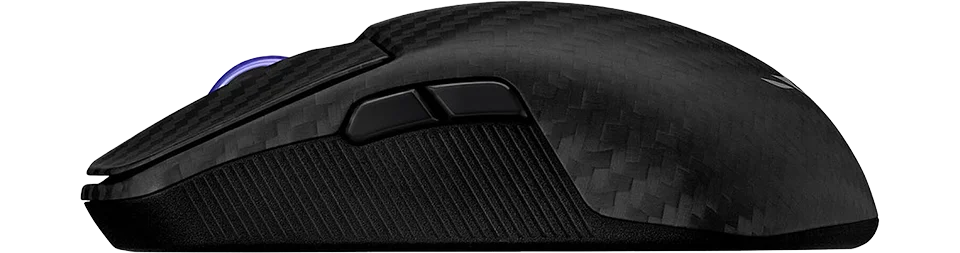
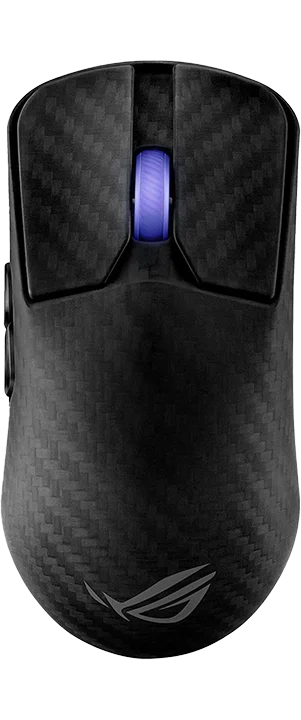
Best Deals -

Affiliate Notice: This page contains affiliate links. If you buy through them, we may earn a commission. As an Amazon Associate, we earn from qualifying purchases. Learn more.

Performance Breakdown ? -

Ratings

8.4
Overall
What is Overall Rating? The overall rating combines key performance metrics like accuracy, response, quality, and comfort to reflect the mouse's general effectiveness for gaming.
Distribution:
Each bar shows how many products received that score; the highlighted bar is this item’s score.
Why Does It Matter? This rating provides a quick snapshot of a mouse’s all-around performance, helping gamers identify well-balanced options suitable for various playstyles.
9.2
Accuracy
What is Accuracy? Accuracy measures how precisely a mouse’s sensor tracks movement, ensuring cursor movement aligns with physical input.
Distribution:
Each bar shows how many products received that score; the highlighted bar is this item’s score.
Why Does It Matter? High accuracy is critical for gaming, particularly in genres like FPS, where pinpoint precision is essential for targeting and control.
8.3
Response
What is Response? Response evaluates the speed, input lag, and click latency of a mouse, measuring how quickly it registers actions.
Distribution:
Each bar shows how many products received that score; the highlighted bar is this item’s score.
Why Does It Matter? Fast response times are crucial for competitive gaming, ensuring actions like clicks and movements are executed instantly for optimal performance.
8.7
Quality
What is Quality? Quality assesses the mouse’s build materials, durability, and sensor technology, reflecting its reliability and longevity.
Distribution:
Each bar shows how many products received that score; the highlighted bar is this item’s score.
Why Does It Matter? A high-quality mouse ensures consistent performance, withstands heavy use, and maintains functionality over time, offering long-term value.
8.2
Comfort
What is Comfort? Comfort evaluates the ergonomics, weight balance, and design of a mouse to ensure it feels natural and reduces fatigue during long gaming sessions.
Distribution:
Each bar shows how many products received that score; the highlighted bar is this item’s score.
Why Does It Matter? A comfortable mouse enhances gameplay by supporting extended use, improving control, and preventing strain, especially for competitive or marathon gaming.
7.4
Work
What is Work Rating? The work rating evaluates a mouse’s suitability for productivity tasks, considering factors like comfort during extended use, programmable buttons for efficiency, and compatibility with various software environments.
Distribution:
Each bar shows how many products received that score; the highlighted bar is this item’s score.
Why Does It Matter? For users who need a mouse that excels in both gaming and work, a high work rating ensures the device supports long hours of use, enhances productivity with customizable features, and integrates seamlessly with professional tools.
9.0
FPS
What is FPS Score? The FPS score evaluates a mouse’s performance for First-Person Shooter games, focusing on accuracy, response, and low latency.
Distribution:
Each bar shows how many products received that score; the highlighted bar is this item’s score.
Why Does It Matter? A high FPS score indicates a mouse optimized for precise aiming and fast reactions, critical for competitive FPS gaming.
7.3
MMO
What is MMO Score? The MMO score assesses a mouse’s suitability for Massively Multiplayer Online games, emphasizing programmable buttons and comfort.
Distribution:
Each bar shows how many products received that score; the highlighted bar is this item’s score.
Why Does It Matter? A high MMO score ensures a mouse supports complex inputs and extended play, ideal for managing multiple skills and macros in MMOs.
8.9
MOBA
What is MOBA Score? The MOBA score rates a mouse’s performance for Multiplayer Online Battle Arena games, prioritizing precision and programmable buttons.
Distribution:
Each bar shows how many products received that score; the highlighted bar is this item’s score.
Why Does It Matter? A high MOBA score reflects a mouse’s ability to handle quick, accurate clicks and key bindings, essential for fast-paced MOBA gameplay.
8.3
AARPG
What is AARPG Score? The AARPG score evaluates a mouse’s effectiveness for Action Adventure Role-Playing Games, focusing on comfort and versatile controls.
Distribution:
Each bar shows how many products received that score; the highlighted bar is this item’s score.
Why Does It Matter? A high AARPG score indicates a mouse suited for long sessions and varied inputs, enhancing gameplay in story-driven or action-heavy RPGs.
8.7
RTS
What is RTS Score? The RTS score measures a mouse’s performance for Real-Time Strategy games, emphasizing accuracy and programmable buttons for unit control.
Distribution:
Each bar shows how many products received that score; the highlighted bar is this item’s score.
Why Does It Matter? A high RTS score ensures a mouse supports precise cursor control and quick command execution, vital for managing complex RTS gameplay.

Build

2024
Sensor
What is a Sensor? A sensor in a gaming mouse is the component responsible for detecting movement and translating it into cursor movement on your screen. Different sensors like PMW, PAW, Hero, and others vary in technology and performance metrics.
Distribution:
Each bar shows how many products received that score; the highlighted bar is this item’s score.
01/2012 05/2025
Why Does It Matter? The type of sensor directly affects the tracking accuracy, speed, responsiveness, and sometimes power efficiency of a mouse. High-quality sensors can provide a competitive edge by ensuring precise cursor control, which is crucial in gaming for accuracy in aiming or quick movements.
Common Sensors:
PMW (PixArt Maximum Performance Wireless): Known for high performance in wired setups, offering excellent tracking precision and speed.
PAW (PixArt Adaptive Wireless): Focused on power efficiency, ideal for wireless mice, with good tracking capabilities and speed.
Hero (Logitech): Renowned for its power efficiency and high accuracy, suitable for both wired and wireless applications.
TrueMove Pro (SteelSeries): Provides advanced stabilization for precise tracking on various surfaces.
Focus Pro (Razer): Designed for professional gaming with top-tier performance metrics.
Owl-Eye (ROCCAT): Custom sensor with features tailored for gaming precision.
Choosing the Right Sensor: When selecting a mouse, consider the sensor based on your gaming needs. If you're into competitive gaming, look for sensors with high DPI, IPS, and low latency like PMW or Focus Pro. For longevity in wireless setups, sensors like PAW or Hero are preferable due to their power efficiency. Also, consider your preference for wired vs. wireless, as some sensors are optimized for specific use cases.
ROG AimPoint Pro (PixArt PAW3950)
Weight
What is Weight? Weight refers to the mass of a gaming mouse, measured in grams, affecting its feel and maneuverability.
Distribution:
Each bar shows how many products received that score; the highlighted bar is this item’s score.
147 36
Why Does It Matter? Lighter mice enable faster movements, ideal for competitive gaming, while heavier mice offer stability, suiting precise or controlled playstyles.
47 g
Skates
Mouse Feet Material (Skates): These pads under your mouse significantly influence glide, performance, and durability.
Distribution:
Each bar shows how many products received that score; the highlighted bar is this item’s score.
PTFE (Colored/Mixed): Moderate friction coefficient - Balances speed with a touch of added control, often seen in stock mouse setups for its versatility. The addition of dyes or other materials might slightly increase friction compared to virgin-grade, but it also enhances durability and offers color options for personalization.
PTFE (Virgin-Grade): Very low friction coefficient - Pure PTFE provides minimal resistance, allowing for a seamless glide across your mousepad. This material is favored for its purity, which results in less wear over time, maintaining its glide properties longer than colored PTFE.
Glass Skates (Glossy Aluminosilicate): Lowest friction coefficient - Offers an incredibly smooth glide, ideal for quick, precise movements in gaming. Their durability is unmatched, ensuring consistent performance over time, even under heavy use.
Glass Skates (Matte Aluminosilicate): Low friction coefficient - Strikes a balance between speed and control, offering a tactile feedback not found in glossy finishes. The matte surface reduces the initial stickiness sometimes experienced with glossy skates, providing gamers with better control for micro-adjustments.
UHMWPE: Moderate to high friction coefficient - Known for its durability, it provides a controlled glide, ideal for gamers who prefer precision.
Ceramic: Higher friction coefficient - Durable and suited for hard surfaces, these skates offer control-focused glide characteristics.
Sapphire: Variable friction coefficient - Luxury option with exceptional durability and glide, though performance can vary with surface treatment.
Thickness and Shape: These aspects affect how your mouse interacts with the surface. Thicker skates can increase lift-off distance but may last longer, while shape influences glide smoothness.
Installation and Maintenance: Proper installation involves cleaning, precise alignment of new skates, and sometimes heating for old skate removal. Regular maintenance ensures optimal glide performance.
Glass

Hardware

8000hz
Polling
What is Polling Rate? Polling rate, measured in Hz, is how often a mouse reports its position to the computer.
Distribution:
Each bar shows how many products received that score; the highlighted bar is this item’s score.
125 8000
Why Does It Matter? Higher polling rates provide smoother, more responsive tracking, critical for competitive gaming where precision and speed are key.
42000k
DPI
What is DPI? Dots Per Inch (DPI) measures the sensitivity of a mouse, determining how far the cursor moves per inch of physical movement.
Distribution:
Each bar shows how many products received that score; the highlighted bar is this item’s score.
4200 44000
Why Does It Matter? Higher DPI allows faster cursor movement, ideal for high-resolution displays or fast-paced gaming, while lower DPI offers precision for detailed tasks.
750
IPS
What is IPS? Inches Per Second (IPS) indicates the maximum speed at which a mouse sensor can move while still accurately tracking.
Distribution:
Each bar shows how many products received that score; the highlighted bar is this item’s score.
48 888
Why Does It Matter? Higher IPS ensures reliable tracking during rapid movements, essential for fast-paced gaming where quick swipes are common.
50g
Acceleration
What is Acceleration? Acceleration measures how quickly a mouse sensor can reach its maximum tracking speed, expressed in g-forces (g).
Distribution:
Each bar shows how many products received that score; the highlighted bar is this item’s score.
10 88
Why Does It Matter? Higher acceleration ensures accurate tracking during fast movements, vital for dynamic gaming scenarios requiring rapid cursor shifts.

Performance

Switch Latency
What is Click Latency? Click latency is the time it takes for a mouse to register and transmit a button click, measured in milliseconds.
Distribution:
Each bar shows how many products received that score; the highlighted bar is this item’s score.
19.7 0.4
Why Does It Matter? Lower click latency improves reaction time, crucial for gaming where fast, precise inputs can provide a competitive edge.
1 ms
Lift-Off
What is Lift-Off Distance? Lift-off distance (LOD) is the height (in mm) at which a mouse’s sensor stops tracking when lifted from the surface.
Distribution:
Each bar shows how many products received that score; the highlighted bar is this item’s score.
5 0
Why Does It Matter? A low LOD minimizes unwanted cursor movement during lifts, crucial for low-sensitivity gamers who frequently reposition their mouse.

1.2 mm

Specifications -

    General Features

  • Price (MSRP) $249.99
  • SKU / Part # 90MP03U0-BMUA00
  • Color(s)
  • Design(s)
    ?
    What is Design? Design refers to the visual aesthetics of a mouse, including solid colors, multi-color patterns, themed editions, or rare limited editions.
    Why Does It Matter? A mouse’s design allows for personalization and style, appealing to gamers who value aesthetics alongside performance.
    standard
  • Weight 47.00 g / 1.66 oz
  • Material carbon fiber
  • Coating
    ?
    What is Coating? Coating is the surface finish or texture on a mouse, such as matte, glossy, or rubberized, affecting grip and feel.
    Why Does It Matter? The right coating enhances grip, comfort, and durability, ensuring secure handling during intense gaming sessions.
    matte
  • Feet Material
    ?
    Mouse Feet Material (Skates): These pads under your mouse significantly influence glide, performance, and durability.
    PTFE (Colored/Mixed): Moderate friction coefficient - Balances speed with a touch of added control, often seen in stock mouse setups for its versatility. The addition of dyes or other materials might slightly increase friction compared to virgin-grade, but it also enhances durability and offers color options for personalization.
    PTFE (Virgin-Grade): Very low friction coefficient - Pure PTFE provides minimal resistance, allowing for a seamless glide across your mousepad. This material is favored for its purity, which results in less wear over time, maintaining its glide properties longer than colored PTFE.
    Glass Skates (Glossy Aluminosilicate): Lowest friction coefficient - Offers an incredibly smooth glide, ideal for quick, precise movements in gaming. Their durability is unmatched, ensuring consistent performance over time, even under heavy use.
    Glass Skates (Matte Aluminosilicate): Low friction coefficient - Strikes a balance between speed and control, offering a tactile feedback not found in glossy finishes. The matte surface reduces the initial stickiness sometimes experienced with glossy skates, providing gamers with better control for micro-adjustments.
    UHMWPE: Moderate to high friction coefficient - Known for its durability, it provides a controlled glide, ideal for gamers who prefer precision.
    Ceramic: Higher friction coefficient - Durable and suited for hard surfaces, these skates offer control-focused glide characteristics.
    Sapphire: Variable friction coefficient - Luxury option with exceptional durability and glide, though performance can vary with surface treatment.
    Thickness and Shape: These aspects affect how your mouse interacts with the surface. Thicker skates can increase lift-off distance but may last longer, while shape influences glide smoothness.
    Installation and Maintenance: Proper installation involves cleaning, precise alignment of new skates, and sometimes heating for old skate removal. Regular maintenance ensures optimal glide performance.
    Glass
  • Lighting
    ?
    What is Lighting? Lighting refers to the type of illumination on a mouse, such as RGB or single-color LEDs, and its customization options.
    Why Does It Matter? Customizable lighting enhances aesthetics and can sync with game events or setups, adding immersion and personal flair.
    1 zone (rgb) 
  • Release Date
    ?
    What is Release Date? The release date, shown as month and year (MM/YYYY), indicates when a mouse was first available on the market.
    Why Does It Matter? Filtering by release date helps identify newer models with advanced technology or older, potentially cost-effective options.
    09/2024

    Connectivity

  • Connection hybrid
  • Connectivity
    ?
    What is Connectivity? Connectivity describes how a mouse connects to a device, such as via 2.4GHz dongle, Bluetooth, USB-A, or USB-C.
    Why Does It Matter? The connection type affects latency, portability, and compatibility, with wireless options offering freedom and wired providing reliability.
    2.4GHz Dongle
  • Computer Side Connector USB-A
  • Mouse Side Connector USB-C
  • Cable Type braided
  • Paracord
    ?
    What is a Paracord Cable? A paracord cable is a lightweight, flexible cable designed to minimize drag and resistance during mouse movement.
    Why Does It Matter? Paracord cables enhance maneuverability, enabling smoother and faster movements, which is critical for precision in competitive gaming.
  • Battery Hours
    ?
    What is Battery Hours? Battery hours indicate how long a wireless mouse can operate on a single charge, measured in hours.
    Why Does It Matter? Longer battery life ensures uninterrupted gaming, reducing the need for frequent recharging, ideal for extended sessions.
    70

    Dimensions

  • Length 127.50 mm / 5.02 in
  • Width 63.70 mm / 2.51 in
  • Height 39.60 mm / 1.56 in

    Shape & Form

  • Form Factor
    ?
    What is Form Factor? Form factor refers to the design or shape of a gaming mouse, which dictates how it fits and feels in your hand. This includes considerations for right-handed, left-handed, or ambidextrous use.
    Why Does It Matter? The form factor impacts ergonomics, comfort, and control. A well-designed form factor can reduce strain, improve grip, and enhance your gaming experience by allowing for natural hand movements and positioning.
    Common Form Factors:
    Right-Handed: Ergonomically shaped for the right hand, with side buttons often on the left for thumb access.
    Left-Handed: A mirror image of right-handed mice, tailored for left-handed users with side buttons on the right.
    Ambidextrous: Symmetrical design, offering universal use with side buttons either on both sides or not included to maintain symmetry.
    Choosing the Right Form Factor: Your choice should align with your dominant hand, grip style, and whether you need or prefer side buttons. Right or left-handed mice offer better ergonomic support for specific hands, while ambidextrous mice provide versatility at the cost of some ergonomic specialization.
    right
  • Shape
    ?
    What is Shape? Shape refers to the overall structure of a gaming mouse, which can significantly affect how it feels in your hand, influencing grip, comfort, and control during use.
    Why Does It Matter? The shape of a mouse impacts ergonomic fit, which can reduce hand fatigue, improve precision, and enhance the overall gaming experience by allowing for a natural hand position.
    Common Mouse Shapes:
    Symmetrical: Designed to be equally comfortable for both left and right-handed users. These mice lack pronounced curves, offering a universal fit but might sacrifice some ergonomic benefits for specialized hand use.
    Ergonomic: Tailored to fit the natural curve of the hand, typically for right-handed users. This shape provides better support and comfort, reducing strain over long periods, but might not suit left-handed users as well without specific design.
    Asymmetrical: Often a variation of ergonomic design, where the mouse might have unique features or shapes not mirrored on both sides, enhancing grip or adding functionality like extra buttons for specific fingers. This can be highly specialized for gaming performance but less versatile for different hand orientations.
    Choosing the Right Shape: Select a shape based on your dominant hand, grip style (palm, claw, or fingertip), and whether you prioritize comfort, precision, or versatility. Symmetrical shapes offer flexibility, ergonomic shapes provide comfort for the intended hand, and asymmetrical shapes can offer unique advantages for specific gaming needs.
    symmetrical
  • Hump
    ?
    What is the Hump? The hump is the highest point of a gaming mouse's body, typically located towards the back, middle, or front. This design feature significantly influences hand positioning and overall comfort during use.
    Why Does It Matter? The position of the hump affects how the mouse fits in your hand, impacting grip style (palm, claw, or fingertip), control, and fatigue over long gaming sessions. A well-placed hump can enhance gaming performance by providing ergonomic support where needed.
    Common Hump Positions:
    Front: The hump is positioned towards the front, which can provide a different grip dynamic, potentially beneficial for users with specific grip preferences or smaller hands, focusing on finger control with less palm support.
    Middle: Offers versatility, suitable for various grip styles, providing balanced support.
    Back - Front: Supports the entire hand, ideal for larger hands or palm grip, might not suit claw or fingertip grip as well.
    Back Mid: Good for claw grip, offering lift under the palm while keeping the front low for finger control.
    Back - Rear: Less common, beneficial for fingertip grip or smaller hands, prioritizing finger dexterity over palm support.
    Choosing the Right Hump: Selecting a mouse with the right hump position depends on your hand size, preferred grip style, and gaming needs. Each position offers different advantages, from comfort to precision, making it crucial for gamers to choose based on their ergonomic preferences.
    back mid
  • Front Flare
    ?
    What is Front Flare? Front flare describes the curvature or shape at the front of the mouse, specifically where your index and middle fingers rest on the right and left click buttons respectively.
    Why Does It Matter? The design of the front flare directly impacts how your fingers interact with the primary click buttons, affecting comfort, ease of clicking, and the precision of your mouse control during gaming.
    Types of Front Flare:
    Flat: Here, the front edge where the click buttons are located is flat. This provides a straightforward, even surface for your fingers to press directly down on, which might be preferred for those who like a simple, direct interaction with the buttons, offering less guidance but more control over click precision.
    Inward: The front curves inward, wrapping slightly around your fingers. This can enhance the feeling of control, especially for fingertip grip users, as it allows your index and middle fingers to curl around the mouse, potentially reducing the distance your fingers need to travel to click, thus improving response time.
    Outward: With a more pronounced outward flare, this design gives additional room for finger movement, particularly useful for gamers with larger hands or those who need extra space for finger action. It can make the right and left click buttons feel more accessible, promoting a relaxed finger posture which might be less tiring over long sessions.
    Choosing the Right Front Flare: The choice depends on how you prefer your fingers to interact with the click buttons. A front flare might provide comfort and security, flat offers simplicity and direct control, inward can enhance precision and speed for quick clicks, and outward might be ideal for comfort and ease with larger hands or more dynamic finger movements. Each type influences how naturally your fingers rest on and operate the primary click buttons, impacting your overall gaming performance and comfort.
    outward

    Extra Features

  • Adjustable Weight
    ?
    What is Adjustable Weight? Adjustable weight allows users to modify a mouse’s weight by adding or removing modular weights.
    Why Does It Matter? Customizing weight tailors the mouse’s feel to user preference, balancing speed and control for different gaming styles.
  • Honeycomb Frame
    ?
    What is a Honeycomb Frame? A honeycomb frame is a mouse chassis with a perforated, hexagonal pattern to reduce weight.
    Why Does It Matter? It makes the mouse lighter, improving maneuverability and reducing fatigue, ideal for fast-paced gaming with specific grip styles.
  • Silent Clicks
    ?
    What are Silent Clicks? Silent clicks refer to mouse buttons designed to produce minimal noise when pressed.
    Why Does It Matter? Quiet clicks reduce distractions, ideal for shared spaces or stealth usage, while maintaining responsive performance for gaming.

    Sensor Specs

  • Sensor
    ?
    What is a Sensor? A sensor in a gaming mouse is the component responsible for detecting movement and translating it into cursor movement on your screen. Different sensors like PMW, PAW, Hero, and others vary in technology and performance metrics.
    Why Does It Matter? The type of sensor directly affects the tracking accuracy, speed, responsiveness, and sometimes power efficiency of a mouse. High-quality sensors can provide a competitive edge by ensuring precise cursor control, which is crucial in gaming for accuracy in aiming or quick movements.
    Common Sensors:
    PMW (PixArt Maximum Performance Wireless): Known for high performance in wired setups, offering excellent tracking precision and speed.
    PAW (PixArt Adaptive Wireless): Focused on power efficiency, ideal for wireless mice, with good tracking capabilities and speed.
    Hero (Logitech): Renowned for its power efficiency and high accuracy, suitable for both wired and wireless applications.
    TrueMove Pro (SteelSeries): Provides advanced stabilization for precise tracking on various surfaces.
    Focus Pro (Razer): Designed for professional gaming with top-tier performance metrics.
    Owl-Eye (ROCCAT): Custom sensor with features tailored for gaming precision.
    Choosing the Right Sensor: When selecting a mouse, consider the sensor based on your gaming needs. If you're into competitive gaming, look for sensors with high DPI, IPS, and low latency like PMW or Focus Pro. For longevity in wireless setups, sensors like PAW or Hero are preferable due to their power efficiency. Also, consider your preference for wired vs. wireless, as some sensors are optimized for specific use cases.
    ROG AimPoint Pro (PixArt PAW3950)
  • Sensor Type optical
  • Flawless Sensor
    ?
    What is a Flawless Sensor? A flawless sensor performs without significant issues like smoothing, jitter, or angle snapping, ensuring precise and reliable tracking.
    Why Does It Matter? Flawless sensors deliver consistent cursor control, critical for competitive gaming where even minor tracking errors can impact performance.
  • Sensor Latency
    ?
    What is Sensor Latency? Sensor latency is the time it takes for a mouse to register and transmit movement or input, measured in milliseconds (ms).
    Why Does It Matter? Lower sensor latency ensures faster response times, crucial for competitive gaming where split-second actions can determine outcomes.
    -
  • Polling Rate
    ?
    What is Polling Rate? Polling rate, measured in Hz, is how often a mouse reports its position to the computer.
    Why Does It Matter? Higher polling rates provide smoother, more responsive tracking, critical for competitive gaming where precision and speed are key.
    8000 Hz
  • DPI
    ?
    What is DPI? Dots Per Inch (DPI) measures the sensitivity of a mouse, determining how far the cursor moves per inch of physical movement.
    Why Does It Matter? Higher DPI allows faster cursor movement, ideal for high-resolution displays or fast-paced gaming, while lower DPI offers precision for detailed tasks.
    42000 k
  • IPS
    ?
    What is IPS? Inches Per Second (IPS) indicates the maximum speed at which a mouse sensor can move while still accurately tracking.
    Why Does It Matter? Higher IPS ensures reliable tracking during rapid movements, essential for fast-paced gaming where quick swipes are common.
    750
  • Acceleration
    ?
    What is Acceleration? Acceleration measures how quickly a mouse sensor can reach its maximum tracking speed, expressed in g-forces (g).
    Why Does It Matter? Higher acceleration ensures accurate tracking during fast movements, vital for dynamic gaming scenarios requiring rapid cursor shifts.
    50 g
  • Lift-off Distance
    ?
    What is Lift-Off Distance? Lift-off distance (LOD) is the height (in mm) at which a mouse’s sensor stops tracking when lifted from the surface.
    Why Does It Matter? A low LOD minimizes unwanted cursor movement during lifts, crucial for low-sensitivity gamers who frequently reposition their mouse.

    1.2 mm
  • Lift-off Settings
    ?
    What are Lift Settings? Lift settings, often referred to as lift-off distance (LOD), determine the height at which a mouse’s sensor stops tracking when lifted off the surface. This is a critical feature in gaming mice, as it affects how the mouse behaves when you reposition it during gameplay.
    Why Do They Matter? The lift-off distance impacts precision and control. A lower LOD means the sensor stops tracking almost immediately upon lifting, reducing unwanted cursor movement—ideal for low-sensitivity gamers who frequently lift their mouse. A higher LOD allows tracking to continue slightly longer, which might suit high-sensitivity players or those with a lighter grip who don’t fully lift the mouse. Adjustable lift settings let you tailor this behavior to your playstyle and desk setup.
    Types of Lift Settings:
    Fixed Low (1-2 mm): The sensor ceases tracking at a very short distance from the surface (typically 1-2 mm). This minimizes cursor drift during lifts, offering maximum precision for gamers who need consistent control, such as in FPS games where micro-adjustments are key.
    Fixed High (3-5 mm): Tracking continues until the mouse is lifted higher (around 3-5 mm). This can be useful for players who don’t fully lift the mouse or prefer a more forgiving setting, though it may introduce slight cursor movement during repositioning.
    Adjustable: Many modern mice allow customization of the LOD via software or hardware switches (e.g., 1 mm to 3 mm or more). This flexibility accommodates different grip styles, mouse pads, and gaming habits, letting you fine-tune the sensor’s cutoff point for optimal performance.
    Surface-Tuned: Some advanced mice feature sensors that adapt the LOD based on the surface (e.g., cloth, hard, or hybrid mouse pads). This ensures consistent tracking behavior regardless of your desk setup, reducing the need for manual adjustments.
    Choosing the Right Lift Settings: Your choice depends on your gaming style and habits. A low LOD enhances precision for frequent lifters, high LOD offers flexibility for minimal lifters, adjustable settings provide versatility across scenarios, and surface-tuned options ensure consistency on varied surfaces. Properly tuned lift settings can reduce errors, improve comfort, and elevate your in-game performance by aligning the mouse’s behavior with your natural movements.
    adjustable
  • Motion Sync
    ?
    Motion Sync synchronizes the mouse sensor's data output with the computer's USB polling rate for more consistent cursor movement. While it can reduce jitter, it might introduce minimal latency. Ideal for scenarios where consistent tracking is key.
  • Hardware Acceleration
    ?
    Refers to built-in hardware acceleration, altering cursor speed based on mouse movement. Can disrupt precision, making it less ideal for gaming as it introduces unpredictability.
    -
  • Nvidia Reflex
    ?
    NVIDIA Reflex is a technology that reduces system latency in games, enhancing responsiveness. It's designed to align the game engine, rendering, and input for a smoother experience, making it ideal for competitive gaming where every millisecond counts.
  • Smoothing
    ?
    Refers to built-in sensor smoothing or filtering that aims to provide more stable tracking but can introduce input lag. While smoothing can make movements appear less jittery, it may reduce precision for fast-paced gaming or other precise tasks.
    -

    Switch Specs

  • Switch Type
    ?
    What is Switch Type? The switch type determines how a mouse registers clicks, affecting speed, feel, and durability.
    Mechanical Switches: - Use physical metal contacts to register clicks. - Provide a tactile click with a distinct actuation point. - Require a small force to activate (~50g). - Can wear out over time but are rated for millions of clicks. - Brands: Omron, Kailh, Huano.
    Optical Switches: - Use light beams instead of metal contacts. - Have zero debounce delay, making them faster & more durable. - Do not wear out from mechanical friction. - Common in premium gaming mice for ultra-fast actuation. - Brands: Razer Optical, TTC Optical.
    Which Should You Choose? - Competitive FPS players prefer optical switches for speed. - Casual & MMO players might prefer mechanical switches for feel & cost.
    optical
  • Switches
    ?
    What Are Switches? Switches are the mechanisms under each mouse button that register clicks. They play a crucial role in responsiveness, durability, and overall feel.
    How Do They Work? Inside each switch is a spring-loaded mechanism with contact points that close when pressed, completing the circuit and sending an input signal to your computer.
    Why Do Switches Matter? - Click Feel – Some switches are light and fast, others are more tactile and firm. - Durability – Most gaming switches are rated for tens of millions of clicks. - Latency & Speed – Some switches have zero debounce delay, crucial for fast-paced games.
    Popular Switch Brands: - Omron – Known for durability & tactile feel. - Kailh & Huano – Offer varying actuation forces & feedback styles. - Razer & TTC – Common in high-performance gaming mice, with optical options available.
    ROG Optical Micro Switches
  • Hot Swappable
    ?
    What Are Hot-Swappable Switches? Hot-swappable switches allow you to easily replace the mouse’s click switches without soldering or extensive disassembly. This feature uses a socket system where switches can be pulled out and new ones pushed in, typically requiring minimal tools like a screwdriver to access the internals.
    Why Does It Matter? Switches can wear out over time, causing issues like double-clicking or unresponsive buttons. Hot-swappable switches let you replace them, extending the mouse’s lifespan, saving costs, and reducing e-waste. It also enables customization of click feel or sound to suit your gaming or work preferences.
    Common Compatible Switches:
    Omron: Reliable and durable, known for consistent tactile feedback and high click ratings, a popular choice for replacements.
    Kailh: Offers smooth operation with varying actuation forces, allowing customization of click resistance and feedback.
    ROG Micro Switches: ASUS-designed switches optimized for gaming, providing quick response and low actuation force, compatible with specific ROG models.
    Choosing a Hot-Swappable Mouse: Opt for this feature if you value longevity or want to tailor your mouse’s click experience. Check compatibility with switch types (e.g., Omron, Kailh), as not all mice support all switches. High-end models from brands like ASUS (ROG Keris) or Ironcat (HPC02MPro) often include this, balancing customization with performance. Ensure the mouse’s overall design meets your gaming needs beyond just switch replacement.
  • Click Latency
    ?
    What is Click Latency? Click latency is the time it takes for a mouse to register and transmit a button click, measured in milliseconds.
    Why Does It Matter? Lower click latency improves reaction time, crucial for gaming where fast, precise inputs can provide a competitive edge.
    1 Wireless (ms)
  • Click Force
    ?
    What is Click Force? Click force is the amount of force, measured in grams, required to actuate a mouse’s buttons.
    Why Does It Matter? The click force affects the comfort and feel of clicks, with lighter forces enabling faster clicks and heavier forces providing tactile feedback.
    -

    Control & Function

  • MCU
    ?
    What is an MCU? The MCU, or Microcontroller Unit, is the miniature processor inside a gaming mouse that controls inputs, manages settings, and ensures smooth communication with your computer.
    Why Does It Matter? Higher-end MCUs offer better performance, lower latency, and improved wireless stability, making them essential for competitive gaming.
    Common MCU Features:
    Onboard memory: for storing profiles & DPI settings
    Enhanced power efficiency: for wireless mice
    Faster processing: for low-latency inputs
    Choosing the Right MCU: Some brands use custom MCUs, while others rely on trusted manufacturers like Nordic, STMicroelectronics, or PixArt. More advanced MCUs generally lead to a smoother and more responsive gaming experience.
    Nordic nRF52840
  • Side Button(s)
    ?
    What are Side Buttons? Side buttons are programmable buttons located on the side of a mouse, typically accessed by the thumb.
    Why Does It Matter? These buttons offer additional functions or shortcuts, enhancing efficiency in gaming, especially for genres like MMOs requiring multiple inputs.
    2
  • Middle Button(s)
    ?
    What are Middle Buttons? Middle buttons are programmable buttons located near the scroll wheel on the top middle of a mouse.
    Why Does It Matter? These buttons provide extra functionality for quick access to commands or macros, improving efficiency in gaming or productivity tasks.
    0
  • Programmable Button(s)
    ?
    What are Programmable Buttons? Programmable buttons are mouse buttons that can be customized to perform specific functions, macros, or shortcuts.
    Why Does It Matter? They allow tailored control, streamlining complex inputs for gaming or workflows, especially in genres requiring multiple commands.
    5
  • Tilt Wheel
    ?
    What is a Tilt Scroll Wheel? A tilt scroll wheel can tilt left or right to enable horizontal scrolling or additional programmable functions.
    Why Does It Matter? It enhances navigation and control, useful for productivity tasks or gaming scenarios requiring quick access to extra inputs.
  • Adjustable Scroll Wheel
    ?
    What is an Adjustable Scroll Wheel? An adjustable scroll wheel allows users to customize the tension for a smooth or clicky scrolling feel.
    Why Does It Matter? Tailoring the scroll wheel’s resistance enhances user comfort and precision, suiting different preferences for gaming or productivity.
  • Onboard Memory
    ?
    What is Onboard Memory? Onboard memory allows a mouse to store settings like DPI, button configurations, and macros directly on the device.
    Why Does It Matter? It ensures consistent settings across different computers without needing software, ideal for portability or tournament play.
    (5) 
  • Profile Switching
    ?
    What is Profile Switching? Profile switching enables a mouse to toggle between multiple custom configurations, such as DPI or button mappings.
    Why Does It Matter? It allows quick adaptation to different games or tasks, enhancing versatility and efficiency without reconfiguring settings.
Notice: All gaming mice details and specifications on this site are carefully researched using trusted sources and manufacturer verification, presented "as is" with no guarantees of perfect accuracy. Neither this site nor its operators are liable for any issues or damages arising from potential inaccuracies.

Asus ROG Harpe Ace Mini

Recommended Games:
Valorant
Overwatch 2
Fortnite

The Asus ROG Harpe Ace Mini is a 49 g tri‑mode wireless gaming mouse tuned for competitive FPS aim in titles like Counter‑Strike 2, Valorant, and Apex Legends. Its compact, shallow‑hump shell naturally suits claw and fingertip grips, while the 42,000‑DPI AimPoint Pro sensor stays stable during fast flicks and micro‑corrections (with track‑on‑glass support for hard surfaces). You get 1–2K polling out of the box, and can reach up to 8K wireless polling with ASUS’s optional Polling Rate Booster—just expect lower battery life at higher rates, and note that larger-hand palm grippers may find the Mini too tight.

Best Deals -

Affiliate Notice: This page contains affiliate links. If you buy through them, we may earn a commission. As an Amazon Associate, we earn from qualifying purchases. Learn more.

Performance Breakdown ? -

Ratings

8.8
Overall
What is Overall Rating? The overall rating combines key performance metrics like accuracy, response, quality, and comfort to reflect the mouse's general effectiveness for gaming.
Distribution:
Each bar shows how many products received that score; the highlighted bar is this item’s score.
Why Does It Matter? This rating provides a quick snapshot of a mouse’s all-around performance, helping gamers identify well-balanced options suitable for various playstyles.
9.2
Accuracy
What is Accuracy? Accuracy measures how precisely a mouse’s sensor tracks movement, ensuring cursor movement aligns with physical input.
Distribution:
Each bar shows how many products received that score; the highlighted bar is this item’s score.
Why Does It Matter? High accuracy is critical for gaming, particularly in genres like FPS, where pinpoint precision is essential for targeting and control.
8.3
Response
What is Response? Response evaluates the speed, input lag, and click latency of a mouse, measuring how quickly it registers actions.
Distribution:
Each bar shows how many products received that score; the highlighted bar is this item’s score.
Why Does It Matter? Fast response times are crucial for competitive gaming, ensuring actions like clicks and movements are executed instantly for optimal performance.
8.2
Quality
What is Quality? Quality assesses the mouse’s build materials, durability, and sensor technology, reflecting its reliability and longevity.
Distribution:
Each bar shows how many products received that score; the highlighted bar is this item’s score.
Why Does It Matter? A high-quality mouse ensures consistent performance, withstands heavy use, and maintains functionality over time, offering long-term value.
7.9
Comfort
What is Comfort? Comfort evaluates the ergonomics, weight balance, and design of a mouse to ensure it feels natural and reduces fatigue during long gaming sessions.
Distribution:
Each bar shows how many products received that score; the highlighted bar is this item’s score.
Why Does It Matter? A comfortable mouse enhances gameplay by supporting extended use, improving control, and preventing strain, especially for competitive or marathon gaming.
7.4
Work
What is Work Rating? The work rating evaluates a mouse’s suitability for productivity tasks, considering factors like comfort during extended use, programmable buttons for efficiency, and compatibility with various software environments.
Distribution:
Each bar shows how many products received that score; the highlighted bar is this item’s score.
Why Does It Matter? For users who need a mouse that excels in both gaming and work, a high work rating ensures the device supports long hours of use, enhances productivity with customizable features, and integrates seamlessly with professional tools.
8.9
FPS
What is FPS Score? The FPS score evaluates a mouse’s performance for First-Person Shooter games, focusing on accuracy, response, and low latency.
Distribution:
Each bar shows how many products received that score; the highlighted bar is this item’s score.
Why Does It Matter? A high FPS score indicates a mouse optimized for precise aiming and fast reactions, critical for competitive FPS gaming.
7.3
MMO
What is MMO Score? The MMO score assesses a mouse’s suitability for Massively Multiplayer Online games, emphasizing programmable buttons and comfort.
Distribution:
Each bar shows how many products received that score; the highlighted bar is this item’s score.
Why Does It Matter? A high MMO score ensures a mouse supports complex inputs and extended play, ideal for managing multiple skills and macros in MMOs.
8.8
MOBA
What is MOBA Score? The MOBA score rates a mouse’s performance for Multiplayer Online Battle Arena games, prioritizing precision and programmable buttons.
Distribution:
Each bar shows how many products received that score; the highlighted bar is this item’s score.
Why Does It Matter? A high MOBA score reflects a mouse’s ability to handle quick, accurate clicks and key bindings, essential for fast-paced MOBA gameplay.
8.2
AARPG
What is AARPG Score? The AARPG score evaluates a mouse’s effectiveness for Action Adventure Role-Playing Games, focusing on comfort and versatile controls.
Distribution:
Each bar shows how many products received that score; the highlighted bar is this item’s score.
Why Does It Matter? A high AARPG score indicates a mouse suited for long sessions and varied inputs, enhancing gameplay in story-driven or action-heavy RPGs.
8.6
RTS
What is RTS Score? The RTS score measures a mouse’s performance for Real-Time Strategy games, emphasizing accuracy and programmable buttons for unit control.
Distribution:
Each bar shows how many products received that score; the highlighted bar is this item’s score.
Why Does It Matter? A high RTS score ensures a mouse supports precise cursor control and quick command execution, vital for managing complex RTS gameplay.

Build

2024
Sensor
What is a Sensor? A sensor in a gaming mouse is the component responsible for detecting movement and translating it into cursor movement on your screen. Different sensors like PMW, PAW, Hero, and others vary in technology and performance metrics.
Distribution:
Each bar shows how many products received that score; the highlighted bar is this item’s score.
01/2012 05/2025
Why Does It Matter? The type of sensor directly affects the tracking accuracy, speed, responsiveness, and sometimes power efficiency of a mouse. High-quality sensors can provide a competitive edge by ensuring precise cursor control, which is crucial in gaming for accuracy in aiming or quick movements.
Common Sensors:
PMW (PixArt Maximum Performance Wireless): Known for high performance in wired setups, offering excellent tracking precision and speed.
PAW (PixArt Adaptive Wireless): Focused on power efficiency, ideal for wireless mice, with good tracking capabilities and speed.
Hero (Logitech): Renowned for its power efficiency and high accuracy, suitable for both wired and wireless applications.
TrueMove Pro (SteelSeries): Provides advanced stabilization for precise tracking on various surfaces.
Focus Pro (Razer): Designed for professional gaming with top-tier performance metrics.
Owl-Eye (ROCCAT): Custom sensor with features tailored for gaming precision.
Choosing the Right Sensor: When selecting a mouse, consider the sensor based on your gaming needs. If you're into competitive gaming, look for sensors with high DPI, IPS, and low latency like PMW or Focus Pro. For longevity in wireless setups, sensors like PAW or Hero are preferable due to their power efficiency. Also, consider your preference for wired vs. wireless, as some sensors are optimized for specific use cases.
ROG AimPoint Pro (PixArt PAW3950)
Weight
What is Weight? Weight refers to the mass of a gaming mouse, measured in grams, affecting its feel and maneuverability.
Distribution:
Each bar shows how many products received that score; the highlighted bar is this item’s score.
147 36
Why Does It Matter? Lighter mice enable faster movements, ideal for competitive gaming, while heavier mice offer stability, suiting precise or controlled playstyles.
49 g
Skates
Mouse Feet Material (Skates): These pads under your mouse significantly influence glide, performance, and durability.
Distribution:
Each bar shows how many products received that score; the highlighted bar is this item’s score.
PTFE (Colored/Mixed): Moderate friction coefficient - Balances speed with a touch of added control, often seen in stock mouse setups for its versatility. The addition of dyes or other materials might slightly increase friction compared to virgin-grade, but it also enhances durability and offers color options for personalization.
PTFE (Virgin-Grade): Very low friction coefficient - Pure PTFE provides minimal resistance, allowing for a seamless glide across your mousepad. This material is favored for its purity, which results in less wear over time, maintaining its glide properties longer than colored PTFE.
Glass Skates (Glossy Aluminosilicate): Lowest friction coefficient - Offers an incredibly smooth glide, ideal for quick, precise movements in gaming. Their durability is unmatched, ensuring consistent performance over time, even under heavy use.
Glass Skates (Matte Aluminosilicate): Low friction coefficient - Strikes a balance between speed and control, offering a tactile feedback not found in glossy finishes. The matte surface reduces the initial stickiness sometimes experienced with glossy skates, providing gamers with better control for micro-adjustments.
UHMWPE: Moderate to high friction coefficient - Known for its durability, it provides a controlled glide, ideal for gamers who prefer precision.
Ceramic: Higher friction coefficient - Durable and suited for hard surfaces, these skates offer control-focused glide characteristics.
Sapphire: Variable friction coefficient - Luxury option with exceptional durability and glide, though performance can vary with surface treatment.
Thickness and Shape: These aspects affect how your mouse interacts with the surface. Thicker skates can increase lift-off distance but may last longer, while shape influences glide smoothness.
Installation and Maintenance: Proper installation involves cleaning, precise alignment of new skates, and sometimes heating for old skate removal. Regular maintenance ensures optimal glide performance.
PTFE (Virgin-Grade)

Hardware

8000hz
Polling
What is Polling Rate? Polling rate, measured in Hz, is how often a mouse reports its position to the computer.
Distribution:
Each bar shows how many products received that score; the highlighted bar is this item’s score.
125 8000
Why Does It Matter? Higher polling rates provide smoother, more responsive tracking, critical for competitive gaming where precision and speed are key.
42000k
DPI
What is DPI? Dots Per Inch (DPI) measures the sensitivity of a mouse, determining how far the cursor moves per inch of physical movement.
Distribution:
Each bar shows how many products received that score; the highlighted bar is this item’s score.
4200 44000
Why Does It Matter? Higher DPI allows faster cursor movement, ideal for high-resolution displays or fast-paced gaming, while lower DPI offers precision for detailed tasks.
750
IPS
What is IPS? Inches Per Second (IPS) indicates the maximum speed at which a mouse sensor can move while still accurately tracking.
Distribution:
Each bar shows how many products received that score; the highlighted bar is this item’s score.
48 888
Why Does It Matter? Higher IPS ensures reliable tracking during rapid movements, essential for fast-paced gaming where quick swipes are common.
50g
Acceleration
What is Acceleration? Acceleration measures how quickly a mouse sensor can reach its maximum tracking speed, expressed in g-forces (g).
Distribution:
Each bar shows how many products received that score; the highlighted bar is this item’s score.
10 88
Why Does It Matter? Higher acceleration ensures accurate tracking during fast movements, vital for dynamic gaming scenarios requiring rapid cursor shifts.

Performance

Switch Latency
What is Click Latency? Click latency is the time it takes for a mouse to register and transmit a button click, measured in milliseconds.
Distribution:
Each bar shows how many products received that score; the highlighted bar is this item’s score.
19.7 0.4
Why Does It Matter? Lower click latency improves reaction time, crucial for gaming where fast, precise inputs can provide a competitive edge.
1 ms
Lift-Off
What is Lift-Off Distance? Lift-off distance (LOD) is the height (in mm) at which a mouse’s sensor stops tracking when lifted from the surface.
Distribution:
Each bar shows how many products received that score; the highlighted bar is this item’s score.
5 0
Why Does It Matter? A low LOD minimizes unwanted cursor movement during lifts, crucial for low-sensitivity gamers who frequently reposition their mouse.

1.2 mm

Specifications -

    General Features

  • Price (MSRP) $129.99
  • SKU / Part # 90MP03Z0-BMAA00
  • Color(s)
  • Design(s)
    ?
    What is Design? Design refers to the visual aesthetics of a mouse, including solid colors, multi-color patterns, themed editions, or rare limited editions.
    Why Does It Matter? A mouse’s design allows for personalization and style, appealing to gamers who value aesthetics alongside performance.
    standard
  • Weight 49.00 g / 1.73 oz
  • Material bio-based nylon
  • Coating
    ?
    What is Coating? Coating is the surface finish or texture on a mouse, such as matte, glossy, or rubberized, affecting grip and feel.
    Why Does It Matter? The right coating enhances grip, comfort, and durability, ensuring secure handling during intense gaming sessions.
    matte
  • Feet Material
    ?
    Mouse Feet Material (Skates): These pads under your mouse significantly influence glide, performance, and durability.
    PTFE (Colored/Mixed): Moderate friction coefficient - Balances speed with a touch of added control, often seen in stock mouse setups for its versatility. The addition of dyes or other materials might slightly increase friction compared to virgin-grade, but it also enhances durability and offers color options for personalization.
    PTFE (Virgin-Grade): Very low friction coefficient - Pure PTFE provides minimal resistance, allowing for a seamless glide across your mousepad. This material is favored for its purity, which results in less wear over time, maintaining its glide properties longer than colored PTFE.
    Glass Skates (Glossy Aluminosilicate): Lowest friction coefficient - Offers an incredibly smooth glide, ideal for quick, precise movements in gaming. Their durability is unmatched, ensuring consistent performance over time, even under heavy use.
    Glass Skates (Matte Aluminosilicate): Low friction coefficient - Strikes a balance between speed and control, offering a tactile feedback not found in glossy finishes. The matte surface reduces the initial stickiness sometimes experienced with glossy skates, providing gamers with better control for micro-adjustments.
    UHMWPE: Moderate to high friction coefficient - Known for its durability, it provides a controlled glide, ideal for gamers who prefer precision.
    Ceramic: Higher friction coefficient - Durable and suited for hard surfaces, these skates offer control-focused glide characteristics.
    Sapphire: Variable friction coefficient - Luxury option with exceptional durability and glide, though performance can vary with surface treatment.
    Thickness and Shape: These aspects affect how your mouse interacts with the surface. Thicker skates can increase lift-off distance but may last longer, while shape influences glide smoothness.
    Installation and Maintenance: Proper installation involves cleaning, precise alignment of new skates, and sometimes heating for old skate removal. Regular maintenance ensures optimal glide performance.
    PTFE (Virgin-Grade)
  • Lighting
    ?
    What is Lighting? Lighting refers to the type of illumination on a mouse, such as RGB or single-color LEDs, and its customization options.
    Why Does It Matter? Customizable lighting enhances aesthetics and can sync with game events or setups, adding immersion and personal flair.
    1 zone (rgb) 
  • Release Date
    ?
    What is Release Date? The release date, shown as month and year (MM/YYYY), indicates when a mouse was first available on the market.
    Why Does It Matter? Filtering by release date helps identify newer models with advanced technology or older, potentially cost-effective options.
    09/2024

    Connectivity

  • Connection hybrid
  • Connectivity
    ?
    What is Connectivity? Connectivity describes how a mouse connects to a device, such as via 2.4GHz dongle, Bluetooth, USB-A, or USB-C.
    Why Does It Matter? The connection type affects latency, portability, and compatibility, with wireless options offering freedom and wired providing reliability.
    2.4GHz Dongle
  • Computer Side Connector USB-A
  • Mouse Side Connector USB-C
  • Cable Type braided
  • Paracord
    ?
    What is a Paracord Cable? A paracord cable is a lightweight, flexible cable designed to minimize drag and resistance during mouse movement.
    Why Does It Matter? Paracord cables enhance maneuverability, enabling smoother and faster movements, which is critical for precision in competitive gaming.
  • Battery Hours
    ?
    What is Battery Hours? Battery hours indicate how long a wireless mouse can operate on a single charge, measured in hours.
    Why Does It Matter? Longer battery life ensures uninterrupted gaming, reducing the need for frequent recharging, ideal for extended sessions.
    105

    Dimensions

  • Length 117.00 mm / 4.61 in
  • Width 63.00 mm / 2.48 in
  • Height 37.00 mm / 1.46 in

    Shape & Form

  • Form Factor
    ?
    What is Form Factor? Form factor refers to the design or shape of a gaming mouse, which dictates how it fits and feels in your hand. This includes considerations for right-handed, left-handed, or ambidextrous use.
    Why Does It Matter? The form factor impacts ergonomics, comfort, and control. A well-designed form factor can reduce strain, improve grip, and enhance your gaming experience by allowing for natural hand movements and positioning.
    Common Form Factors:
    Right-Handed: Ergonomically shaped for the right hand, with side buttons often on the left for thumb access.
    Left-Handed: A mirror image of right-handed mice, tailored for left-handed users with side buttons on the right.
    Ambidextrous: Symmetrical design, offering universal use with side buttons either on both sides or not included to maintain symmetry.
    Choosing the Right Form Factor: Your choice should align with your dominant hand, grip style, and whether you need or prefer side buttons. Right or left-handed mice offer better ergonomic support for specific hands, while ambidextrous mice provide versatility at the cost of some ergonomic specialization.
    right
  • Shape
    ?
    What is Shape? Shape refers to the overall structure of a gaming mouse, which can significantly affect how it feels in your hand, influencing grip, comfort, and control during use.
    Why Does It Matter? The shape of a mouse impacts ergonomic fit, which can reduce hand fatigue, improve precision, and enhance the overall gaming experience by allowing for a natural hand position.
    Common Mouse Shapes:
    Symmetrical: Designed to be equally comfortable for both left and right-handed users. These mice lack pronounced curves, offering a universal fit but might sacrifice some ergonomic benefits for specialized hand use.
    Ergonomic: Tailored to fit the natural curve of the hand, typically for right-handed users. This shape provides better support and comfort, reducing strain over long periods, but might not suit left-handed users as well without specific design.
    Asymmetrical: Often a variation of ergonomic design, where the mouse might have unique features or shapes not mirrored on both sides, enhancing grip or adding functionality like extra buttons for specific fingers. This can be highly specialized for gaming performance but less versatile for different hand orientations.
    Choosing the Right Shape: Select a shape based on your dominant hand, grip style (palm, claw, or fingertip), and whether you prioritize comfort, precision, or versatility. Symmetrical shapes offer flexibility, ergonomic shapes provide comfort for the intended hand, and asymmetrical shapes can offer unique advantages for specific gaming needs.
    symmetrical
  • Hump
    ?
    What is the Hump? The hump is the highest point of a gaming mouse's body, typically located towards the back, middle, or front. This design feature significantly influences hand positioning and overall comfort during use.
    Why Does It Matter? The position of the hump affects how the mouse fits in your hand, impacting grip style (palm, claw, or fingertip), control, and fatigue over long gaming sessions. A well-placed hump can enhance gaming performance by providing ergonomic support where needed.
    Common Hump Positions:
    Front: The hump is positioned towards the front, which can provide a different grip dynamic, potentially beneficial for users with specific grip preferences or smaller hands, focusing on finger control with less palm support.
    Middle: Offers versatility, suitable for various grip styles, providing balanced support.
    Back - Front: Supports the entire hand, ideal for larger hands or palm grip, might not suit claw or fingertip grip as well.
    Back Mid: Good for claw grip, offering lift under the palm while keeping the front low for finger control.
    Back - Rear: Less common, beneficial for fingertip grip or smaller hands, prioritizing finger dexterity over palm support.
    Choosing the Right Hump: Selecting a mouse with the right hump position depends on your hand size, preferred grip style, and gaming needs. Each position offers different advantages, from comfort to precision, making it crucial for gamers to choose based on their ergonomic preferences.
    back mid
  • Front Flare
    ?
    What is Front Flare? Front flare describes the curvature or shape at the front of the mouse, specifically where your index and middle fingers rest on the right and left click buttons respectively.
    Why Does It Matter? The design of the front flare directly impacts how your fingers interact with the primary click buttons, affecting comfort, ease of clicking, and the precision of your mouse control during gaming.
    Types of Front Flare:
    Flat: Here, the front edge where the click buttons are located is flat. This provides a straightforward, even surface for your fingers to press directly down on, which might be preferred for those who like a simple, direct interaction with the buttons, offering less guidance but more control over click precision.
    Inward: The front curves inward, wrapping slightly around your fingers. This can enhance the feeling of control, especially for fingertip grip users, as it allows your index and middle fingers to curl around the mouse, potentially reducing the distance your fingers need to travel to click, thus improving response time.
    Outward: With a more pronounced outward flare, this design gives additional room for finger movement, particularly useful for gamers with larger hands or those who need extra space for finger action. It can make the right and left click buttons feel more accessible, promoting a relaxed finger posture which might be less tiring over long sessions.
    Choosing the Right Front Flare: The choice depends on how you prefer your fingers to interact with the click buttons. A front flare might provide comfort and security, flat offers simplicity and direct control, inward can enhance precision and speed for quick clicks, and outward might be ideal for comfort and ease with larger hands or more dynamic finger movements. Each type influences how naturally your fingers rest on and operate the primary click buttons, impacting your overall gaming performance and comfort.
    outward

    Extra Features

  • Adjustable Weight
    ?
    What is Adjustable Weight? Adjustable weight allows users to modify a mouse’s weight by adding or removing modular weights.
    Why Does It Matter? Customizing weight tailors the mouse’s feel to user preference, balancing speed and control for different gaming styles.
  • Honeycomb Frame
    ?
    What is a Honeycomb Frame? A honeycomb frame is a mouse chassis with a perforated, hexagonal pattern to reduce weight.
    Why Does It Matter? It makes the mouse lighter, improving maneuverability and reducing fatigue, ideal for fast-paced gaming with specific grip styles.
  • Silent Clicks
    ?
    What are Silent Clicks? Silent clicks refer to mouse buttons designed to produce minimal noise when pressed.
    Why Does It Matter? Quiet clicks reduce distractions, ideal for shared spaces or stealth usage, while maintaining responsive performance for gaming.

    Sensor Specs

  • Sensor
    ?
    What is a Sensor? A sensor in a gaming mouse is the component responsible for detecting movement and translating it into cursor movement on your screen. Different sensors like PMW, PAW, Hero, and others vary in technology and performance metrics.
    Why Does It Matter? The type of sensor directly affects the tracking accuracy, speed, responsiveness, and sometimes power efficiency of a mouse. High-quality sensors can provide a competitive edge by ensuring precise cursor control, which is crucial in gaming for accuracy in aiming or quick movements.
    Common Sensors:
    PMW (PixArt Maximum Performance Wireless): Known for high performance in wired setups, offering excellent tracking precision and speed.
    PAW (PixArt Adaptive Wireless): Focused on power efficiency, ideal for wireless mice, with good tracking capabilities and speed.
    Hero (Logitech): Renowned for its power efficiency and high accuracy, suitable for both wired and wireless applications.
    TrueMove Pro (SteelSeries): Provides advanced stabilization for precise tracking on various surfaces.
    Focus Pro (Razer): Designed for professional gaming with top-tier performance metrics.
    Owl-Eye (ROCCAT): Custom sensor with features tailored for gaming precision.
    Choosing the Right Sensor: When selecting a mouse, consider the sensor based on your gaming needs. If you're into competitive gaming, look for sensors with high DPI, IPS, and low latency like PMW or Focus Pro. For longevity in wireless setups, sensors like PAW or Hero are preferable due to their power efficiency. Also, consider your preference for wired vs. wireless, as some sensors are optimized for specific use cases.
    ROG AimPoint Pro (PixArt PAW3950)
  • Sensor Type optical
  • Flawless Sensor
    ?
    What is a Flawless Sensor? A flawless sensor performs without significant issues like smoothing, jitter, or angle snapping, ensuring precise and reliable tracking.
    Why Does It Matter? Flawless sensors deliver consistent cursor control, critical for competitive gaming where even minor tracking errors can impact performance.
  • Sensor Latency
    ?
    What is Sensor Latency? Sensor latency is the time it takes for a mouse to register and transmit movement or input, measured in milliseconds (ms).
    Why Does It Matter? Lower sensor latency ensures faster response times, crucial for competitive gaming where split-second actions can determine outcomes.
    -
  • Polling Rate
    ?
    What is Polling Rate? Polling rate, measured in Hz, is how often a mouse reports its position to the computer.
    Why Does It Matter? Higher polling rates provide smoother, more responsive tracking, critical for competitive gaming where precision and speed are key.
    8000 Hz
  • DPI
    ?
    What is DPI? Dots Per Inch (DPI) measures the sensitivity of a mouse, determining how far the cursor moves per inch of physical movement.
    Why Does It Matter? Higher DPI allows faster cursor movement, ideal for high-resolution displays or fast-paced gaming, while lower DPI offers precision for detailed tasks.
    42000 k
  • IPS
    ?
    What is IPS? Inches Per Second (IPS) indicates the maximum speed at which a mouse sensor can move while still accurately tracking.
    Why Does It Matter? Higher IPS ensures reliable tracking during rapid movements, essential for fast-paced gaming where quick swipes are common.
    750
  • Acceleration
    ?
    What is Acceleration? Acceleration measures how quickly a mouse sensor can reach its maximum tracking speed, expressed in g-forces (g).
    Why Does It Matter? Higher acceleration ensures accurate tracking during fast movements, vital for dynamic gaming scenarios requiring rapid cursor shifts.
    50 g
  • Lift-off Distance
    ?
    What is Lift-Off Distance? Lift-off distance (LOD) is the height (in mm) at which a mouse’s sensor stops tracking when lifted from the surface.
    Why Does It Matter? A low LOD minimizes unwanted cursor movement during lifts, crucial for low-sensitivity gamers who frequently reposition their mouse.
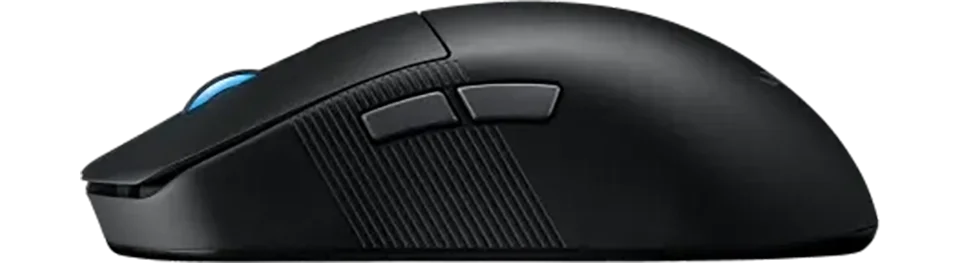
    1.2 mm
  • Lift-off Settings
    ?
    What are Lift Settings? Lift settings, often referred to as lift-off distance (LOD), determine the height at which a mouse’s sensor stops tracking when lifted off the surface. This is a critical feature in gaming mice, as it affects how the mouse behaves when you reposition it during gameplay.
    Why Do They Matter? The lift-off distance impacts precision and control. A lower LOD means the sensor stops tracking almost immediately upon lifting, reducing unwanted cursor movement—ideal for low-sensitivity gamers who frequently lift their mouse. A higher LOD allows tracking to continue slightly longer, which might suit high-sensitivity players or those with a lighter grip who don’t fully lift the mouse. Adjustable lift settings let you tailor this behavior to your playstyle and desk setup.
    Types of Lift Settings:
    Fixed Low (1-2 mm): The sensor ceases tracking at a very short distance from the surface (typically 1-2 mm). This minimizes cursor drift during lifts, offering maximum precision for gamers who need consistent control, such as in FPS games where micro-adjustments are key.
    Fixed High (3-5 mm): Tracking continues until the mouse is lifted higher (around 3-5 mm). This can be useful for players who don’t fully lift the mouse or prefer a more forgiving setting, though it may introduce slight cursor movement during repositioning.
    Adjustable: Many modern mice allow customization of the LOD via software or hardware switches (e.g., 1 mm to 3 mm or more). This flexibility accommodates different grip styles, mouse pads, and gaming habits, letting you fine-tune the sensor’s cutoff point for optimal performance.
    Surface-Tuned: Some advanced mice feature sensors that adapt the LOD based on the surface (e.g., cloth, hard, or hybrid mouse pads). This ensures consistent tracking behavior regardless of your desk setup, reducing the need for manual adjustments.
    Choosing the Right Lift Settings: Your choice depends on your gaming style and habits. A low LOD enhances precision for frequent lifters, high LOD offers flexibility for minimal lifters, adjustable settings provide versatility across scenarios, and surface-tuned options ensure consistency on varied surfaces. Properly tuned lift settings can reduce errors, improve comfort, and elevate your in-game performance by aligning the mouse’s behavior with your natural movements.
    adjustable
  • Motion Sync
    ?
    Motion Sync synchronizes the mouse sensor's data output with the computer's USB polling rate for more consistent cursor movement. While it can reduce jitter, it might introduce minimal latency. Ideal for scenarios where consistent tracking is key.
  • Hardware Acceleration
    ?
    Refers to built-in hardware acceleration, altering cursor speed based on mouse movement. Can disrupt precision, making it less ideal for gaming as it introduces unpredictability.
    -
  • Nvidia Reflex
    ?
    NVIDIA Reflex is a technology that reduces system latency in games, enhancing responsiveness. It's designed to align the game engine, rendering, and input for a smoother experience, making it ideal for competitive gaming where every millisecond counts.
  • Smoothing
    ?
    Refers to built-in sensor smoothing or filtering that aims to provide more stable tracking but can introduce input lag. While smoothing can make movements appear less jittery, it may reduce precision for fast-paced gaming or other precise tasks.
    -

    Switch Specs

  • Switch Type
    ?
    What is Switch Type? The switch type determines how a mouse registers clicks, affecting speed, feel, and durability.
    Mechanical Switches: - Use physical metal contacts to register clicks. - Provide a tactile click with a distinct actuation point. - Require a small force to activate (~50g). - Can wear out over time but are rated for millions of clicks. - Brands: Omron, Kailh, Huano.
    Optical Switches: - Use light beams instead of metal contacts. - Have zero debounce delay, making them faster & more durable. - Do not wear out from mechanical friction. - Common in premium gaming mice for ultra-fast actuation. - Brands: Razer Optical, TTC Optical.
    Which Should You Choose? - Competitive FPS players prefer optical switches for speed. - Casual & MMO players might prefer mechanical switches for feel & cost.
    optical
  • Switches
    ?
    What Are Switches? Switches are the mechanisms under each mouse button that register clicks. They play a crucial role in responsiveness, durability, and overall feel.
    How Do They Work? Inside each switch is a spring-loaded mechanism with contact points that close when pressed, completing the circuit and sending an input signal to your computer.
    Why Do Switches Matter? - Click Feel – Some switches are light and fast, others are more tactile and firm. - Durability – Most gaming switches are rated for tens of millions of clicks. - Latency & Speed – Some switches have zero debounce delay, crucial for fast-paced games.
    Popular Switch Brands: - Omron – Known for durability & tactile feel. - Kailh & Huano – Offer varying actuation forces & feedback styles. - Razer & TTC – Common in high-performance gaming mice, with optical options available.
    ROG Optical Micro Switches
  • Hot Swappable
    ?
    What Are Hot-Swappable Switches? Hot-swappable switches allow you to easily replace the mouse’s click switches without soldering or extensive disassembly. This feature uses a socket system where switches can be pulled out and new ones pushed in, typically requiring minimal tools like a screwdriver to access the internals.
    Why Does It Matter? Switches can wear out over time, causing issues like double-clicking or unresponsive buttons. Hot-swappable switches let you replace them, extending the mouse’s lifespan, saving costs, and reducing e-waste. It also enables customization of click feel or sound to suit your gaming or work preferences.
    Common Compatible Switches:
    Omron: Reliable and durable, known for consistent tactile feedback and high click ratings, a popular choice for replacements.
    Kailh: Offers smooth operation with varying actuation forces, allowing customization of click resistance and feedback.
    ROG Micro Switches: ASUS-designed switches optimized for gaming, providing quick response and low actuation force, compatible with specific ROG models.
    Choosing a Hot-Swappable Mouse: Opt for this feature if you value longevity or want to tailor your mouse’s click experience. Check compatibility with switch types (e.g., Omron, Kailh), as not all mice support all switches. High-end models from brands like ASUS (ROG Keris) or Ironcat (HPC02MPro) often include this, balancing customization with performance. Ensure the mouse’s overall design meets your gaming needs beyond just switch replacement.
  • Click Latency
    ?
    What is Click Latency? Click latency is the time it takes for a mouse to register and transmit a button click, measured in milliseconds.
    Why Does It Matter? Lower click latency improves reaction time, crucial for gaming where fast, precise inputs can provide a competitive edge.
    1 Wireless (ms)
  • Click Force
    ?
    What is Click Force? Click force is the amount of force, measured in grams, required to actuate a mouse’s buttons.
    Why Does It Matter? The click force affects the comfort and feel of clicks, with lighter forces enabling faster clicks and heavier forces providing tactile feedback.
    -

    Control & Function

  • MCU
    ?
    What is an MCU? The MCU, or Microcontroller Unit, is the miniature processor inside a gaming mouse that controls inputs, manages settings, and ensures smooth communication with your computer.
    Why Does It Matter? Higher-end MCUs offer better performance, lower latency, and improved wireless stability, making them essential for competitive gaming.
    Common MCU Features:
    Onboard memory: for storing profiles & DPI settings
    Enhanced power efficiency: for wireless mice
    Faster processing: for low-latency inputs
    Choosing the Right MCU: Some brands use custom MCUs, while others rely on trusted manufacturers like Nordic, STMicroelectronics, or PixArt. More advanced MCUs generally lead to a smoother and more responsive gaming experience.
    Nordic nRF52840
  • Side Button(s)
    ?
    What are Side Buttons? Side buttons are programmable buttons located on the side of a mouse, typically accessed by the thumb.
    Why Does It Matter? These buttons offer additional functions or shortcuts, enhancing efficiency in gaming, especially for genres like MMOs requiring multiple inputs.
    2
  • Middle Button(s)
    ?
    What are Middle Buttons? Middle buttons are programmable buttons located near the scroll wheel on the top middle of a mouse.
    Why Does It Matter? These buttons provide extra functionality for quick access to commands or macros, improving efficiency in gaming or productivity tasks.
    0
  • Programmable Button(s)
    ?
    What are Programmable Buttons? Programmable buttons are mouse buttons that can be customized to perform specific functions, macros, or shortcuts.
    Why Does It Matter? They allow tailored control, streamlining complex inputs for gaming or workflows, especially in genres requiring multiple commands.
    5
  • Tilt Wheel
    ?
    What is a Tilt Scroll Wheel? A tilt scroll wheel can tilt left or right to enable horizontal scrolling or additional programmable functions.
    Why Does It Matter? It enhances navigation and control, useful for productivity tasks or gaming scenarios requiring quick access to extra inputs.
  • Adjustable Scroll Wheel
    ?
    What is an Adjustable Scroll Wheel? An adjustable scroll wheel allows users to customize the tension for a smooth or clicky scrolling feel.
    Why Does It Matter? Tailoring the scroll wheel’s resistance enhances user comfort and precision, suiting different preferences for gaming or productivity.
  • Onboard Memory
    ?
    What is Onboard Memory? Onboard memory allows a mouse to store settings like DPI, button configurations, and macros directly on the device.
    Why Does It Matter? It ensures consistent settings across different computers without needing software, ideal for portability or tournament play.
    (5) 
  • Profile Switching
    ?
    What is Profile Switching? Profile switching enables a mouse to toggle between multiple custom configurations, such as DPI or button mappings.
    Why Does It Matter? It allows quick adaptation to different games or tasks, enhancing versatility and efficiency without reconfiguring settings.
Notice: All gaming mice details and specifications on this site are carefully researched using trusted sources and manufacturer verification, presented "as is" with no guarantees of perfect accuracy. Neither this site nor its operators are liable for any issues or damages arising from potential inaccuracies.

Asus ROG Harpe Ace Aim Lab

Recommended Games:
Apex Legends
Call of Duty: Warzone
League of Legends
Dota 2

The Asus ROG Harpe Ace Aim Lab Edition is a 54 g wireless gaming mouse built for competitive FPS titles like CS2 and Valorant. Co-developed with the Aim Lab training platform, it pairs flagship-grade low-latency performance with a simple ambidextrous shape to translate fast flicks and precise tracking into onscreen success:contentReferenceoaicite:0. Its Aim Lab Settings Optimizer even helps players fine-tune DPI, lift-off distance, and angle tuning to suit their play style. The result is a snappy, ultra-light FPS mouse that can elevate your aim—provided you don’t mind its intentionally stiff clicks and spartan design.

Best Deals -

Affiliate Notice: This page contains affiliate links. If you buy through them, we may earn a commission. As an Amazon Associate, we earn from qualifying purchases. Learn more.

Performance Breakdown ? -

Ratings

8.8
Overall
What is Overall Rating? The overall rating combines key performance metrics like accuracy, response, quality, and comfort to reflect the mouse's general effectiveness for gaming.
Distribution:
Each bar shows how many products received that score; the highlighted bar is this item’s score.
Why Does It Matter? This rating provides a quick snapshot of a mouse’s all-around performance, helping gamers identify well-balanced options suitable for various playstyles.
9.1
Accuracy
What is Accuracy? Accuracy measures how precisely a mouse’s sensor tracks movement, ensuring cursor movement aligns with physical input.
Distribution:
Each bar shows how many products received that score; the highlighted bar is this item’s score.
Why Does It Matter? High accuracy is critical for gaming, particularly in genres like FPS, where pinpoint precision is essential for targeting and control.
7.6
Response
What is Response? Response evaluates the speed, input lag, and click latency of a mouse, measuring how quickly it registers actions.
Distribution:
Each bar shows how many products received that score; the highlighted bar is this item’s score.
Why Does It Matter? Fast response times are crucial for competitive gaming, ensuring actions like clicks and movements are executed instantly for optimal performance.
8.0
Quality
What is Quality? Quality assesses the mouse’s build materials, durability, and sensor technology, reflecting its reliability and longevity.
Distribution:
Each bar shows how many products received that score; the highlighted bar is this item’s score.
Why Does It Matter? A high-quality mouse ensures consistent performance, withstands heavy use, and maintains functionality over time, offering long-term value.
8.2
Comfort
What is Comfort? Comfort evaluates the ergonomics, weight balance, and design of a mouse to ensure it feels natural and reduces fatigue during long gaming sessions.
Distribution:
Each bar shows how many products received that score; the highlighted bar is this item’s score.
Why Does It Matter? A comfortable mouse enhances gameplay by supporting extended use, improving control, and preventing strain, especially for competitive or marathon gaming.
7.4
Work
What is Work Rating? The work rating evaluates a mouse’s suitability for productivity tasks, considering factors like comfort during extended use, programmable buttons for efficiency, and compatibility with various software environments.
Distribution:
Each bar shows how many products received that score; the highlighted bar is this item’s score.
Why Does It Matter? For users who need a mouse that excels in both gaming and work, a high work rating ensures the device supports long hours of use, enhances productivity with customizable features, and integrates seamlessly with professional tools.
8.6
FPS
What is FPS Score? The FPS score evaluates a mouse’s performance for First-Person Shooter games, focusing on accuracy, response, and low latency.
Distribution:
Each bar shows how many products received that score; the highlighted bar is this item’s score.
Why Does It Matter? A high FPS score indicates a mouse optimized for precise aiming and fast reactions, critical for competitive FPS gaming.
7.3
MMO
What is MMO Score? The MMO score assesses a mouse’s suitability for Massively Multiplayer Online games, emphasizing programmable buttons and comfort.
Distribution:
Each bar shows how many products received that score; the highlighted bar is this item’s score.
Why Does It Matter? A high MMO score ensures a mouse supports complex inputs and extended play, ideal for managing multiple skills and macros in MMOs.
8.5
MOBA
What is MOBA Score? The MOBA score rates a mouse’s performance for Multiplayer Online Battle Arena games, prioritizing precision and programmable buttons.
Distribution:
Each bar shows how many products received that score; the highlighted bar is this item’s score.
Why Does It Matter? A high MOBA score reflects a mouse’s ability to handle quick, accurate clicks and key bindings, essential for fast-paced MOBA gameplay.
8.0
AARPG
What is AARPG Score? The AARPG score evaluates a mouse’s effectiveness for Action Adventure Role-Playing Games, focusing on comfort and versatile controls.
Distribution:
Each bar shows how many products received that score; the highlighted bar is this item’s score.
Why Does It Matter? A high AARPG score indicates a mouse suited for long sessions and varied inputs, enhancing gameplay in story-driven or action-heavy RPGs.
8.3
RTS
What is RTS Score? The RTS score measures a mouse’s performance for Real-Time Strategy games, emphasizing accuracy and programmable buttons for unit control.
Distribution:
Each bar shows how many products received that score; the highlighted bar is this item’s score.
Why Does It Matter? A high RTS score ensures a mouse supports precise cursor control and quick command execution, vital for managing complex RTS gameplay.

Build

2022
Sensor
What is a Sensor? A sensor in a gaming mouse is the component responsible for detecting movement and translating it into cursor movement on your screen. Different sensors like PMW, PAW, Hero, and others vary in technology and performance metrics.
Distribution:
Each bar shows how many products received that score; the highlighted bar is this item’s score.
01/2012 05/2025
Why Does It Matter? The type of sensor directly affects the tracking accuracy, speed, responsiveness, and sometimes power efficiency of a mouse. High-quality sensors can provide a competitive edge by ensuring precise cursor control, which is crucial in gaming for accuracy in aiming or quick movements.
Common Sensors:
PMW (PixArt Maximum Performance Wireless): Known for high performance in wired setups, offering excellent tracking precision and speed.
PAW (PixArt Adaptive Wireless): Focused on power efficiency, ideal for wireless mice, with good tracking capabilities and speed.
Hero (Logitech): Renowned for its power efficiency and high accuracy, suitable for both wired and wireless applications.
TrueMove Pro (SteelSeries): Provides advanced stabilization for precise tracking on various surfaces.
Focus Pro (Razer): Designed for professional gaming with top-tier performance metrics.
Owl-Eye (ROCCAT): Custom sensor with features tailored for gaming precision.
Choosing the Right Sensor: When selecting a mouse, consider the sensor based on your gaming needs. If you're into competitive gaming, look for sensors with high DPI, IPS, and low latency like PMW or Focus Pro. For longevity in wireless setups, sensors like PAW or Hero are preferable due to their power efficiency. Also, consider your preference for wired vs. wireless, as some sensors are optimized for specific use cases.
ROG AimPoint (PixArt PAW3395)
Weight
What is Weight? Weight refers to the mass of a gaming mouse, measured in grams, affecting its feel and maneuverability.
Distribution:
Each bar shows how many products received that score; the highlighted bar is this item’s score.
147 36
Why Does It Matter? Lighter mice enable faster movements, ideal for competitive gaming, while heavier mice offer stability, suiting precise or controlled playstyles.
54 g
Skates
Mouse Feet Material (Skates): These pads under your mouse significantly influence glide, performance, and durability.
Distribution:
Each bar shows how many products received that score; the highlighted bar is this item’s score.
PTFE (Colored/Mixed): Moderate friction coefficient - Balances speed with a touch of added control, often seen in stock mouse setups for its versatility. The addition of dyes or other materials might slightly increase friction compared to virgin-grade, but it also enhances durability and offers color options for personalization.
PTFE (Virgin-Grade): Very low friction coefficient - Pure PTFE provides minimal resistance, allowing for a seamless glide across your mousepad. This material is favored for its purity, which results in less wear over time, maintaining its glide properties longer than colored PTFE.
Glass Skates (Glossy Aluminosilicate): Lowest friction coefficient - Offers an incredibly smooth glide, ideal for quick, precise movements in gaming. Their durability is unmatched, ensuring consistent performance over time, even under heavy use.
Glass Skates (Matte Aluminosilicate): Low friction coefficient - Strikes a balance between speed and control, offering a tactile feedback not found in glossy finishes. The matte surface reduces the initial stickiness sometimes experienced with glossy skates, providing gamers with better control for micro-adjustments.
UHMWPE: Moderate to high friction coefficient - Known for its durability, it provides a controlled glide, ideal for gamers who prefer precision.
Ceramic: Higher friction coefficient - Durable and suited for hard surfaces, these skates offer control-focused glide characteristics.
Sapphire: Variable friction coefficient - Luxury option with exceptional durability and glide, though performance can vary with surface treatment.
Thickness and Shape: These aspects affect how your mouse interacts with the surface. Thicker skates can increase lift-off distance but may last longer, while shape influences glide smoothness.
Installation and Maintenance: Proper installation involves cleaning, precise alignment of new skates, and sometimes heating for old skate removal. Regular maintenance ensures optimal glide performance.
PTFE (Virgin-Grade)

Hardware

1000hz
Polling
What is Polling Rate? Polling rate, measured in Hz, is how often a mouse reports its position to the computer.
Distribution:
Each bar shows how many products received that score; the highlighted bar is this item’s score.
125 8000
Why Does It Matter? Higher polling rates provide smoother, more responsive tracking, critical for competitive gaming where precision and speed are key.
36000k
DPI
What is DPI? Dots Per Inch (DPI) measures the sensitivity of a mouse, determining how far the cursor moves per inch of physical movement.
Distribution:
Each bar shows how many products received that score; the highlighted bar is this item’s score.
4200 44000
Why Does It Matter? Higher DPI allows faster cursor movement, ideal for high-resolution displays or fast-paced gaming, while lower DPI offers precision for detailed tasks.
650
IPS
What is IPS? Inches Per Second (IPS) indicates the maximum speed at which a mouse sensor can move while still accurately tracking.
Distribution:
Each bar shows how many products received that score; the highlighted bar is this item’s score.
48 888
Why Does It Matter? Higher IPS ensures reliable tracking during rapid movements, essential for fast-paced gaming where quick swipes are common.
50g
Acceleration
What is Acceleration? Acceleration measures how quickly a mouse sensor can reach its maximum tracking speed, expressed in g-forces (g).
Distribution:
Each bar shows how many products received that score; the highlighted bar is this item’s score.
10 88
Why Does It Matter? Higher acceleration ensures accurate tracking during fast movements, vital for dynamic gaming scenarios requiring rapid cursor shifts.

Performance

Sensor Latency
What is Sensor Latency? Sensor latency is the time it takes for a mouse to register and transmit movement or input, measured in milliseconds (ms).
Distribution:
Each bar shows how many products received that score; the highlighted bar is this item’s score.
14 3
Why Does It Matter? Lower sensor latency ensures faster response times, crucial for competitive gaming where split-second actions can determine outcomes.
10.1 ms
Switch Latency
What is Click Latency? Click latency is the time it takes for a mouse to register and transmit a button click, measured in milliseconds.
Distribution:
Each bar shows how many products received that score; the highlighted bar is this item’s score.
19.7 0.4
Why Does It Matter? Lower click latency improves reaction time, crucial for gaming where fast, precise inputs can provide a competitive edge.
1.9 ms
Lift-Off
What is Lift-Off Distance? Lift-off distance (LOD) is the height (in mm) at which a mouse’s sensor stops tracking when lifted from the surface.
Distribution:
Each bar shows how many products received that score; the highlighted bar is this item’s score.
5 0
Why Does It Matter? A low LOD minimizes unwanted cursor movement during lifts, crucial for low-sensitivity gamers who frequently reposition their mouse.
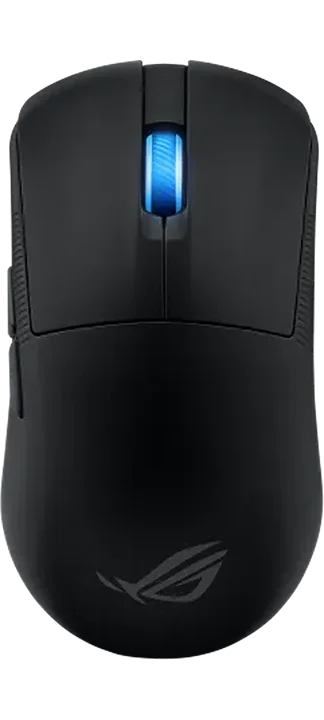
1.2 mm

Specifications -

    General Features

  • Price (MSRP) $149.99
  • SKU / Part # 90MP02W0-BMAA10
  • Color(s)
  • Design(s)
    ?
    What is Design? Design refers to the visual aesthetics of a mouse, including solid colors, multi-color patterns, themed editions, or rare limited editions.
    Why Does It Matter? A mouse’s design allows for personalization and style, appealing to gamers who value aesthetics alongside performance.
    standard
  • Weight 54.00 g / 1.90 oz
  • Material plastic
  • Coating
    ?
    What is Coating? Coating is the surface finish or texture on a mouse, such as matte, glossy, or rubberized, affecting grip and feel.
    Why Does It Matter? The right coating enhances grip, comfort, and durability, ensuring secure handling during intense gaming sessions.
    matte
  • Feet Material
    ?
    Mouse Feet Material (Skates): These pads under your mouse significantly influence glide, performance, and durability.
    PTFE (Colored/Mixed): Moderate friction coefficient - Balances speed with a touch of added control, often seen in stock mouse setups for its versatility. The addition of dyes or other materials might slightly increase friction compared to virgin-grade, but it also enhances durability and offers color options for personalization.
    PTFE (Virgin-Grade): Very low friction coefficient - Pure PTFE provides minimal resistance, allowing for a seamless glide across your mousepad. This material is favored for its purity, which results in less wear over time, maintaining its glide properties longer than colored PTFE.
    Glass Skates (Glossy Aluminosilicate): Lowest friction coefficient - Offers an incredibly smooth glide, ideal for quick, precise movements in gaming. Their durability is unmatched, ensuring consistent performance over time, even under heavy use.
    Glass Skates (Matte Aluminosilicate): Low friction coefficient - Strikes a balance between speed and control, offering a tactile feedback not found in glossy finishes. The matte surface reduces the initial stickiness sometimes experienced with glossy skates, providing gamers with better control for micro-adjustments.
    UHMWPE: Moderate to high friction coefficient - Known for its durability, it provides a controlled glide, ideal for gamers who prefer precision.
    Ceramic: Higher friction coefficient - Durable and suited for hard surfaces, these skates offer control-focused glide characteristics.
    Sapphire: Variable friction coefficient - Luxury option with exceptional durability and glide, though performance can vary with surface treatment.
    Thickness and Shape: These aspects affect how your mouse interacts with the surface. Thicker skates can increase lift-off distance but may last longer, while shape influences glide smoothness.
    Installation and Maintenance: Proper installation involves cleaning, precise alignment of new skates, and sometimes heating for old skate removal. Regular maintenance ensures optimal glide performance.
    PTFE (Virgin-Grade)
  • Lighting
    ?
    What is Lighting? Lighting refers to the type of illumination on a mouse, such as RGB or single-color LEDs, and its customization options.
    Why Does It Matter? Customizable lighting enhances aesthetics and can sync with game events or setups, adding immersion and personal flair.
    1 zone (rgb) 
  • Release Date
    ?
    What is Release Date? The release date, shown as month and year (MM/YYYY), indicates when a mouse was first available on the market.
    Why Does It Matter? Filtering by release date helps identify newer models with advanced technology or older, potentially cost-effective options.
    01/2023

    Connectivity

  • Connection hybrid
  • Connectivity
    ?
    What is Connectivity? Connectivity describes how a mouse connects to a device, such as via 2.4GHz dongle, Bluetooth, USB-A, or USB-C.
    Why Does It Matter? The connection type affects latency, portability, and compatibility, with wireless options offering freedom and wired providing reliability.
    2.4GHz Dongle
  • Computer Side Connector USB-A
  • Mouse Side Connector USB-C
  • Cable Type braided
  • Paracord
    ?
    What is a Paracord Cable? A paracord cable is a lightweight, flexible cable designed to minimize drag and resistance during mouse movement.
    Why Does It Matter? Paracord cables enhance maneuverability, enabling smoother and faster movements, which is critical for precision in competitive gaming.
  • Battery Hours
    ?
    What is Battery Hours? Battery hours indicate how long a wireless mouse can operate on a single charge, measured in hours.
    Why Does It Matter? Longer battery life ensures uninterrupted gaming, reducing the need for frequent recharging, ideal for extended sessions.
    90

    Dimensions

  • Length 127.50 mm / 5.02 in
  • Width 63.70 mm / 2.51 in
  • Height 39.60 mm / 1.56 in

    Shape & Form

  • Form Factor
    ?
    What is Form Factor? Form factor refers to the design or shape of a gaming mouse, which dictates how it fits and feels in your hand. This includes considerations for right-handed, left-handed, or ambidextrous use.
    Why Does It Matter? The form factor impacts ergonomics, comfort, and control. A well-designed form factor can reduce strain, improve grip, and enhance your gaming experience by allowing for natural hand movements and positioning.
    Common Form Factors:
    Right-Handed: Ergonomically shaped for the right hand, with side buttons often on the left for thumb access.
    Left-Handed: A mirror image of right-handed mice, tailored for left-handed users with side buttons on the right.
    Ambidextrous: Symmetrical design, offering universal use with side buttons either on both sides or not included to maintain symmetry.
    Choosing the Right Form Factor: Your choice should align with your dominant hand, grip style, and whether you need or prefer side buttons. Right or left-handed mice offer better ergonomic support for specific hands, while ambidextrous mice provide versatility at the cost of some ergonomic specialization.
    right
  • Shape
    ?
    What is Shape? Shape refers to the overall structure of a gaming mouse, which can significantly affect how it feels in your hand, influencing grip, comfort, and control during use.
    Why Does It Matter? The shape of a mouse impacts ergonomic fit, which can reduce hand fatigue, improve precision, and enhance the overall gaming experience by allowing for a natural hand position.
    Common Mouse Shapes:
    Symmetrical: Designed to be equally comfortable for both left and right-handed users. These mice lack pronounced curves, offering a universal fit but might sacrifice some ergonomic benefits for specialized hand use.
    Ergonomic: Tailored to fit the natural curve of the hand, typically for right-handed users. This shape provides better support and comfort, reducing strain over long periods, but might not suit left-handed users as well without specific design.
    Asymmetrical: Often a variation of ergonomic design, where the mouse might have unique features or shapes not mirrored on both sides, enhancing grip or adding functionality like extra buttons for specific fingers. This can be highly specialized for gaming performance but less versatile for different hand orientations.
    Choosing the Right Shape: Select a shape based on your dominant hand, grip style (palm, claw, or fingertip), and whether you prioritize comfort, precision, or versatility. Symmetrical shapes offer flexibility, ergonomic shapes provide comfort for the intended hand, and asymmetrical shapes can offer unique advantages for specific gaming needs.
    symmetrical
  • Hump
    ?
    What is the Hump? The hump is the highest point of a gaming mouse's body, typically located towards the back, middle, or front. This design feature significantly influences hand positioning and overall comfort during use.
    Why Does It Matter? The position of the hump affects how the mouse fits in your hand, impacting grip style (palm, claw, or fingertip), control, and fatigue over long gaming sessions. A well-placed hump can enhance gaming performance by providing ergonomic support where needed.
    Common Hump Positions:
    Front: The hump is positioned towards the front, which can provide a different grip dynamic, potentially beneficial for users with specific grip preferences or smaller hands, focusing on finger control with less palm support.
    Middle: Offers versatility, suitable for various grip styles, providing balanced support.
    Back - Front: Supports the entire hand, ideal for larger hands or palm grip, might not suit claw or fingertip grip as well.
    Back Mid: Good for claw grip, offering lift under the palm while keeping the front low for finger control.
    Back - Rear: Less common, beneficial for fingertip grip or smaller hands, prioritizing finger dexterity over palm support.
    Choosing the Right Hump: Selecting a mouse with the right hump position depends on your hand size, preferred grip style, and gaming needs. Each position offers different advantages, from comfort to precision, making it crucial for gamers to choose based on their ergonomic preferences.
    back mid
  • Front Flare
    ?
    What is Front Flare? Front flare describes the curvature or shape at the front of the mouse, specifically where your index and middle fingers rest on the right and left click buttons respectively.
    Why Does It Matter? The design of the front flare directly impacts how your fingers interact with the primary click buttons, affecting comfort, ease of clicking, and the precision of your mouse control during gaming.
    Types of Front Flare:
    Flat: Here, the front edge where the click buttons are located is flat. This provides a straightforward, even surface for your fingers to press directly down on, which might be preferred for those who like a simple, direct interaction with the buttons, offering less guidance but more control over click precision.
    Inward: The front curves inward, wrapping slightly around your fingers. This can enhance the feeling of control, especially for fingertip grip users, as it allows your index and middle fingers to curl around the mouse, potentially reducing the distance your fingers need to travel to click, thus improving response time.
    Outward: With a more pronounced outward flare, this design gives additional room for finger movement, particularly useful for gamers with larger hands or those who need extra space for finger action. It can make the right and left click buttons feel more accessible, promoting a relaxed finger posture which might be less tiring over long sessions.
    Choosing the Right Front Flare: The choice depends on how you prefer your fingers to interact with the click buttons. A front flare might provide comfort and security, flat offers simplicity and direct control, inward can enhance precision and speed for quick clicks, and outward might be ideal for comfort and ease with larger hands or more dynamic finger movements. Each type influences how naturally your fingers rest on and operate the primary click buttons, impacting your overall gaming performance and comfort.
    outward

    Extra Features

  • Adjustable Weight
    ?
    What is Adjustable Weight? Adjustable weight allows users to modify a mouse’s weight by adding or removing modular weights.
    Why Does It Matter? Customizing weight tailors the mouse’s feel to user preference, balancing speed and control for different gaming styles.
  • Honeycomb Frame
    ?
    What is a Honeycomb Frame? A honeycomb frame is a mouse chassis with a perforated, hexagonal pattern to reduce weight.
    Why Does It Matter? It makes the mouse lighter, improving maneuverability and reducing fatigue, ideal for fast-paced gaming with specific grip styles.
  • Silent Clicks
    ?
    What are Silent Clicks? Silent clicks refer to mouse buttons designed to produce minimal noise when pressed.
    Why Does It Matter? Quiet clicks reduce distractions, ideal for shared spaces or stealth usage, while maintaining responsive performance for gaming.

    Sensor Specs

  • Sensor
    ?
    What is a Sensor? A sensor in a gaming mouse is the component responsible for detecting movement and translating it into cursor movement on your screen. Different sensors like PMW, PAW, Hero, and others vary in technology and performance metrics.
    Why Does It Matter? The type of sensor directly affects the tracking accuracy, speed, responsiveness, and sometimes power efficiency of a mouse. High-quality sensors can provide a competitive edge by ensuring precise cursor control, which is crucial in gaming for accuracy in aiming or quick movements.
    Common Sensors:
    PMW (PixArt Maximum Performance Wireless): Known for high performance in wired setups, offering excellent tracking precision and speed.
    PAW (PixArt Adaptive Wireless): Focused on power efficiency, ideal for wireless mice, with good tracking capabilities and speed.
    Hero (Logitech): Renowned for its power efficiency and high accuracy, suitable for both wired and wireless applications.
    TrueMove Pro (SteelSeries): Provides advanced stabilization for precise tracking on various surfaces.
    Focus Pro (Razer): Designed for professional gaming with top-tier performance metrics.
    Owl-Eye (ROCCAT): Custom sensor with features tailored for gaming precision.
    Choosing the Right Sensor: When selecting a mouse, consider the sensor based on your gaming needs. If you're into competitive gaming, look for sensors with high DPI, IPS, and low latency like PMW or Focus Pro. For longevity in wireless setups, sensors like PAW or Hero are preferable due to their power efficiency. Also, consider your preference for wired vs. wireless, as some sensors are optimized for specific use cases.
    ROG AimPoint (PixArt PAW3395)
  • Sensor Type optical
  • Flawless Sensor
    ?
    What is a Flawless Sensor? A flawless sensor performs without significant issues like smoothing, jitter, or angle snapping, ensuring precise and reliable tracking.
    Why Does It Matter? Flawless sensors deliver consistent cursor control, critical for competitive gaming where even minor tracking errors can impact performance.
  • Sensor Latency
    ?
    What is Sensor Latency? Sensor latency is the time it takes for a mouse to register and transmit movement or input, measured in milliseconds (ms).
    Why Does It Matter? Lower sensor latency ensures faster response times, crucial for competitive gaming where split-second actions can determine outcomes.
    10.1 Start / 3.6 Half / 4.0 End (ms)
  • Polling Rate
    ?
    What is Polling Rate? Polling rate, measured in Hz, is how often a mouse reports its position to the computer.
    Why Does It Matter? Higher polling rates provide smoother, more responsive tracking, critical for competitive gaming where precision and speed are key.
    1000 Hz
  • DPI
    ?
    What is DPI? Dots Per Inch (DPI) measures the sensitivity of a mouse, determining how far the cursor moves per inch of physical movement.
    Why Does It Matter? Higher DPI allows faster cursor movement, ideal for high-resolution displays or fast-paced gaming, while lower DPI offers precision for detailed tasks.
    36000 k
  • IPS
    ?
    What is IPS? Inches Per Second (IPS) indicates the maximum speed at which a mouse sensor can move while still accurately tracking.
    Why Does It Matter? Higher IPS ensures reliable tracking during rapid movements, essential for fast-paced gaming where quick swipes are common.
    650
  • Acceleration
    ?
    What is Acceleration? Acceleration measures how quickly a mouse sensor can reach its maximum tracking speed, expressed in g-forces (g).
    Why Does It Matter? Higher acceleration ensures accurate tracking during fast movements, vital for dynamic gaming scenarios requiring rapid cursor shifts.
    50 g
  • Lift-off Distance
    ?
    What is Lift-Off Distance? Lift-off distance (LOD) is the height (in mm) at which a mouse’s sensor stops tracking when lifted from the surface.
    Why Does It Matter? A low LOD minimizes unwanted cursor movement during lifts, crucial for low-sensitivity gamers who frequently reposition their mouse.

    1.2 mm
  • Lift-off Settings
    ?
    What are Lift Settings? Lift settings, often referred to as lift-off distance (LOD), determine the height at which a mouse’s sensor stops tracking when lifted off the surface. This is a critical feature in gaming mice, as it affects how the mouse behaves when you reposition it during gameplay.
    Why Do They Matter? The lift-off distance impacts precision and control. A lower LOD means the sensor stops tracking almost immediately upon lifting, reducing unwanted cursor movement—ideal for low-sensitivity gamers who frequently lift their mouse. A higher LOD allows tracking to continue slightly longer, which might suit high-sensitivity players or those with a lighter grip who don’t fully lift the mouse. Adjustable lift settings let you tailor this behavior to your playstyle and desk setup.
    Types of Lift Settings:
    Fixed Low (1-2 mm): The sensor ceases tracking at a very short distance from the surface (typically 1-2 mm). This minimizes cursor drift during lifts, offering maximum precision for gamers who need consistent control, such as in FPS games where micro-adjustments are key.
    Fixed High (3-5 mm): Tracking continues until the mouse is lifted higher (around 3-5 mm). This can be useful for players who don’t fully lift the mouse or prefer a more forgiving setting, though it may introduce slight cursor movement during repositioning.
    Adjustable: Many modern mice allow customization of the LOD via software or hardware switches (e.g., 1 mm to 3 mm or more). This flexibility accommodates different grip styles, mouse pads, and gaming habits, letting you fine-tune the sensor’s cutoff point for optimal performance.
    Surface-Tuned: Some advanced mice feature sensors that adapt the LOD based on the surface (e.g., cloth, hard, or hybrid mouse pads). This ensures consistent tracking behavior regardless of your desk setup, reducing the need for manual adjustments.
    Choosing the Right Lift Settings: Your choice depends on your gaming style and habits. A low LOD enhances precision for frequent lifters, high LOD offers flexibility for minimal lifters, adjustable settings provide versatility across scenarios, and surface-tuned options ensure consistency on varied surfaces. Properly tuned lift settings can reduce errors, improve comfort, and elevate your in-game performance by aligning the mouse’s behavior with your natural movements.
    adjustable
  • Motion Sync
    ?
    Motion Sync synchronizes the mouse sensor's data output with the computer's USB polling rate for more consistent cursor movement. While it can reduce jitter, it might introduce minimal latency. Ideal for scenarios where consistent tracking is key.
  • Hardware Acceleration
    ?
    Refers to built-in hardware acceleration, altering cursor speed based on mouse movement. Can disrupt precision, making it less ideal for gaming as it introduces unpredictability.
    -
  • Nvidia Reflex
    ?
    NVIDIA Reflex is a technology that reduces system latency in games, enhancing responsiveness. It's designed to align the game engine, rendering, and input for a smoother experience, making it ideal for competitive gaming where every millisecond counts.
  • Smoothing
    ?
    Refers to built-in sensor smoothing or filtering that aims to provide more stable tracking but can introduce input lag. While smoothing can make movements appear less jittery, it may reduce precision for fast-paced gaming or other precise tasks.
    -

    Switch Specs

  • Switch Type
    ?
    What is Switch Type? The switch type determines how a mouse registers clicks, affecting speed, feel, and durability.
    Mechanical Switches: - Use physical metal contacts to register clicks. - Provide a tactile click with a distinct actuation point. - Require a small force to activate (~50g). - Can wear out over time but are rated for millions of clicks. - Brands: Omron, Kailh, Huano.
    Optical Switches: - Use light beams instead of metal contacts. - Have zero debounce delay, making them faster & more durable. - Do not wear out from mechanical friction. - Common in premium gaming mice for ultra-fast actuation. - Brands: Razer Optical, TTC Optical.
    Which Should You Choose? - Competitive FPS players prefer optical switches for speed. - Casual & MMO players might prefer mechanical switches for feel & cost.
    mechanical
  • Switches
    ?
    What Are Switches? Switches are the mechanisms under each mouse button that register clicks. They play a crucial role in responsiveness, durability, and overall feel.
    How Do They Work? Inside each switch is a spring-loaded mechanism with contact points that close when pressed, completing the circuit and sending an input signal to your computer.
    Why Do Switches Matter? - Click Feel – Some switches are light and fast, others are more tactile and firm. - Durability – Most gaming switches are rated for tens of millions of clicks. - Latency & Speed – Some switches have zero debounce delay, crucial for fast-paced games.
    Popular Switch Brands: - Omron – Known for durability & tactile feel. - Kailh & Huano – Offer varying actuation forces & feedback styles. - Razer & TTC – Common in high-performance gaming mice, with optical options available.
    ROG 70M
  • Hot Swappable
    ?
    What Are Hot-Swappable Switches? Hot-swappable switches allow you to easily replace the mouse’s click switches without soldering or extensive disassembly. This feature uses a socket system where switches can be pulled out and new ones pushed in, typically requiring minimal tools like a screwdriver to access the internals.
    Why Does It Matter? Switches can wear out over time, causing issues like double-clicking or unresponsive buttons. Hot-swappable switches let you replace them, extending the mouse’s lifespan, saving costs, and reducing e-waste. It also enables customization of click feel or sound to suit your gaming or work preferences.
    Common Compatible Switches:
    Omron: Reliable and durable, known for consistent tactile feedback and high click ratings, a popular choice for replacements.
    Kailh: Offers smooth operation with varying actuation forces, allowing customization of click resistance and feedback.
    ROG Micro Switches: ASUS-designed switches optimized for gaming, providing quick response and low actuation force, compatible with specific ROG models.
    Choosing a Hot-Swappable Mouse: Opt for this feature if you value longevity or want to tailor your mouse’s click experience. Check compatibility with switch types (e.g., Omron, Kailh), as not all mice support all switches. High-end models from brands like ASUS (ROG Keris) or Ironcat (HPC02MPro) often include this, balancing customization with performance. Ensure the mouse’s overall design meets your gaming needs beyond just switch replacement.
  • Click Latency
    ?
    What is Click Latency? Click latency is the time it takes for a mouse to register and transmit a button click, measured in milliseconds.
    Why Does It Matter? Lower click latency improves reaction time, crucial for gaming where fast, precise inputs can provide a competitive edge.
    1.9 Wireless (ms)
  • Click Force
    ?
    What is Click Force? Click force is the amount of force, measured in grams, required to actuate a mouse’s buttons.
    Why Does It Matter? The click force affects the comfort and feel of clicks, with lighter forces enabling faster clicks and heavier forces providing tactile feedback.
    -

    Control & Function

  • MCU
    ?
    What is an MCU? The MCU, or Microcontroller Unit, is the miniature processor inside a gaming mouse that controls inputs, manages settings, and ensures smooth communication with your computer.
    Why Does It Matter? Higher-end MCUs offer better performance, lower latency, and improved wireless stability, making them essential for competitive gaming.
    Common MCU Features:
    Onboard memory: for storing profiles & DPI settings
    Enhanced power efficiency: for wireless mice
    Faster processing: for low-latency inputs
    Choosing the Right MCU: Some brands use custom MCUs, while others rely on trusted manufacturers like Nordic, STMicroelectronics, or PixArt. More advanced MCUs generally lead to a smoother and more responsive gaming experience.
    Nordic nRF52840
  • Side Button(s)
    ?
    What are Side Buttons? Side buttons are programmable buttons located on the side of a mouse, typically accessed by the thumb.
    Why Does It Matter? These buttons offer additional functions or shortcuts, enhancing efficiency in gaming, especially for genres like MMOs requiring multiple inputs.
    2
  • Middle Button(s)
    ?
    What are Middle Buttons? Middle buttons are programmable buttons located near the scroll wheel on the top middle of a mouse.
    Why Does It Matter? These buttons provide extra functionality for quick access to commands or macros, improving efficiency in gaming or productivity tasks.
    0
  • Programmable Button(s)
    ?
    What are Programmable Buttons? Programmable buttons are mouse buttons that can be customized to perform specific functions, macros, or shortcuts.
    Why Does It Matter? They allow tailored control, streamlining complex inputs for gaming or workflows, especially in genres requiring multiple commands.
    5
  • Tilt Wheel
    ?
    What is a Tilt Scroll Wheel? A tilt scroll wheel can tilt left or right to enable horizontal scrolling or additional programmable functions.
    Why Does It Matter? It enhances navigation and control, useful for productivity tasks or gaming scenarios requiring quick access to extra inputs.
  • Adjustable Scroll Wheel
    ?
    What is an Adjustable Scroll Wheel? An adjustable scroll wheel allows users to customize the tension for a smooth or clicky scrolling feel.
    Why Does It Matter? Tailoring the scroll wheel’s resistance enhances user comfort and precision, suiting different preferences for gaming or productivity.
  • Onboard Memory
    ?
    What is Onboard Memory? Onboard memory allows a mouse to store settings like DPI, button configurations, and macros directly on the device.
    Why Does It Matter? It ensures consistent settings across different computers without needing software, ideal for portability or tournament play.
    (5) 
  • Profile Switching
    ?
    What is Profile Switching? Profile switching enables a mouse to toggle between multiple custom configurations, such as DPI or button mappings.
    Why Does It Matter? It allows quick adaptation to different games or tasks, enhancing versatility and efficiency without reconfiguring settings.
Notice: All gaming mice details and specifications on this site are carefully researched using trusted sources and manufacturer verification, presented "as is" with no guarantees of perfect accuracy. Neither this site nor its operators are liable for any issues or damages arising from potential inaccuracies.

Back to the comparison

Extreme vs Mini: is carbon fiber (and the bundle) worth it?

Both Extreme and Mini target competitive FPS with similar “headline” performance goals: lightweight shells, AimPoint Pro tracking, optical main clicks, and the option to run 8,000 Hz polling with the right accessory.

The deciding factors are simpler:

  • Pick Extreme if you want the full-size shell and you value the included extras (especially the Polling Rate Booster, alternate skates, and desk/storage kit).
  • Pick Mini if you want a smaller shell and better baseline battery efficiency—and you’re okay adding the booster later if you decide you want 8K.

Mini vs Aim Lab: modern internals vs full-size familiarity

This is the “new-gen compact” versus “classic full-size” decision.

  • Mini gives you the smaller grip and newer click hardware, which many claw/fingertip players prefer for control.
  • Aim Lab gives you full-size comfort and a straightforward 1,000 Hz setup that still feels excellent in real games.

If you tend to palm your mouse or your hands are larger, Aim Lab sizing is the safer ergonomics bet. If you’re actively practicing micro-adjustment and fingertip/claw movement, Mini is usually easier to “place” precisely.

Extreme vs Aim Lab: flagship extras vs set-and-forget simplicity

If you want a full-size Harpe Ace and you’re debating Extreme vs Aim Lab, think in terms of “extras” and “ecosystem” rather than “can it compete” (they can).

  • Extreme is the better pick if you want to experiment with higher polling, premium materials, or you simply like having the complete accessory kit.
  • Aim Lab is a clean choice if you want the classic shape, solid wireless, and you don’t want to buy into the 8K accessory path.

Alternatives & related mice

If you’re still undecided (or you want to cross-shop outside the Harpe Ace family), these are strong references:

  • Razer Viper V3 Pro — a top-tier esports option with a very popular “safe” shape for competitive FPS.
  • Logitech G PRO X Superlight 2 — the classic all-rounder pick if you value familiarity, wide support, and a proven competitive shape.
  • Endgame Gear OP1w 4K Wireless — excellent for dedicated claw grip players who want a locked-in, performance-first shell.
  • Pulsar X2 V3 Mini — another small, symmetrical esports mouse that’s worth a look if the Mini sizing appeals to you.

Key takeaways

  • Extreme is the “no compromises” Harpe Ace: premium shell, biggest accessory bundle, and 8K-ready out of the box (booster included).
  • Mini is the most compelling pick for small-to-medium hands and claw/fingertip—plus it offers the strongest baseline battery life.
  • Aim Lab is the classic full-size Harpe Ace choice with Aim Lab-oriented features and a simple 1,000 Hz setup.
  • For most players, “latency improvements” are less noticeable than shape fit and click feel—especially once you’re already on 2.4 GHz.
  • If you do want 8K, think about the whole setup: firmware, receiver placement, and whether you’re okay trading battery for polling.

FAQs

Do I need 8,000 Hz polling to play competitively?

No. Plenty of top players perform exceptionally well at 1,000 Hz. 8K is best treated as an “optimization experiment” once your settings, grip, and pad are already dialed in.

Does Harpe Ace Mini come with the Polling Rate Booster?

Not typically. Mini is 8K-capable, but the booster is usually an additional accessory purchase. If you want the booster included, Extreme is the more straightforward buy.

Which one is best for Valorant or CS2?

Most players should decide by shape:

  • If you’re claw/fingertip (especially smaller hands), Mini often feels easiest to micro-correct with.
  • If you want more palm support or your hands are larger, Extreme/Aim Lab sizing can feel steadier.

Is Harpe Ace Aim Lab the same as the “Aim Lab Edition” mouse?

In many listings, yes—the full-size Harpe Ace with Aim Lab features is commonly referred to as the Aim Lab Edition. Always double-check the polling-rate spec if you’re expecting 8K.

Do all three support Bluetooth for travel or laptop use?

Yes—these are tri-mode mice (wired + 2.4 GHz + Bluetooth). Bluetooth is great for portability, while 2.4 GHz is typically preferred for gaming.

What’s the biggest reason to pick Extreme over Mini?

Two reasons: full-size shape and what’s in the box. If you value the included booster and premium accessory kit, Extreme earns its price. If you only care about core in-game performance and prefer a smaller shell, Mini is usually the smarter pick.

Conclusion

ROG Harpe Ace Extreme is the easiest recommendation if you want to push the platform to its limit: full-size shape, carbon-fiber shell, and the Polling Rate Booster in the box. That matters because 8K isn’t just a checkbox—you also want the receiver placement, firmware, and skate options dialed so you can actually feel the smoother tracking. If you want the “maxed out” Harpe Ace experience without hunting accessories, Extreme is the one.

ROG Harpe Ace Mini is the smart performance pick for most competitive players with small-to-medium hands. The shorter body makes claw and fingertip grips feel more locked in, battery life is excellent at 1,000 Hz, and you still get AimPoint Pro tracking and optical main clicks. Add the booster later only if you decide you really want 2K–8K polling.

ROG Harpe Ace Aim Lab is still a legitimate esports mouse—it just plays the 1,000 Hz game. If you like the original full-size feel, prefer mechanical click character, or you want Aim Lab settings features without buying into the booster ecosystem, it’s the simplest option to own.

Bottom line: pick by shape first, then decide how far you want to chase polling rate. For most players, the real wins come from consistent grip, stable skates, and 2.4 GHz wireless—not chasing an extra fraction of a millisecond you’ll never feel in a real match.

We want to hear from you! Share your opinions in the thread below and remember to keep it respectful.

This thread is open for discussion.
Be the first to post your thoughts.

More Guides For You

Recommended Articles

Similar Articles

EG GEAR

Welcome back—find the best gear & stay ahead in PC gaming

Welcome back!

Unlimited Access • All Features • Full Experience!

Continue with Google
or

Don’t have an account? Sign up

EG GEAR

Join free—build your setup
and dominate PC gaming

Save your gear, compare up to 8 items, and never miss a top deal.

Join the community

Unlimited Access • All Features • Full Experience!

Continue with Google

Already a member? Log in

Fine‑tune your hub
experience

User Settings

Hub Settings

Display Results
Default Display