Scimitar Elite Wireless
SnapshotProduct Images
Corsair Scimitar Elite Wireless Gaming mouse Review, Ratings, and Specifications
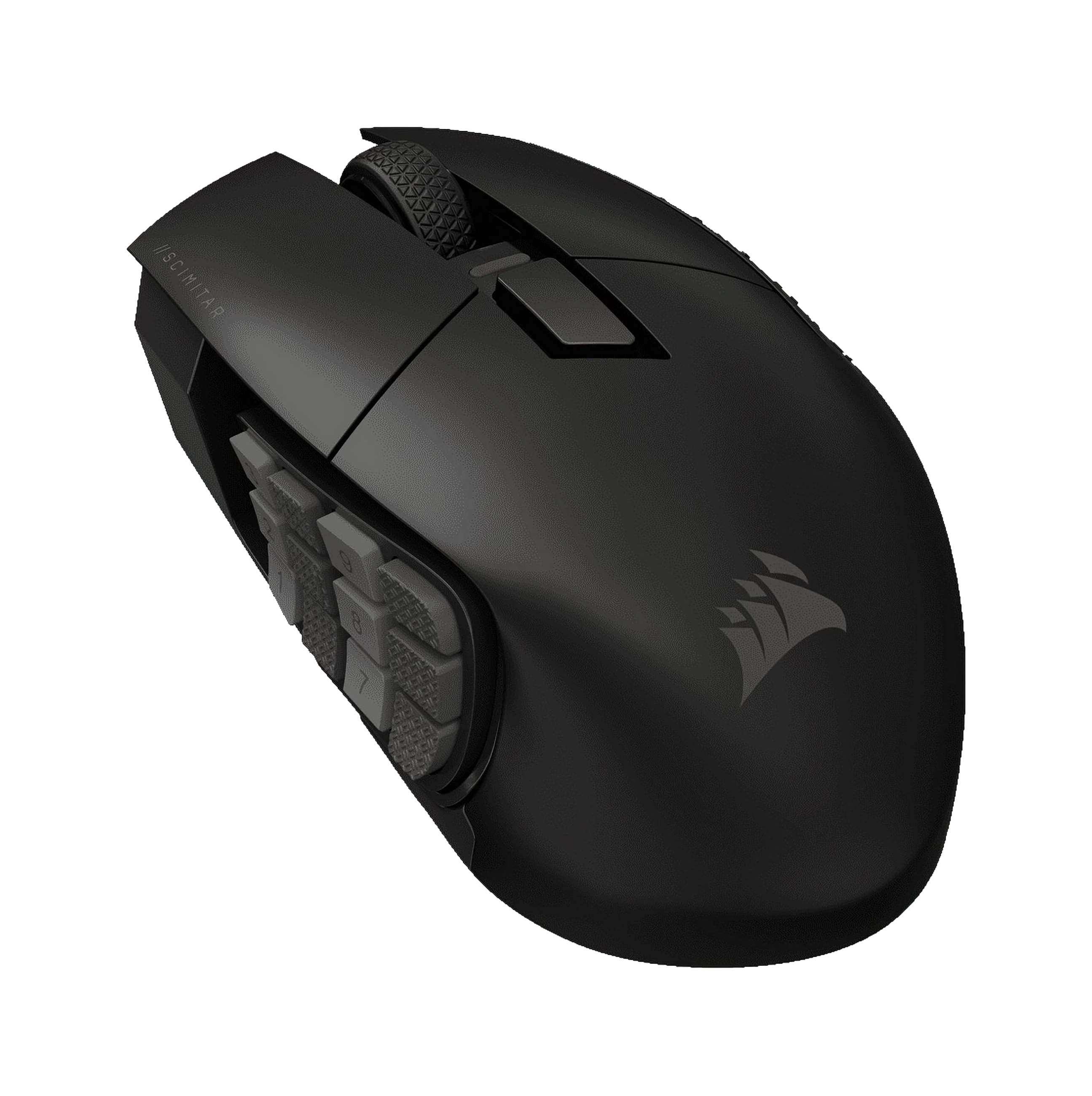
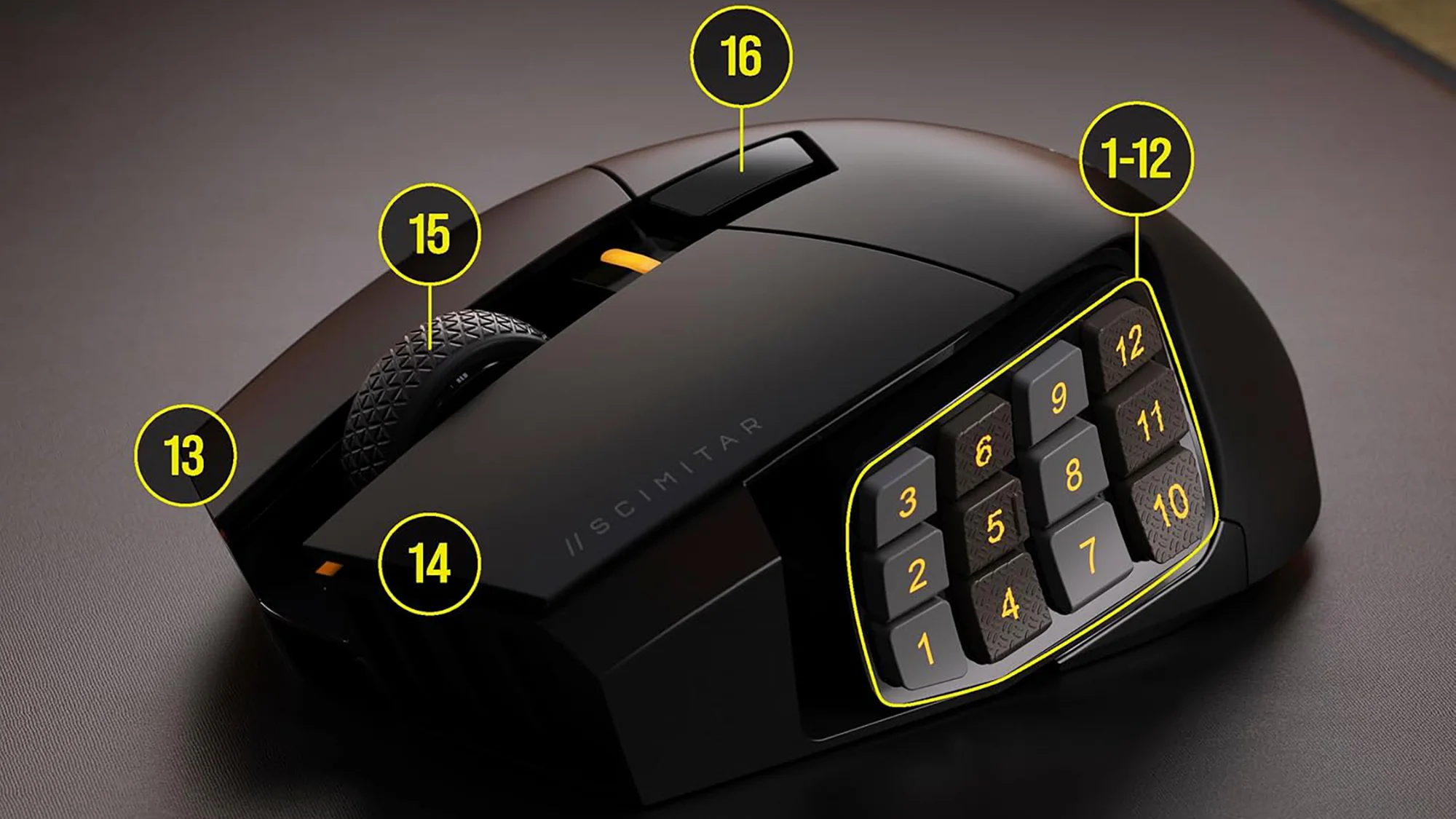
Browse Corsair Scimitar Elite Wireless product images. Use the arrow buttons to change images, or select a thumbnail.



Comparisons
Best Deals
Pros & Cons
Pros
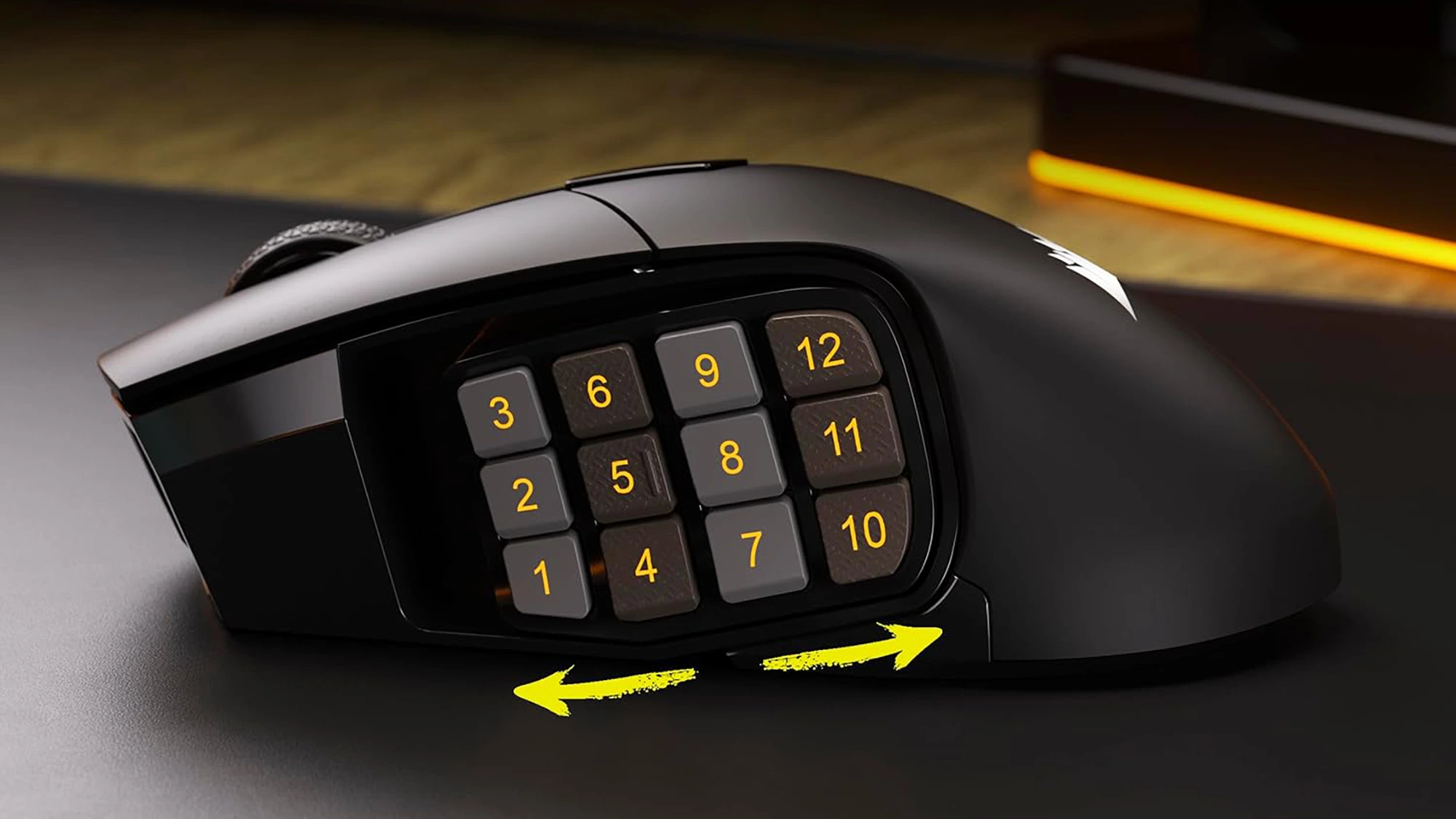
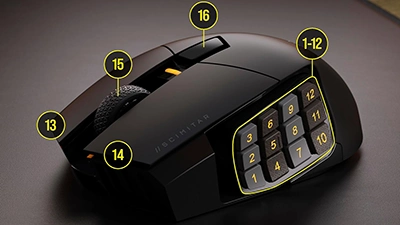
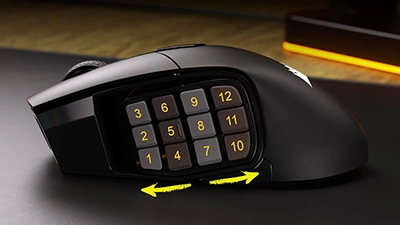
- 16 programmable buttons with adjustable 12‑button Key Slider make complex MMO rotations and macros easy to reach
- Comfortable, contoured right‑handed shell that supports a full palm grip for long raid sessions
- CORSAIR MARKSMAN 26K sensor, up to 2,000Hz polling, and 100% PTFE feet deliver precise, smooth tracking
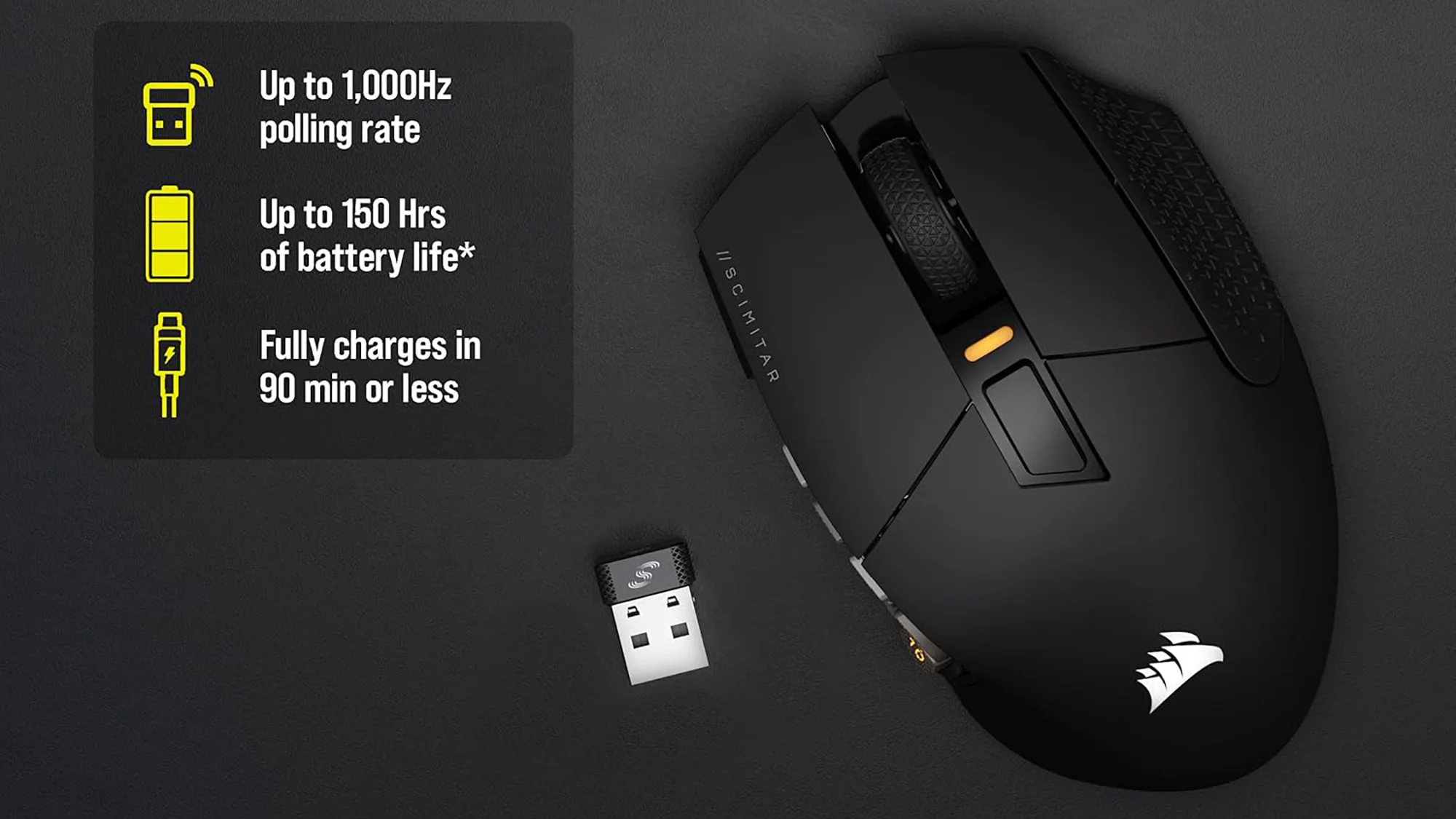
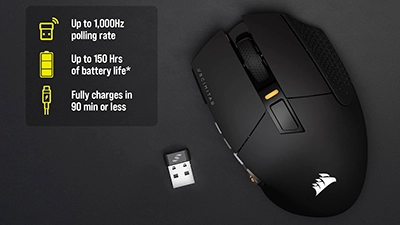
- Tri‑mode connectivity (2.4GHz Slipstream, Bluetooth, wired USB‑C) with up to 120–150 hours of rated battery life with lighting off
- Optical main switches rated for 100M clicks plus onboard storage for up to three profiles
Cons
- Superseded by a newer SE model that offers a higher-DPI sensor and extra software features
- Heavier and bulkier than many modern gaming mice – not ideal for twitchy FPS play or small hands
- Only worth choosing over the latest version when it’s meaningfully discounted (otherwise, the SE brings modest but tangible upgrades)
- iCUE software is powerful but can be overkill for simple remaps, and it’s required to unlock this mouse’s full potential
What We Think
Update: This snapshot has been refreshed to reflect Corsair’s newer Scimitar Elite Wireless SE, which now sits above this model in their MMO lineup.
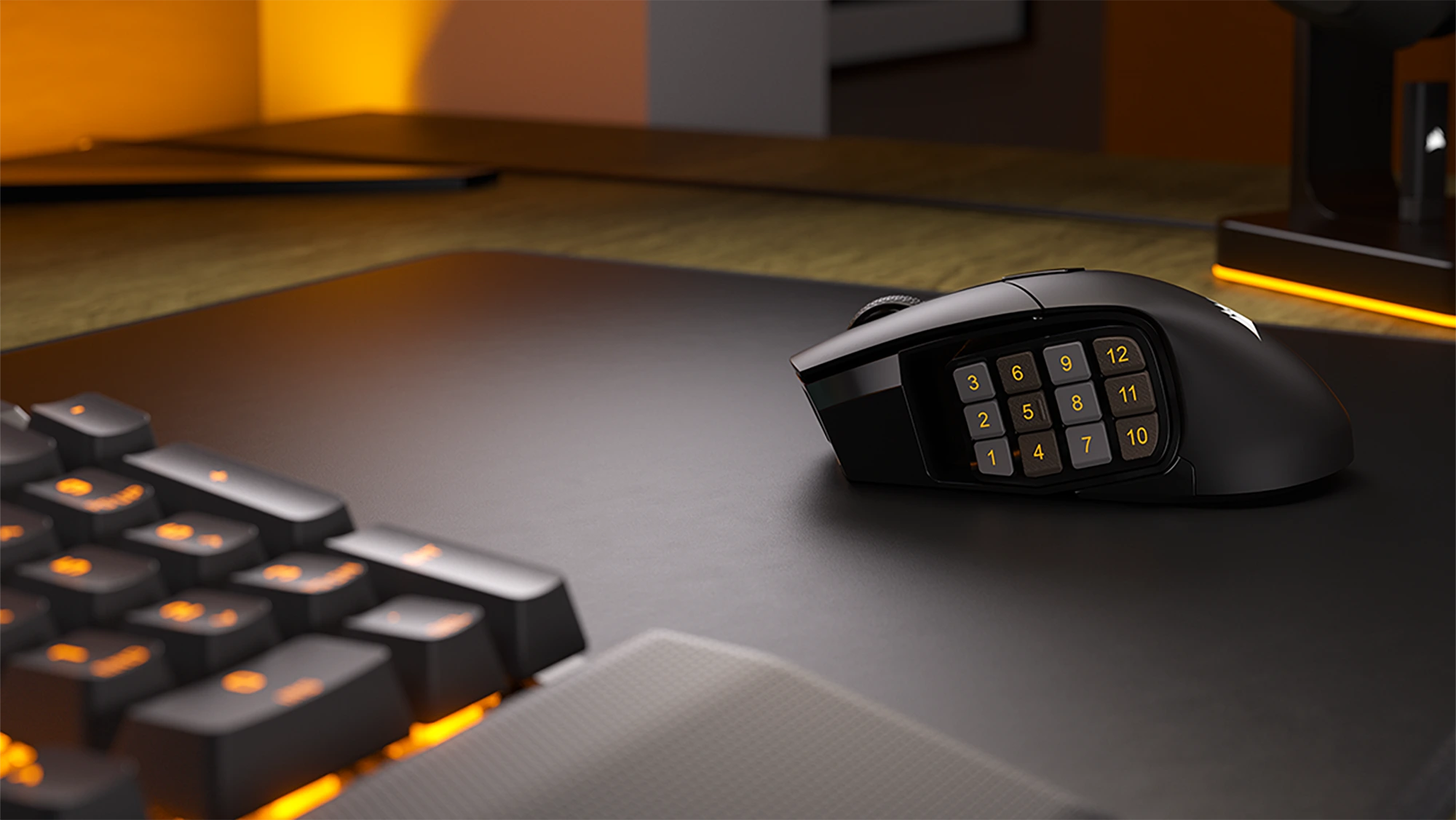
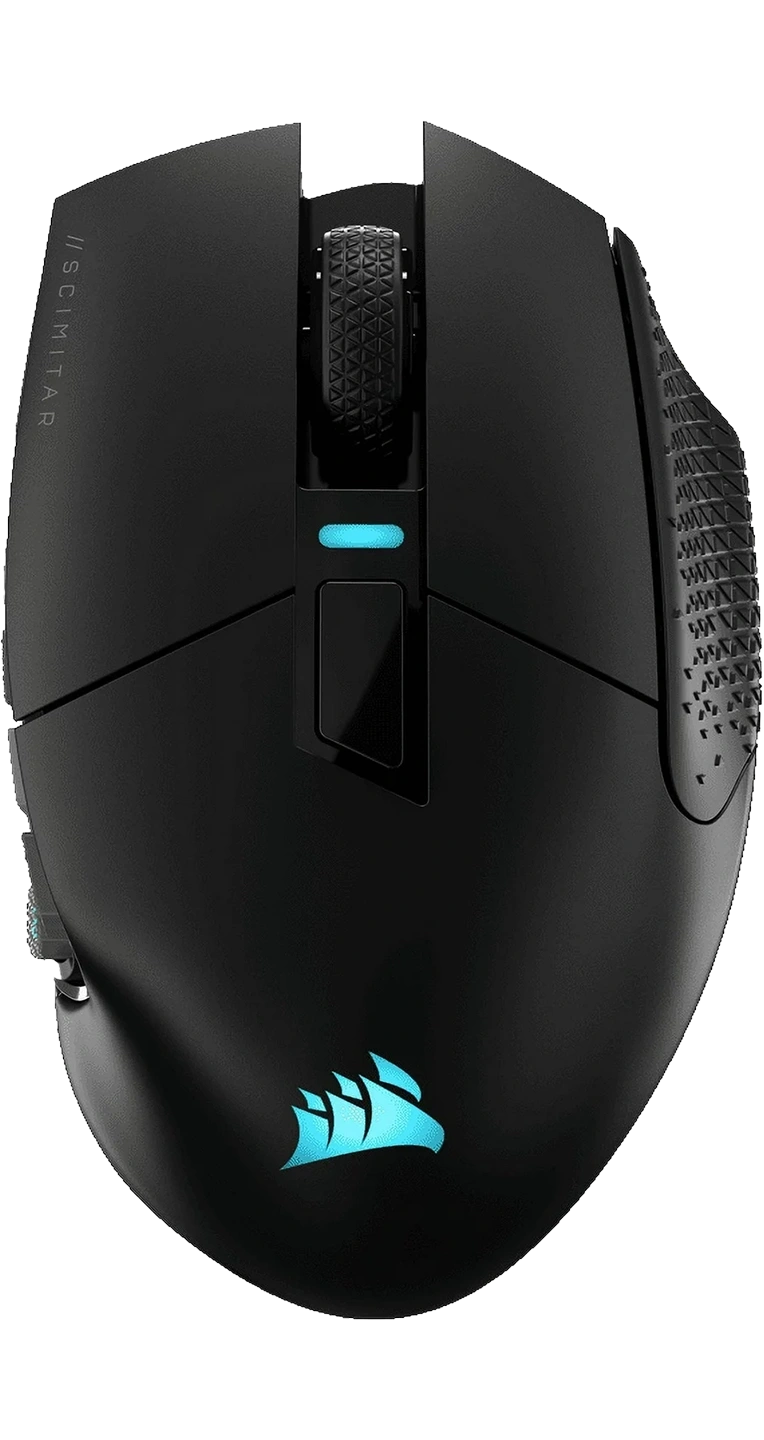
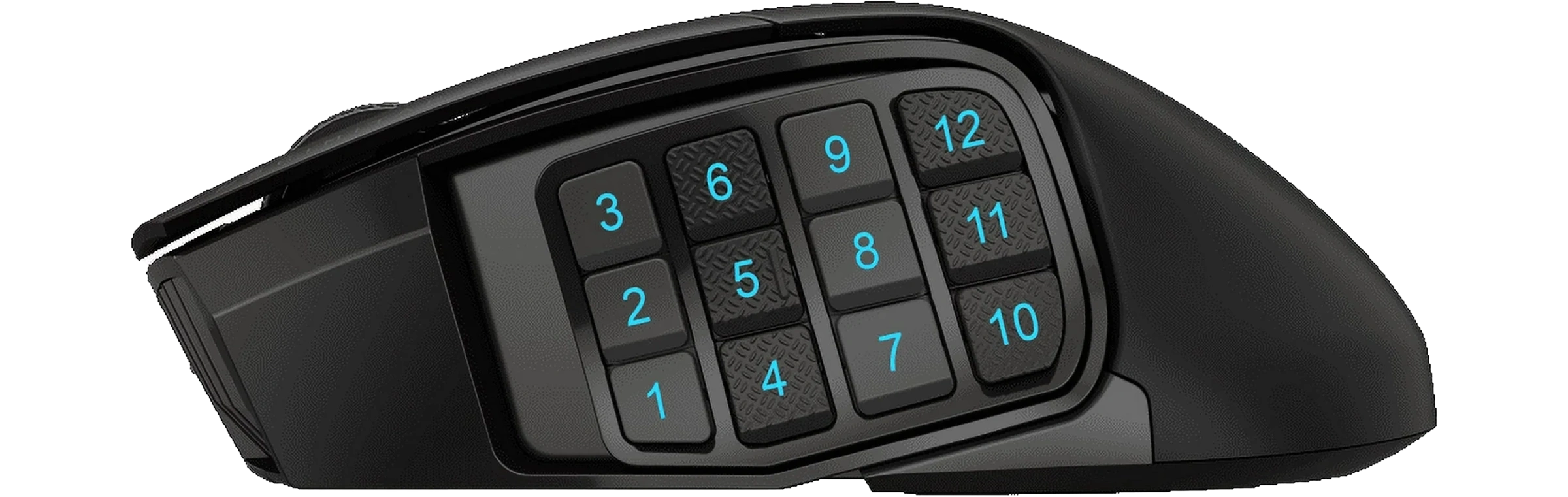
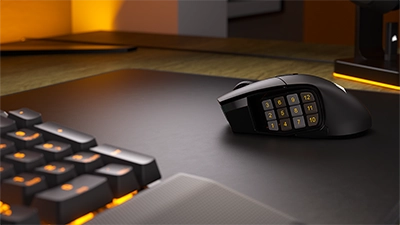
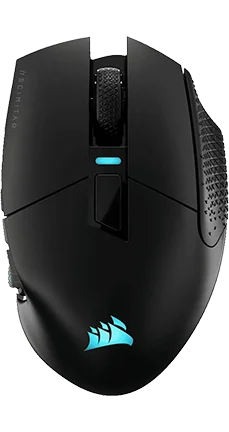
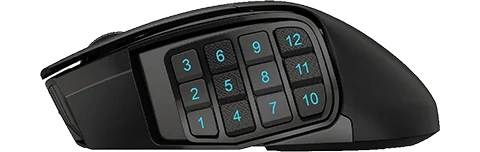
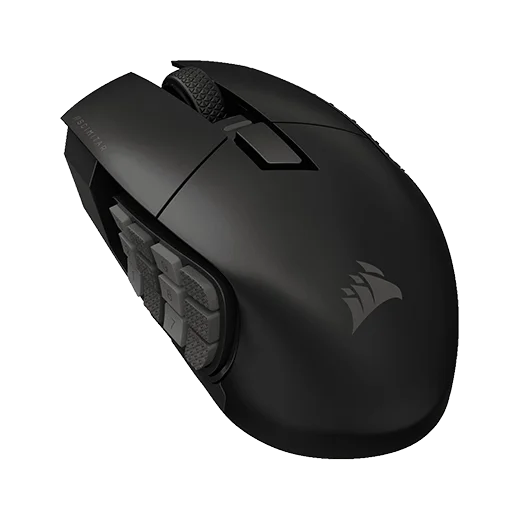
The Scimitar Elite Wireless was Corsair’s answer to MMO players who demanded a small keyboard’s worth of thumb buttons in a single mouse. It delivers on that promise – a dozen thumb keys (16 buttons total) that can be tailored to spells or macros, all in a contoured wireless design that feels substantial in hand. The iconic Key Slider™ side panel adjusts for your thumb’s reach, meaning even smaller hands can hit the back rows (though the rearmost buttons may still require a stretch). The overall shape is broad and supportive for palm grips, with a textured side grip that helps keep control during long dungeon runs.
Despite its heft (around 4.2 oz), the mouse glides smoothly on 100% PTFE feet and tracks reliably thanks to Corsair’s 26,000 DPI Marksman sensor. A 1,000 Hz wireless polling rate keeps inputs responsive enough for most gamers, and in practice there’s no lag to speak of – whether you’re dodging attacks in FFXIV or cycling hotbars in WoW, the Scimitar Elite Wireless executes commands with flagship-level confidence. Corsair’s 2.4 GHz SLIPSTREAM wireless remains rock-solid, and you can always switch to Bluetooth on the fly to pair with a laptop or secondary device. Update: At this point, the SE version adds a higher-end sensor and tighter Stream Deck integration, but the original still holds up when it’s discounted. On its own merits, the Scimitar Elite Wireless still offers a premium build: the main clicks are snappy and guaranteed for 100 million presses, and the front-mounted USB-C port means you can keep playing while charging (a full charge lasts up to 150 hours in Bluetooth mode with lighting off.
Where it now falls short is less about execution and more about position. When this model launched, it was Corsair’s most advanced MMO mouse – but since then, a Special Edition has stolen that crown. In day-to-day use, the differences are easy to live with: unless you truly need a 33K DPI sensor or direct Elgato Stream Deck button mapping, the original Scimitar Elite Wireless still feels like a high-end MMO controller. Its thumb key grid is satisfyingly tactile (each row has a unique texture and a small nub on one button to help orient your thumb), though some players note they’d prefer even sharper differentiation by feel. The mouse’s weight and bulk can be a double-edged sword: on one hand, it offers great stability for deliberate skill rotations and RTS-style camera panning; on the other, it’s not the agile choice for flick-intensive FPS moments, and fatigue can set in during ultra-long sessions if you’re more used to lightweight designs.
Lineup context
When it launched, this was Corsair’s flagship MMO grid mouse, bringing their long-running Scimitar line into high-end wireless territory. Since then, the Scimitar Elite Wireless SE has taken over as the true halo model, but this version now fills the role of “last-gen hero” that you can often snag at a better price. In other words, it currently serves as the value option in Corsair’s MMO lineup – you get the same 12-button layout and core comfort, as long as you’re okay with slightly older internals.
In the end, the Scimitar Elite Wireless still makes a strong case for itself among MMO and MOBA enthusiasts who want maximum thumb control without wires. It’s especially appealing now to value-conscious gamers: when on sale, it undercuts newer rivals while delivering a very similar experience. If you demand the absolute newest tech (or you’re deeply embedded in the Elgato streaming ecosystem), Corsair’s <pop=mouse-???>Scimitar Elite Wireless SEis the one to beat. But for many, this original Elite hits a sweet spot – a comfortable, feature-rich MMO mouse that sacrifices a bit of cutting-edge precision for a lower price. And if even that is too steep or you prefer a different brand’s twist on the formula, consider the Razer Naga V2 Pro for a more modular, but pricier, multi-button alternative.
Wireless, Battery & Software
Slipstream 2.4GHz gives you the lowest‑latency connection for gaming, while Bluetooth is handy for swapping to a laptop or secondary rig, and USB‑C wired mode lets you play while charging. With RGB off, Corsair rates the battery at up to roughly 120 hours on 2.4GHz and 150 hours on Bluetooth, so you can clear a lot of dungeons between charges.
All of the customization – remaps, layered macros, per‑game profiles, and RGB – runs through Corsair’s iCUE software. It’s powerful and lets you turn the side grid into a true ability launcher or workflow controller, but you’ll want to spend some time setting it up properly.
Treated as a dedicated MMO/ARPG mouse, the Scimitar Elite Wireless feels like a small control panel under your thumb, not just another pointer.
Bottom Line
If your evenings are more about raid nights, dungeon queues, and hotbar juggling than laser‑focused aim duels, the Corsair Scimitar Elite Wireless makes a lot of sense. It’s heavy and unapologetically large, but in return you get a comfortable palm‑friendly shape, a highly adjustable 12‑button side panel, long‑lasting wireless, and a sensor/polling combo that keeps up with any MMO or ARPG you throw at it.
Players with smaller hands, fingertip grips, or a single‑mouse setup that must also serve as a competitive FPS pointer will likely find the bulk and weight hard to love. For medium‑to‑large‑hand MMO fans who want a wireless replacement for older “brick‑style” MMO mice, though, this is a strong contender.
Performance Breakdown ?
Build
SensorWhat is a Sensor? A sensor in a gaming mouse is the component responsible for detecting movement and translating it into cursor movement on your screen. Different sensors like PMW, PAW, Hero, and others vary in technology and performance metrics.Distribution:
Each bar shows how many products received that score; the highlighted bar is this item’s score.01/2012 05/2025Why Does It Matter? The type of sensor directly affects the tracking accuracy, speed, responsiveness, and sometimes power efficiency of a mouse. High-quality sensors can provide a competitive edge by ensuring precise cursor control, which is crucial in gaming for accuracy in aiming or quick movements.Common Sensors:PMW (PixArt Maximum Performance Wireless): Known for high performance in wired setups, offering excellent tracking precision and speed.PAW (PixArt Adaptive Wireless): Focused on power efficiency, ideal for wireless mice, with good tracking capabilities and speed.Hero (Logitech): Renowned for its power efficiency and high accuracy, suitable for both wired and wireless applications.TrueMove Pro (SteelSeries): Provides advanced stabilization for precise tracking on various surfaces.Focus Pro (Razer): Designed for professional gaming with top-tier performance metrics.Owl-Eye (ROCCAT): Custom sensor with features tailored for gaming precision.Choosing the Right Sensor: When selecting a mouse, consider the sensor based on your gaming needs. If you're into competitive gaming, look for sensors with high DPI, IPS, and low latency like PMW or Focus Pro. For longevity in wireless setups, sensors like PAW or Hero are preferable due to their power efficiency. Also, consider your preference for wired vs. wireless, as some sensors are optimized for specific use cases.
Distribution:
Corsair MARKSMAN 26K
WeightWhat is Weight? Weight refers to the mass of a gaming mouse, measured in grams, affecting its feel and maneuverability.Distribution:
Each bar shows how many products received that score; the highlighted bar is this item’s score.147 36Why Does It Matter? Lighter mice enable faster movements, ideal for competitive gaming, while heavier mice offer stability, suiting precise or controlled playstyles.
Distribution:
114 g
SkatesMouse Feet Material (Skates): These pads under your mouse significantly influence glide, performance, and durability.Distribution:
Each bar shows how many products received that score; the highlighted bar is this item’s score.PTFE (Colored/Mixed): Moderate friction coefficient - Balances speed with a touch of added control, often seen in stock mouse setups for its versatility. The addition of dyes or other materials might slightly increase friction compared to virgin-grade, but it also enhances durability and offers color options for personalization.PTFE (Virgin-Grade): Very low friction coefficient - Pure PTFE provides minimal resistance, allowing for a seamless glide across your mousepad. This material is favored for its purity, which results in less wear over time, maintaining its glide properties longer than colored PTFE.Glass Skates (Glossy Aluminosilicate): Lowest friction coefficient - Offers an incredibly smooth glide, ideal for quick, precise movements in gaming. Their durability is unmatched, ensuring consistent performance over time, even under heavy use.Glass Skates (Matte Aluminosilicate): Low friction coefficient - Strikes a balance between speed and control, offering a tactile feedback not found in glossy finishes. The matte surface reduces the initial stickiness sometimes experienced with glossy skates, providing gamers with better control for micro-adjustments.UHMWPE: Moderate to high friction coefficient - Known for its durability, it provides a controlled glide, ideal for gamers who prefer precision.Ceramic: Higher friction coefficient - Durable and suited for hard surfaces, these skates offer control-focused glide characteristics.Sapphire: Variable friction coefficient - Luxury option with exceptional durability and glide, though performance can vary with surface treatment.Thickness and Shape: These aspects affect how your mouse interacts with the surface. Thicker skates can increase lift-off distance but may last longer, while shape influences glide smoothness.Installation and Maintenance: Proper installation involves cleaning, precise alignment of new skates, and sometimes heating for old skate removal. Regular maintenance ensures optimal glide performance.
Distribution:
PTFE (Virgin-Grade)
Hardware
PollingWhat is Polling Rate? Polling rate, measured in Hz, is how often a mouse reports its position to the computer.Distribution:
Each bar shows how many products received that score; the highlighted bar is this item’s score.125 8000Why Does It Matter? Higher polling rates provide smoother, more responsive tracking, critical for competitive gaming where precision and speed are key.
Distribution:
DPIWhat is DPI? Dots Per Inch (DPI) measures the sensitivity of a mouse, determining how far the cursor moves per inch of physical movement.Distribution:
Each bar shows how many products received that score; the highlighted bar is this item’s score.4200 44000Why Does It Matter? Higher DPI allows faster cursor movement, ideal for high-resolution displays or fast-paced gaming, while lower DPI offers precision for detailed tasks.
Distribution:
IPSWhat is IPS? Inches Per Second (IPS) indicates the maximum speed at which a mouse sensor can move while still accurately tracking.Distribution:
Each bar shows how many products received that score; the highlighted bar is this item’s score.48 888Why Does It Matter? Higher IPS ensures reliable tracking during rapid movements, essential for fast-paced gaming where quick swipes are common.
Distribution:
AccelerationWhat is Acceleration? Acceleration measures how quickly a mouse sensor can reach its maximum tracking speed, expressed in g-forces (g).Distribution:
Each bar shows how many products received that score; the highlighted bar is this item’s score.10 88Why Does It Matter? Higher acceleration ensures accurate tracking during fast movements, vital for dynamic gaming scenarios requiring rapid cursor shifts.
Distribution:
Performance
Lift-OffWhat is Lift-Off Distance? Lift-off distance (LOD) is the height (in mm) at which a mouse’s sensor stops tracking when lifted from the surface.Distribution:
Each bar shows how many products received that score; the highlighted bar is this item’s score.5 0Why Does It Matter? A low LOD minimizes unwanted cursor movement during lifts, crucial for low-sensitivity gamers who frequently reposition their mouse.
Distribution:
1.2 mm
Specifications
- Price (MSRP) $129.99
- SKU / Part # CH-9314311-NA
- Color(s)
- Design(s) standard
- Weight 114.00 g / 4.02 oz
- Material plastic
- Coating matte
- Feet Material PTFE (Virgin-Grade)
- Lighting 2 zone (rgb)
- Release Date 08/2023
General Features
- Connection hybrid
- Connectivity 2.4GHz Dongle
- Computer Side Connector USB-A
- Mouse Side Connector USB-C
- Cable Type braided
- Paracord
- Battery Hours 150
Connectivity
- Length 119.23 mm / 4.69 in
- Width 73.48 mm / 2.89 in
- Height 42.17 mm / 1.66 in
Dimensions
- Form Factor right
- Shape ergonomic
- Hump back mid
- Front Flare flat
Shape & Form
- Adjustable Weight
- Honeycomb Frame
- Silent Clicks
Extra Features
- Sensor Corsair MARKSMAN 26K
- Sensor Type optical
- Flawless Sensor -
- Sensor Latency -
- Polling Rate 2000 Hz
- DPI 26000 k
- IPS 650
- Acceleration 50 g
- Lift-off Distance 1.2 mm
- Lift-off Settings adjustable
- Motion Sync
- Hardware Acceleration
- Nvidia Reflex
- Smoothing
Sensor Specs
- Switch Type optical
- Switches TTC Optical Microswitch
- Hot Swappable
- Click Latency -
- Click Force -
Switch Specs
- MCU -
- Side Button(s) 12
- Middle Button(s) 2
- Programmable Button(s) 15
- Tilt Wheel
- Adjustable Scroll Wheel
- Onboard Memory (3)
- Profile Switching
Control & Function
Video Spotlight
Similar
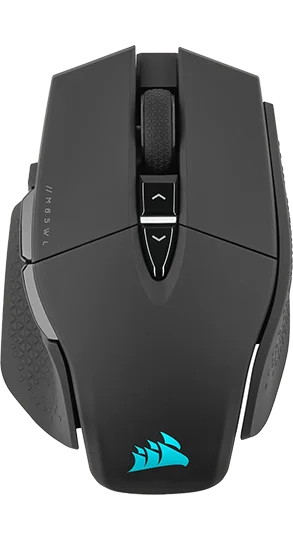
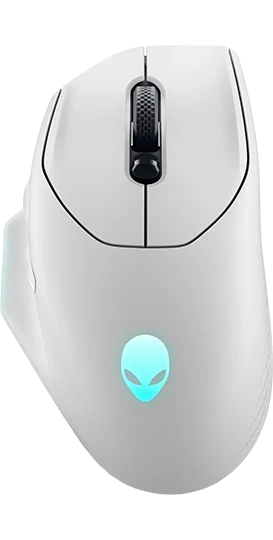
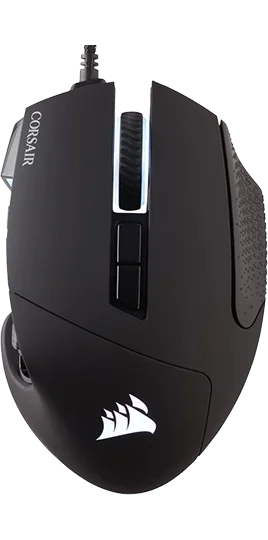
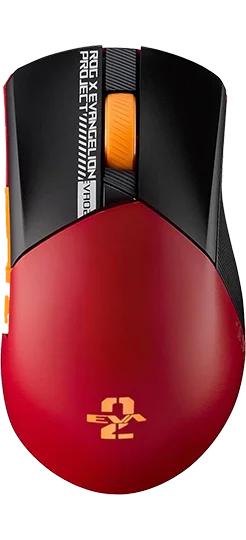
 View Corsair Scimitar Elite Wireless vs Asus ROG Gladius III Wireless AimPoint EVA-02 – detailed specifications
  View Corsair Scimitar Elite Wireless vs Asus ROG Gladius III Wireless AimPoint EVA-02 – ratings radar graph
  View Corsair Scimitar Elite Wireless vs Asus ROG Gladius III Wireless AimPoint EVA-02 – shape outlines
Recommended
 Terms | Privacy | Feedback